

When an affiliate status changes to active in FluentAffiliate, send a welcome email via Gmail
When an affiliate’s status is changed to active in FluentAffiliate, this workflow sends them a welcome email from your Gmail account with the details you want every new partner to have.
 FluentAffiliate
 Gmail
Gmail2 steps Setup ~5 min Used on 837 sites Free to import
What this workflow does
An approved affiliate wants to know what to do next: where to find their link, which products to promote, who to ask for help. Sending that note by hand each time you approve someone is easy to delay. This workflow sends it the moment their status turns active.
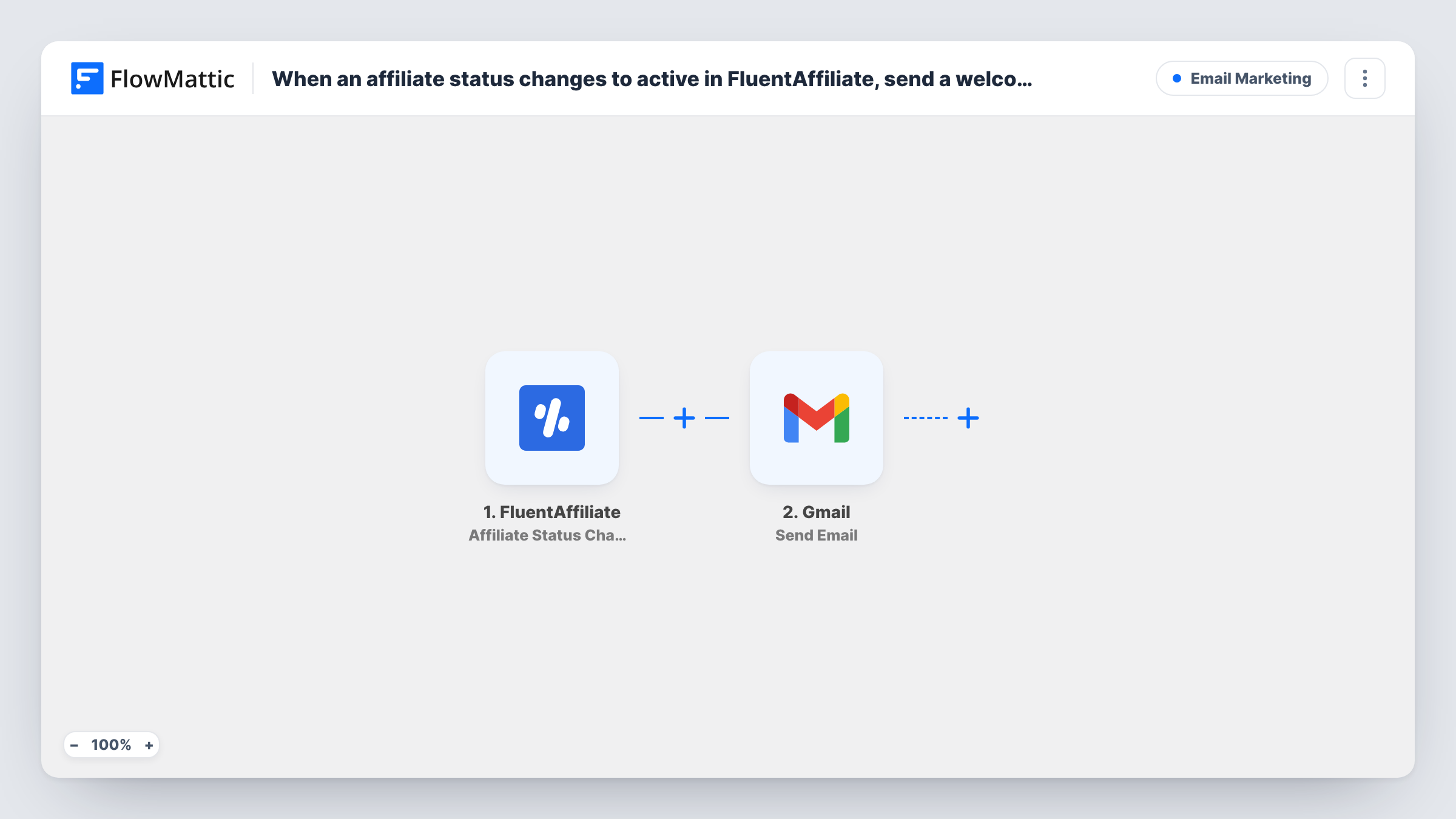
The FluentAffiliate trigger fires when an affiliate's status is changed to active on your WordPress site. FlowMattic passes the affiliate's details to Gmail, whose Send Email action delivers your message from the Gmail account you connect. You map the affiliate's email address as the recipient and can drop their name into the greeting.
The trigger watches the status change itself. An affiliate who is set to inactive and later made active again also gets the email, so word it in a way that still reads well for returning partners. Task History records every email the workflow sent.
Approving applications for a plugin shop
You review affiliate applications once a week. Each person you approve gets a welcome email with your brand assets and promotion rules as soon as you switch them to active.
Course creator with a partner programme
New partners receive an email from your own Gmail with the course pages they can link to and how payouts work on your site.
Membership site re-activating partners
When you reactivate an affiliate after a pause, the same email reminds them of their dashboard and current offers.
How this workflow runs
What happens at each step once the workflow is on, and what you need before you import it.
 FluentAffiliate Affiliate Status Changed to Active
Fires when an affiliate's status changes to active in FluentAffiliate. The affiliate's details are passed on for mapping in the email.
- Gmail Send Email
Sends the welcome email through the Gmail account linked here. Map the affiliate's email address as recipient, then write the subject and body with their details.
What you need
- FlowMatticCore
- FluentAffiliate PluginPlugin
- Gmail AccountAccount
After importing, map your own data. To keep the template universal, not every step is pre-filled. Open each step in the builder and connect your accounts and fields (channels, lists, sheets, recipients) before you switch the workflow on.
Make it yours
Changes worth making after you import it.
- Put a link to the affiliate login page on your site in the email body, so each partner knows where to find their dashboard as soon as they are approved.
- Add a Slack or email step after Gmail that tells your team which affiliate was approved, so the person who manages partners can follow up.
- Switch a test affiliate to active after import so FlowMattic captures the data, then map the email and name fields before turning the workflow on.
Questions about this workflow
Does a FluentAffiliate affiliate get the email again if reactivated?
Yes. The trigger fires each time an affiliate's status changes to active, so someone set back to active after being inactive receives the email again.
Does FluentAffiliate need to be on the same site as FlowMattic?
Yes. FluentAffiliate is a WordPress plugin, and the trigger listens for status changes on the site where FlowMattic is installed.
Can the welcome email go out from a shared Gmail inbox like partners@?
It goes out from the Gmail account you connect. Connect the account you want affiliates to see and reply to.
What happens to affiliates set to pending?
Nothing in this workflow. FlowMattic has a separate Affiliate Status Changed to Pending trigger for FluentAffiliate if you want to email them while they wait.
More Email Marketing workflows
Other ready-to-import templates from the same category.







Import this workflow into your WordPress site
Download the JSON, import it from the Workflows screen and connect your accounts. Every run stays on your server, with no per-task fees.
30-day money-back guarantee Unlimited workflows and runs Self-hosted