

When an Iterable event fires, record it in Airtable and post a summary to Slack
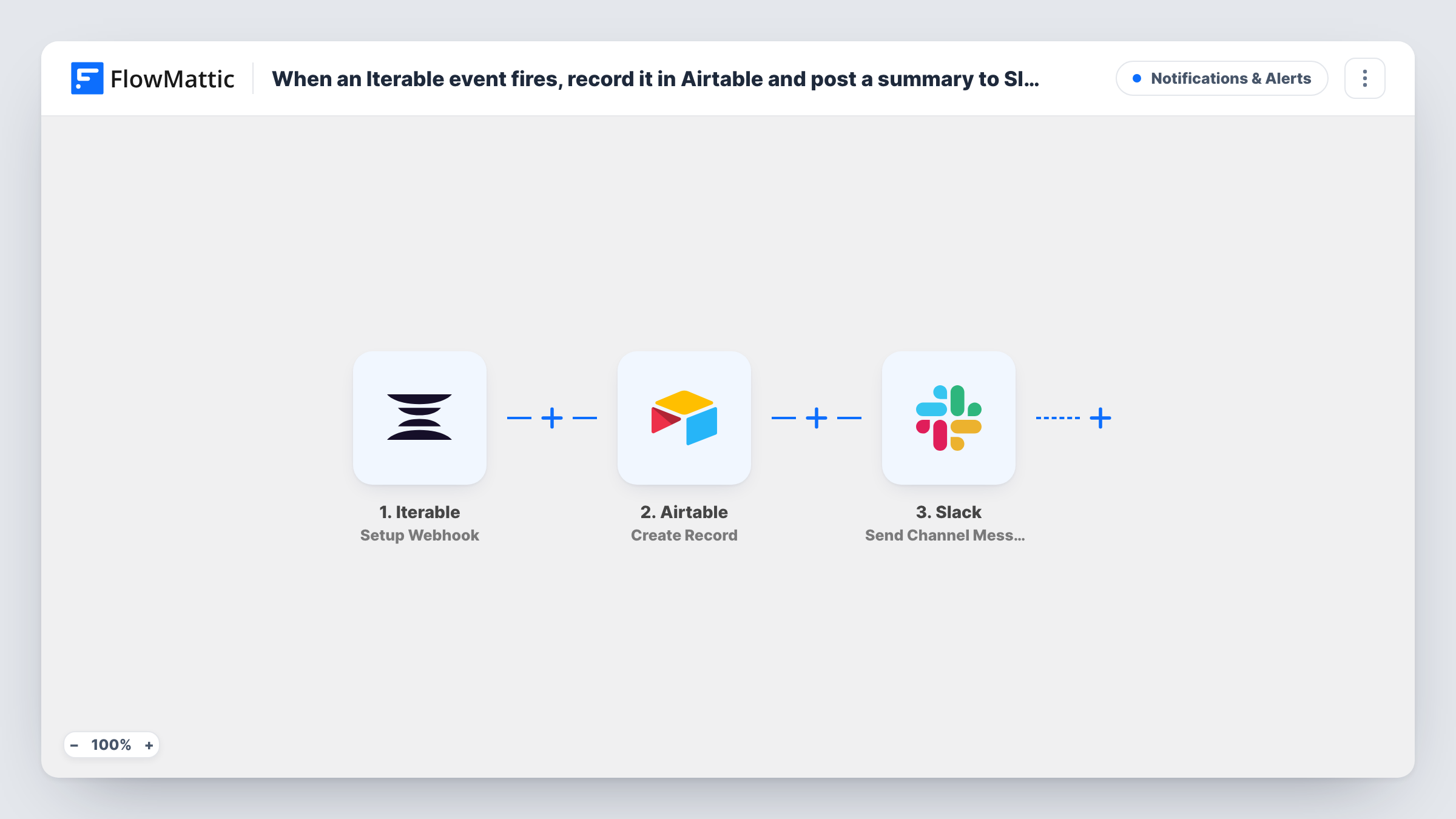
When Iterable sends one of the events you choose to its webhook, this workflow saves the event as a new Airtable record and then posts a short summary of it to a Slack channel for your team.
 Iterable
 Airtable
 Slack
3 steps Setup ~5 min Used on 1.8k sites Free to import
What this workflow does
Iterable produces a steady stream of messaging events. The ones your team cares about are hard to watch inside Iterable, and they disappear into reports instead of a table you can work from. This workflow stores each event and tells the team about it as it happens.
The Iterable trigger is a webhook that fires for the events you specify when you set it up in Iterable. FlowMattic takes the event data and the Airtable step creates a new record from it in the base and table you pick. The Slack step then posts a message to a channel, built from the event fields and, if you like, values Airtable returned for the new record.
Every event Iterable sends to the webhook runs all three steps. Choose your events with care in Iterable, since a busy event type can mean a lot of records and a lot of Slack messages.
Unsubscribe watch for a marketing team
Send Iterable's unsubscribe events to the webhook. Each one becomes an Airtable record for later review, and the team sees it in Slack the moment it happens.
Campaign launch monitoring
During a launch, send key campaign events to the webhook so the channel shows activity as it comes in, while Airtable keeps the full list for the post-launch review.
Shared event log for people outside Iterable
Product or support staff without Iterable access read the Airtable table and the Slack channel to follow what your messaging program is doing.
How this workflow runs
What happens at each step once the workflow is on, and what you need before you import it.
 Iterable Setup Webhook
Gives you a webhook that Iterable calls for the events you specify in its settings. Each event Iterable sends starts a run, and its data is passed on for mapping.
- Airtable Create Record
Creates a new record in the Airtable base and table you choose for each Iterable event. Map the event fields into your columns and connect your Airtable account.
- Slack Send Channel Message
Posts a message to the Slack channel you pick, written from the event data and the new Airtable record. Use a public channel for this action and connect your Slack workspace.
What you need
- FlowMatticCore
- Iterable AccountAccount
- Airtable AccountAccount
- Slack AccountAccount
After importing, map your own data. To keep the template universal, not every step is pre-filled. Open each step in the builder and connect your accounts and fields (channels, lists, sheets, recipients) before you switch the workflow on.
Make it yours
Changes worth making after you import it.
- Add a Filter with a rule on the event type between the Iterable trigger and the Airtable step, so only the events you care about reach Airtable and Slack while the rest stop there.
- For a private Slack channel, swap this step for Slack's Send Private Channel Message action. For one person, use Send Direct Message.
- Fire a test event from Iterable after import so FlowMattic captures its fields, then map them in the Airtable and Slack steps before you turn the workflow on.
Questions about this workflow
Which Iterable events start this workflow?
The ones you point at the webhook when you set it up in Iterable. Every event it sends runs the workflow, so narrow the list there or add a Filter between the trigger and the Airtable step.
What goes into the Airtable record for each Iterable event?
The event fields you map. The Create Record step ships unmapped, so after import you pick the base and table, fire a test event, and match the fields it carries, such as the event name and the user's email, to your columns.
Can the Iterable summary go to a private Slack channel?
Send Channel Message is meant for public channels. Replace it with Slack's Send Private Channel Message action and pick the private channel there.
Will older Iterable events be added to Airtable?
No. Only events Iterable sends after the webhook is set up and the workflow is on are recorded.
More Notifications & Alerts workflows
Other ready-to-import templates from the same category.




Import this workflow into your WordPress site
Download the JSON, import it from the Workflows screen and connect your accounts. Every run stays on your server, with no per-task fees.
30-day money-back guarantee Unlimited workflows and runs Self-hosted