

When an Onfleet task is assigned, log it in Google Sheets and notify the dispatcher in Slack
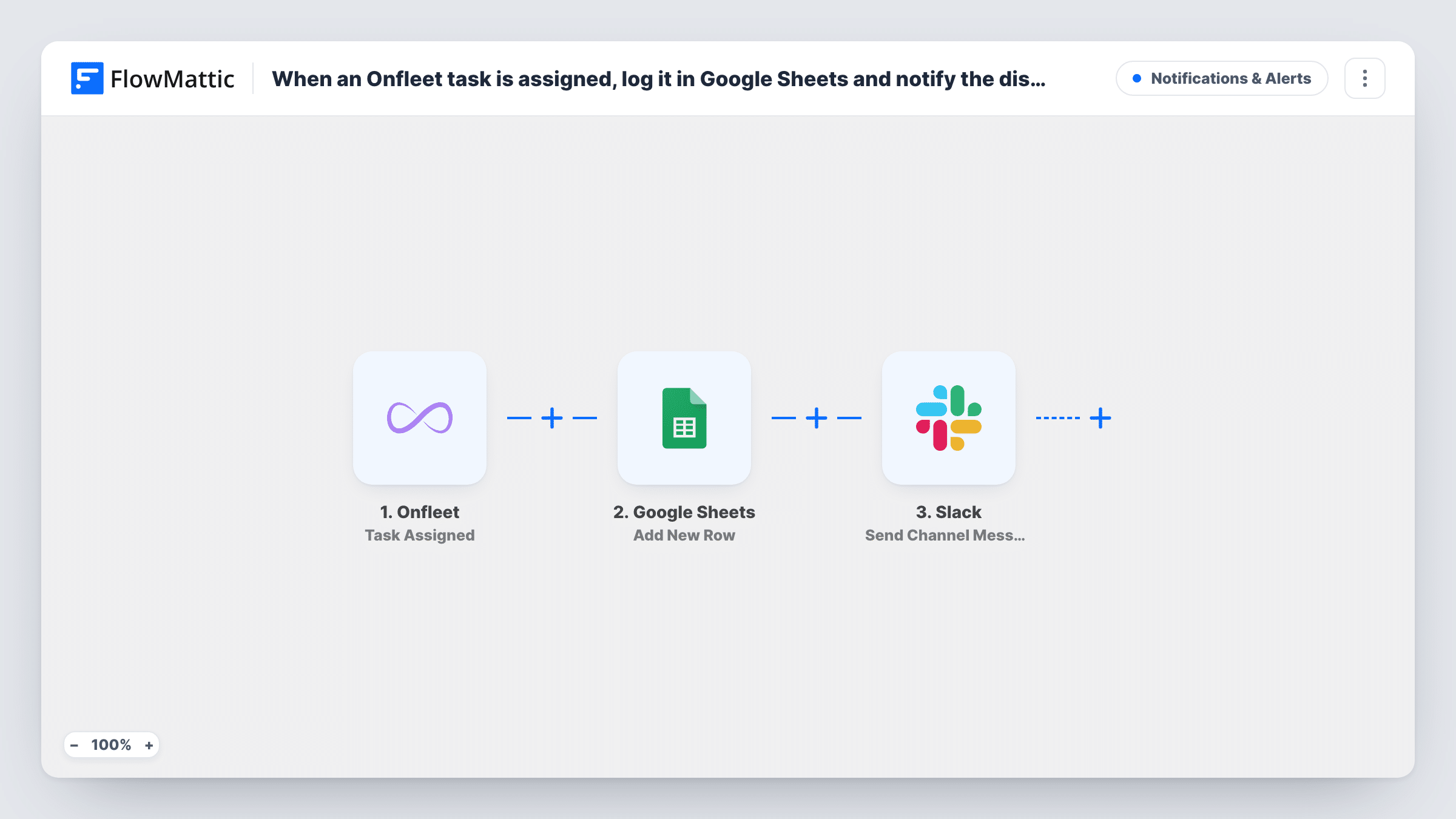
Each time an Onfleet task is assigned to a driver or a team, this workflow adds a row to Google Sheets for your records and then posts a message in a Slack channel for the dispatcher.
 Onfleet
 Google Sheets
 Slack
Slack3 steps Setup ~5 min Used on 1.0k sites Free to import
What this workflow does
Dispatchers need to know who has which delivery, and managers want a record of assignments they can look back on. Onfleet holds both, but not in a form your team can scan in Slack or sort in a spreadsheet. This workflow copies every assignment to both places.
The Onfleet trigger, Task Assigned, fires when a task is assigned to a driver or a team. FlowMattic passes the task data to Google Sheets, where Add New Row writes it to the sheet you choose, for example the task, the driver and the destination.
Next, Slack posts a message to the channel you pick with the details you place in the text. Every assignment runs both steps, since there is no Filter. If Onfleet sends Task Assigned again when you reassign a task, that adds another row and another Slack message.
Daily assignment log for a delivery business
Every task assigned in Onfleet becomes a row, so at the end of the day you can count deliveries per driver in the sheet.
Dispatcher channel in Slack
The dispatcher sees each assignment in #dispatch as it happens and can spot a driver who has been given too many stops.
Team-based routing
When tasks are assigned to a team rather than one driver, the Slack message tells the team lead that new work is waiting.
How this workflow runs
What happens at each step once the workflow is on, and what you need before you import it.
 Onfleet Task Assigned
Fires when an Onfleet task is assigned to a driver or a team. The task and assignment data are passed to the Google Sheets and Slack steps.
- Google Sheets Add New Row
Adds a new row to your chosen Google Sheets spreadsheet with the assignment. Map the task details, the assignee and the time into the columns you want.
- Slack Send Channel Message
Posts a message to the Slack channel the dispatcher follows. Put the task, driver and address from Onfleet into the text, then test once to see what Onfleet sends.
What you need
- FlowMatticCore
- Onfleet AccountAccount
- Google Sheets AccountAccount
- Slack AccountAccount
After importing, map your own data. To keep the template universal, not every step is pre-filled. Open each step in the builder and connect your accounts and fields (channels, lists, sheets, recipients) before you switch the workflow on.
Make it yours
Changes worth making after you import it.
- Add a time column to the sheet and map the assignment time into it, so you can sort the log by day or shift.
- For a private dispatch channel, change the Slack action to Send Private Channel Message. To reach one dispatcher, use Send Direct Message.
- Build a second workflow with Onfleet's Task Completed trigger that logs to another tab, so you can compare assignments with finished deliveries.
Questions about this workflow
What happens when an Onfleet task is reassigned to another driver?
Test a reassignment after import. If Onfleet sends Task Assigned again, the workflow runs again and adds a second row and a second Slack message for that task.
Does the Google Sheets row get written before the Slack message?
Yes. The steps run in order, so the row is added first and the Slack message comes next. Task History lists what both steps returned for every assignment.
Can the Slack message include the delivery address from Onfleet?
If Onfleet includes it in the Task Assigned event, yes. Assign a test task after import and pick the captured fields when you write the message.
Will unassigning a task update the sheet?
No. Unassigning is a separate Onfleet trigger, Task Unassigned. This workflow only adds rows when a task is assigned.
More Notifications & Alerts workflows
Other ready-to-import templates from the same category.



Import this workflow into your WordPress site
Download the JSON, import it from the Workflows screen and connect your accounts. Every run stays on your server, with no per-task fees.
30-day money-back guarantee Unlimited workflows and runs Self-hosted