

When checkout is complete in HeySummit, create the contact in ActiveCampaign and add a tag
When an attendee buys a ticket in HeySummit, FlowMattic creates or updates them as an ActiveCampaign contact and then adds a tag you choose, so ticket buyers are easy to find and email.
 HeySummit
 ActiveCampaign
3 steps Setup ~5 min Used on 1.1k sites Free to import
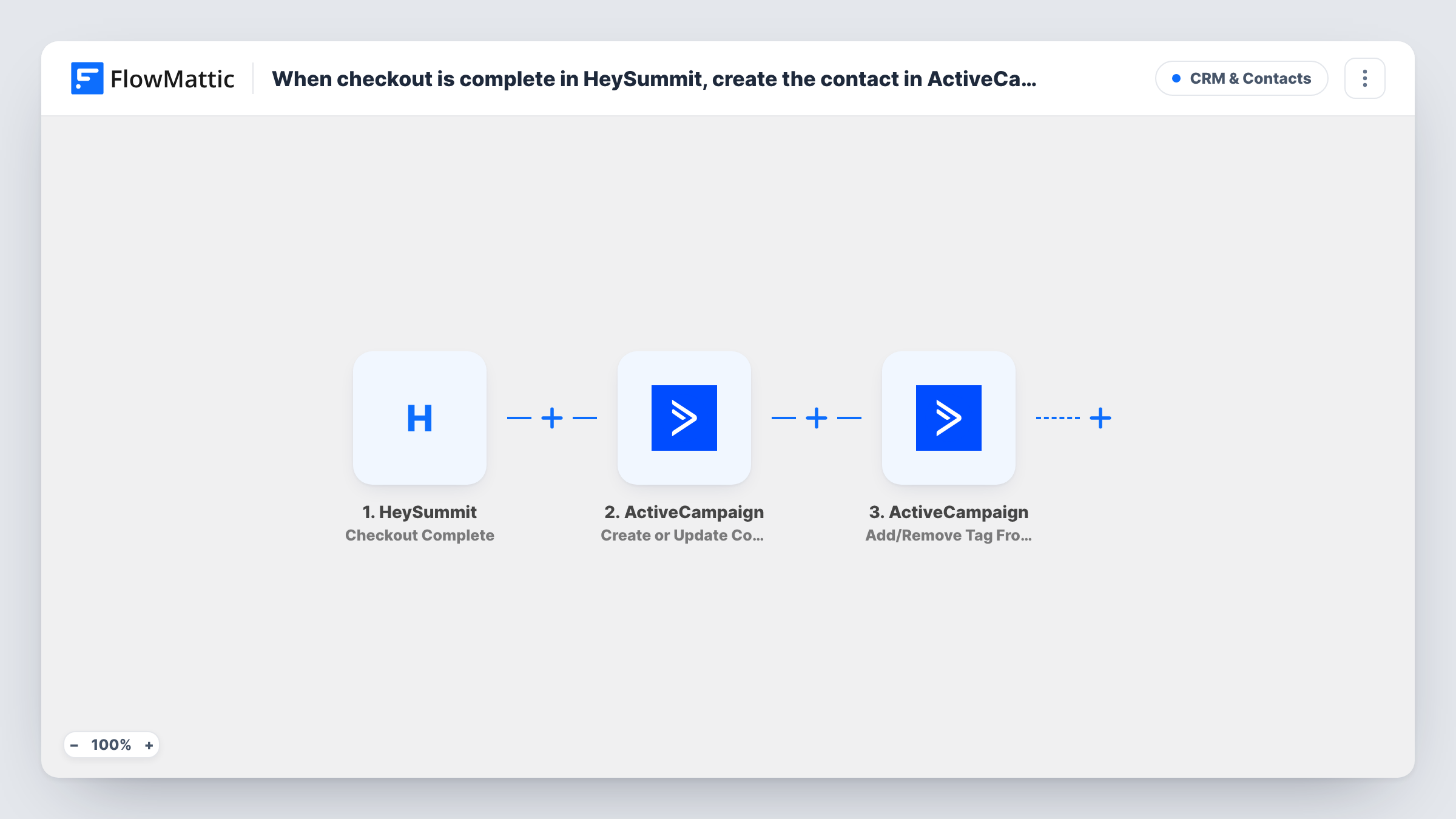
What this workflow does
Paying attendees of a virtual summit are worth treating differently from free sign-ups: they may get session reminders, replay access or an upsell later. Tagging them in ActiveCampaign at the moment they buy lets your automations and segments pick them out without exports from HeySummit.
The HeySummit Checkout Complete trigger fires when an attendee purchases a ticket, and passes on the buyer's details and the ticket bought. Free registrations use HeySummit's separate registration trigger, so they don't start this workflow.
The first ActiveCampaign step creates a new contact or updates the existing one, so someone already in your account isn't duplicated. The second step adds a tag to that contact. FlowMattic describes this action as adding or removing a tag, so confirm in a test run that the tag was added.
Both ActiveCampaign steps arrive with no fields filled in. After import you map the buyer's email and name into Create or Update Contact, then map the contact from step 2 into the tag step and choose the tag, for example the summit's name plus "buyer". Run a test purchase and check Task History to see each step's response.
Replay and bonus emails for paying attendees
A summit host tags every ticket buyer, and an ActiveCampaign automation started by that tag sends the replay links and bonus downloads after the event.
Separating buyers from free sign-ups
An event team uses the tag to keep paying attendees out of the promotional emails that still try to sell them a ticket.
Upsell to last year's buyers
A company running a yearly online conference emails everyone carrying last year's buyer tag with early access to the next edition.
How this workflow runs
What happens at each step once the workflow is on, and what you need before you import it.
 HeySummit Checkout Complete
Fires when an attendee completes checkout and purchases a ticket in HeySummit. The buyer's name, email and ticket details are passed to the ActiveCampaign steps.
- ActiveCampaign Create or Update Contact
Creates the buyer as a new ActiveCampaign contact, or updates the contact when one already exists. The step ships unmapped: map the HeySummit email, first and last name after import.
- ActiveCampaign Add/Remove Tag From Contact
Adds a tag to the contact from step 2. The template sets nothing here, so map that contact and the tag you want ticket buyers to carry, then confirm in a test run that the tag was added, not removed.
What you need
- FlowMatticCore
- HeySummit AccountAccount
- ActiveCampaign AccountAccount
After importing, map your own data. To keep the template universal, not every step is pre-filled. Open each step in the builder and connect your accounts and fields (channels, lists, sheets, recipients) before you switch the workflow on.
Make it yours
Changes worth making after you import it.
- Use a tag that names the event and year, such as the summit title plus the year, so buyers from different editions stay apart in ActiveCampaign.
- If you sell several ticket types, put a Router between the Create or Update Contact step and the tag step, give each route its own tag step, and use ticket names that can't both match.
- Start an ActiveCampaign automation with the tag you pick, so the welcome or reminder emails for buyers begin as soon as the tag is added.
Questions about this workflow
Do free HeySummit registrations get the tag?
No. Checkout Complete fires when an attendee purchases a ticket. Free sign-ups come through HeySummit's Attendee Registration Started trigger, which this workflow doesn't use.
What if the HeySummit buyer is already in ActiveCampaign?
The Create or Update Contact step updates the existing contact instead of making a duplicate, and the tag step then tags that same contact.
Which tag is added in ActiveCampaign?
Whichever tag you enter once the workflow is imported. The tag step ships empty, so decide on a tag for ticket buyers, set it in the step and check the contact in ActiveCampaign after a test purchase.
Does a second ticket purchase run the workflow again?
Yes. Each completed checkout starts a run, so the contact is updated again and the tag step runs again for that person.
More CRM & Contacts workflows
Other ready-to-import templates from the same category.






Import this workflow into your WordPress site
Download the JSON, import it from the Workflows screen and connect your accounts. Every run stays on your server, with no per-task fees.
30-day money-back guarantee Unlimited workflows and runs Self-hosted