

Create FluentCRM contact for new booking created in Sessions
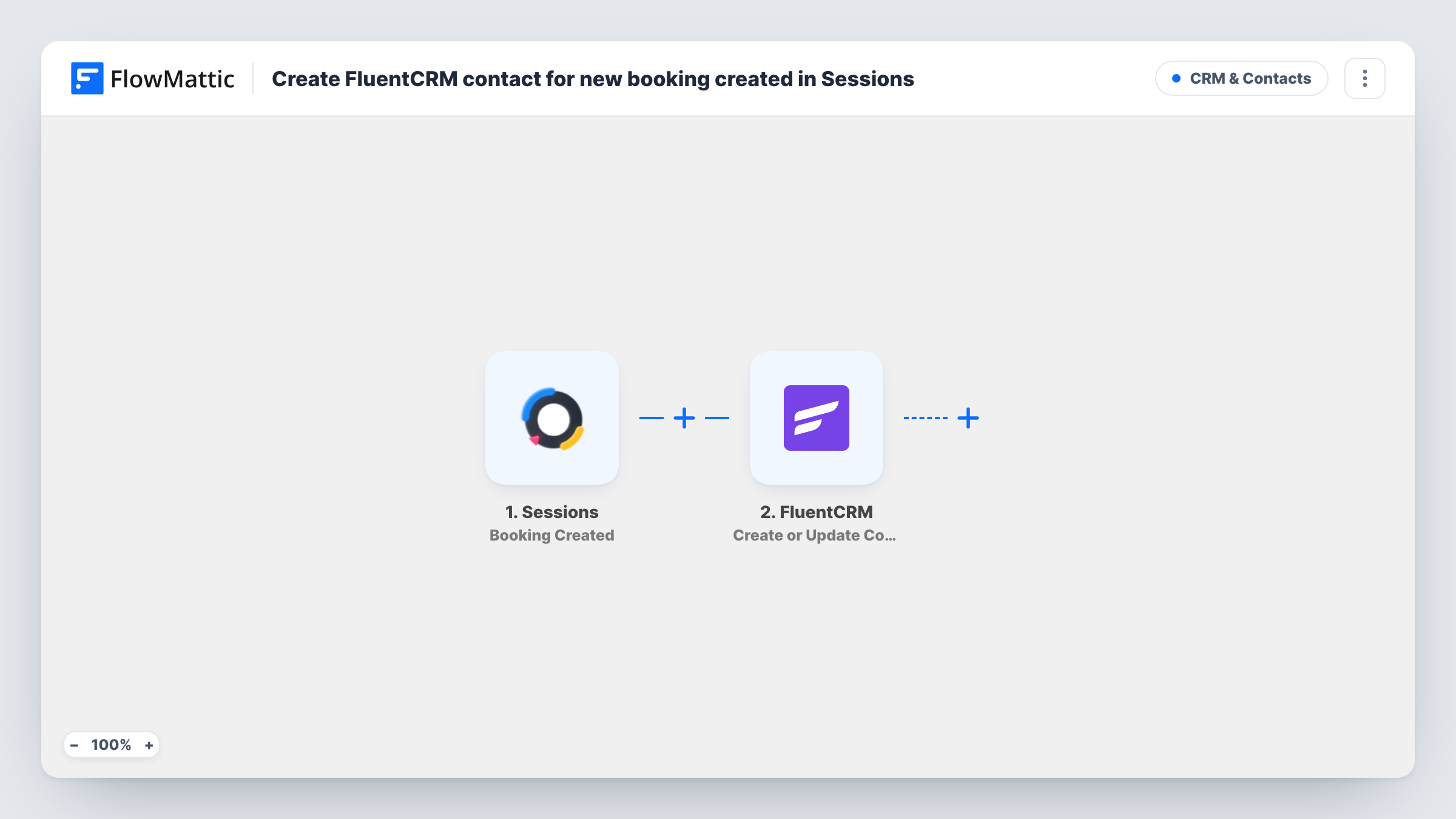
Each time someone books a slot in Sessions, this workflow creates a FluentCRM contact for them on your WordPress site, or updates their existing contact matched by email address.
 Sessions
 FluentCRM
2 steps Setup ~5 min Used on 3.1k sites Free to import
What this workflow does
A booking tool knows who booked, but your email marketing lives somewhere else. If you send follow-ups, reminders or newsletters from FluentCRM, every person who books through Sessions has to reach your CRM before you can write to them. This workflow passes each booker across as the booking is made.
The Sessions trigger, Booking Created, fires when a new booking is created in your Sessions account. FlowMattic receives the booking data and hands it to FluentCRM. Its Create or Update Contact action looks up the email address you map: a new address becomes a new contact, and a known address updates the contact that already holds it.
You choose which booking details fill which contact fields, so map the booker's email first and then a name. Because FluentCRM sits inside WordPress, the contact is stored on your own site. Task History lists every run, which is the place to look if a booking did not show up in the CRM.
Coaches who book discovery calls
Every prospect who books a call in Sessions lands in FluentCRM, so you can send them preparation notes and a follow-up sequence from the same CRM you use for clients.
Consultants growing a mailing list
People who book a paid consultation become FluentCRM contacts, giving you a list of real clients to invite to your newsletter or a later offer.
Tutors tracking returning students
A student who books again updates their existing contact instead of creating a second one, so each student keeps one record in FluentCRM.
How this workflow runs
What happens at each step once the workflow is on, and what you need before you import it.
 Sessions Booking Created
Fires when a new booking is created in your Sessions account. The booking details Sessions sends become data you can map in the FluentCRM step.
- FluentCRM Create or Update Contact
Creates a FluentCRM contact from the booking, or updates the contact that already has the same email address. Map the booker's email, then any name fields you want stored.
What you need
- FlowMatticCore
- Sessions AccountAccount
- FluentCRM PluginPlugin
After importing, map your own data. To keep the template universal, not every step is pre-filled. Open each step in the builder and connect your accounts and fields (channels, lists, sheets, recipients) before you switch the workflow on.
Make it yours
Changes worth making after you import it.
- Make a test booking in Sessions after import so FlowMattic captures a real payload, then map the email and name in the FluentCRM step from that sample.
- Add a second FluentCRM step, Add Tags to Contact, after the contact step to tag everyone who booked. You can then start a FluentCRM automation for that tag.
- If only some of your Sessions bookings should reach the CRM, add a Filter between the two steps and continue only when a booking field matches the value you choose.
Questions about this workflow
What if the Sessions booker is already a FluentCRM contact?
The step matches by email address. If a contact with that address exists, FluentCRM updates it with the mapped booking details rather than adding a duplicate.
Are bookings made before I import this sent to FluentCRM?
No. The trigger reacts to new bookings only, so bookings that existed before you turned the workflow on are not copied.
Does a cancelled Sessions booking remove the FluentCRM contact?
No. This workflow listens only for bookings being created. Nothing in it reacts to cancellations or deletes contacts.
Where does FluentCRM need to be installed?
FluentCRM has to run on the WordPress install where FlowMattic is active, since the action talks to that copy. Your Sessions account is connected when you import the workflow.
More CRM & Contacts workflows
Other ready-to-import templates from the same category.






Import this workflow into your WordPress site
Download the JSON, import it from the Workflows screen and connect your accounts. Every run stays on your server, with no per-task fees.
30-day money-back guarantee Unlimited workflows and runs Self-hosted