

When Lead is unsubscribed in Instantly, delete the lead from Instantly and create new contact in FluentCRM with a tag
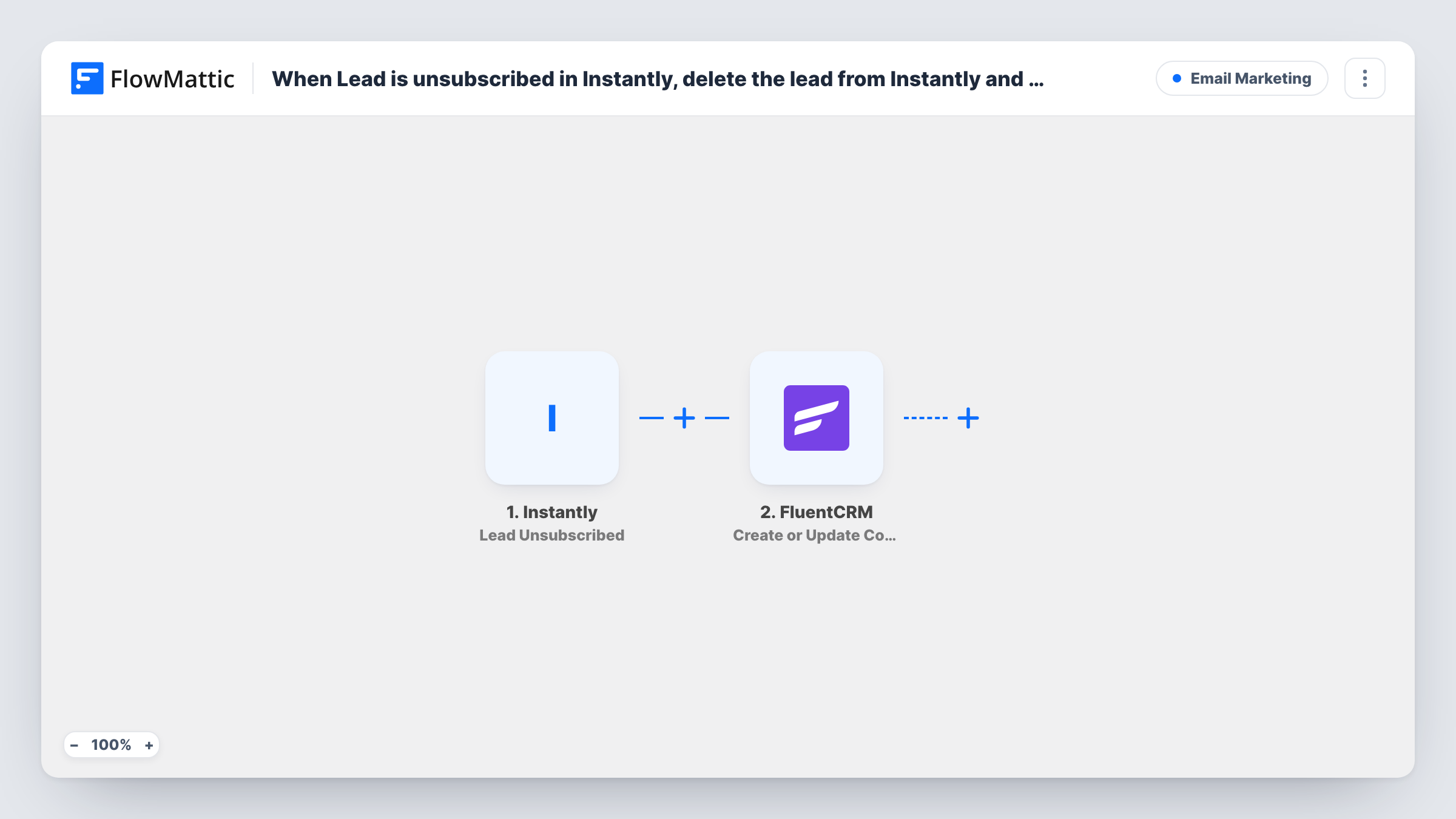
When a lead unsubscribes in Instantly, FlowMattic records them as a FluentCRM contact, with the tag you pick to mark the opt-out, and then deletes the lead from Instantly.
 Instantly
 FluentCRM
3 steps Setup ~5 min Used on 950 sites Free to import
What this workflow does
Cold outreach in Instantly and email marketing in FluentCRM often run side by side. When someone unsubscribes from an Instantly campaign, you want two things: that lead gone from your outreach tool, and a record on your own site that this person opted out, so nobody adds them to a FluentCRM campaign later by mistake.
The Instantly trigger is Lead Unsubscribed, which fires when a lead unsubscribes. The lead's details, including the email address, are passed on.
The FluentCRM step runs Create or Update Contact, which matches on email: a new address becomes a contact, and an existing one is updated. The template is meant to tag the person here, so after import map the lead's email and name, and pick a tag such as Instantly unsubscribed. If the step in your setup doesn't offer tags, add FluentCRM's Add Tags to Contact right after it.
The final step is Instantly's Delete Lead, which removes the lead from Instantly. It ships unmapped, so map the lead from the trigger. Deleting is permanent, so test with a lead you don't need, and check Task History to see what Instantly returned.
Keeping a suppression record on your site
A B2B agency deletes unsubscribed leads from Instantly but keeps them in FluentCRM with an opt-out tag, so its newsletter segments can exclude them.
Cleaning up outreach lists
A sales team running many Instantly campaigns removes each lead that opts out, so the workspace only holds people who can still be contacted.
One place to check consent
A founder handling outreach and marketing looks up any email in FluentCRM and sees from the tag whether that person unsubscribed from cold email.
How this workflow runs
What happens at each step once the workflow is on, and what you need before you import it.
 Instantly Lead Unsubscribed
Fires when a lead unsubscribes from your Instantly emails. The lead's email address and other details are passed on to FluentCRM and back to Instantly.
- FluentCRM Create or Update Contact
Creates the lead as a FluentCRM contact, or updates the one with the same email. Map the email and name after import and choose the tag that marks an Instantly opt-out.
- Instantly Delete Lead
Deletes the lead from Instantly. The step ships unmapped: map the lead from the Lead Unsubscribed trigger. Deletion can't be undone, so try it on a test lead first.
What you need
- FlowMatticCore
- Instantly AccountAccount
- FluentCRM PluginPlugin
After importing, map your own data. To keep the template universal, not every step is pre-filled. Open each step in the builder and connect your accounts and fields (channels, lists, sheets, recipients) before you switch the workflow on.
Make it yours
Changes worth making after you import it.
- Add FluentCRM's Update Contact Status step after Create or Update Contact and set the contact to unsubscribed, so FluentCRM campaigns skip them too.
- Exclude the opt-out tag from every FluentCRM campaign and automation, so people who left your Instantly outreach aren't emailed from WordPress either.
- If you would rather keep the lead in Instantly with a changed status than delete it, swap Delete Lead for Instantly's Update Lead Status action.
Questions about this workflow
Could FluentCRM still email a lead who unsubscribed in Instantly?
Yes, unless you stop it: the workflow creates or updates a normal contact. Tag the contact, set its status to unsubscribed with Update Contact Status, and exclude that tag from your campaigns.
What if the unsubscribed Instantly lead is already in FluentCRM?
Create or Update Contact matches by email, so the existing contact is updated and gets the tag instead of a duplicate being added.
Can I undo the Instantly lead deletion?
The workflow doesn't keep a copy in Instantly, so treat the deletion as permanent. The FluentCRM contact keeps the details you mapped.
More Email Marketing workflows
Other ready-to-import templates from the same category.





Import this workflow into your WordPress site
Download the JSON, import it from the Workflows screen and connect your accounts. Every run stays on your server, with no per-task fees.
30-day money-back guarantee Unlimited workflows and runs Self-hosted