

When new form submission is received in Avada Form, create customer in SureCart
When someone submits one of your Avada Forms, FlowMattic creates a new customer in your SureCart store from their details, so the record is there before they buy or before you invoice them.
 Avada Forms
 Surecart
2 steps Setup ~5 min Used on 1.2k sites Free to import
What this workflow does
Some stores meet customers before the checkout: a wholesale application, a consultation request, a B2B account form. If you run SureCart on a site built with Avada, this workflow turns each of those form entries into a SureCart customer, so you can later invoice them, start a subscription or check their orders against one record.
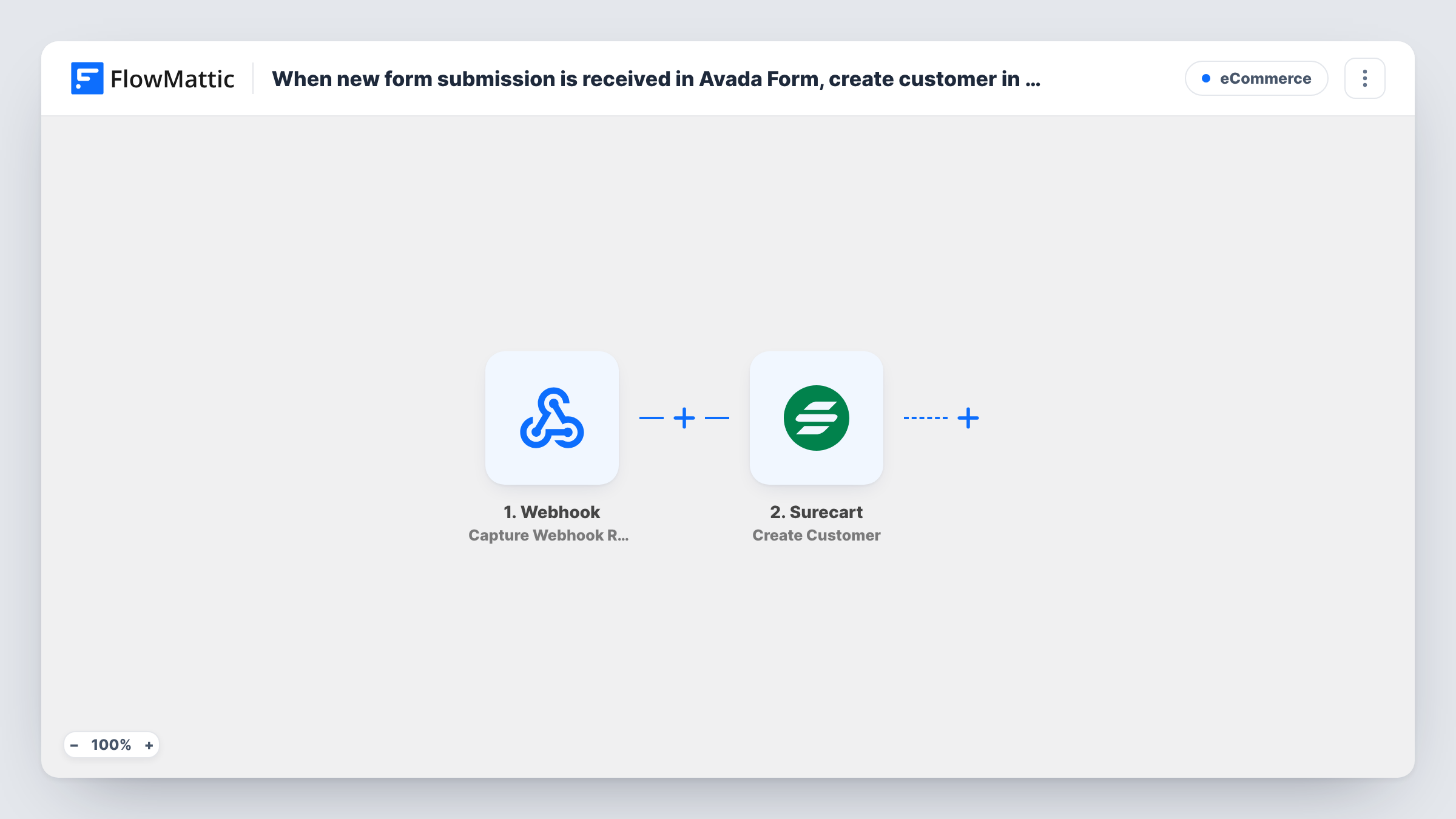
The Avada Forms trigger fires when a new submission is received. The SureCart step then creates a new customer in SureCart. It ships unmapped, so after import you map the form's email, name and any other details SureCart should store.
Create Customer is a create action, and no step looks for an existing customer before it. If the same person may fill in the form twice, add a lookup as described in the tips. Test with a fresh email and with one already in SureCart, and read Task History to see how SureCart answered each time.
Use a form meant for future customers, since every entry it receives becomes a SureCart customer.
Wholesale account applications
A coffee roaster's Avada wholesale form creates each applicant as a SureCart customer, ready for a manual invoice once the account is approved.
Consultation clients
A coach collects discovery-call requests with an Avada form, and each client already exists in SureCart when it's time to send a payment link.
Event pre-registration
A workshop host records interested attendees as SureCart customers through an Avada form, then sends checkouts when tickets open.
How this workflow runs
What happens at each step once the workflow is on, and what you need before you import it.
 Avada Forms New Form Submission
Starts when an Avada Forms form on your WordPress site receives a new submission. The visitor's entries are handed to SureCart for mapping.
- Surecart Create Customer
Creates a new customer in your SureCart store. No fields are set as imported, so map the email, name and any other details from the Avada submission.
What you need
- FlowMatticCore
- Avada Forms PluginPlugin
- SureCart AccountAccount
After importing, map your own data. To keep the template universal, not every step is pre-filled. Open each step in the builder and connect your accounts and fields (channels, lists, sheets, recipients) before you switch the workflow on.
Make it yours
Changes worth making after you import it.
- To avoid duplicates, add SureCart's Find Customer By Email action between the Avada trigger and Create Customer, then a Filter between that lookup and Create Customer that continues only when no customer was found.
- Ask for first and last name in separate Avada fields, so they map cleanly into the SureCart customer record.
- Add SureCart's Create Invoice action after Create Customer if every applicant should receive an invoice, mapping the customer the previous step created.
Questions about this workflow
What if the Avada Forms email already belongs to a SureCart customer?
No step checks for that customer first, so SureCart decides what happens. Test with a known email and check Task History, or add the Find Customer By Email lookup and Filter between the Avada trigger and Create Customer, as in the tips.
Does this create a SureCart order or checkout?
No. The customer record is all it makes. FlowMattic's SureCart integration also has Create Checkout and Create Invoice actions you can add after it.
Do I need SureCart installed on the same site as Avada?
You need a SureCart store connected to FlowMattic and Avada's form builder on the WordPress site where the form lives. Connect your SureCart account when you set up the step.
More E-Commerce workflows
Other ready-to-import templates from the same category.





Import this workflow into your WordPress site
Download the JSON, import it from the Workflows screen and connect your accounts. Every run stays on your server, with no per-task fees.
30-day money-back guarantee Unlimited workflows and runs Self-hosted