

When tag is added to user in Groundhogg, add a tag to the member in Mailchimp
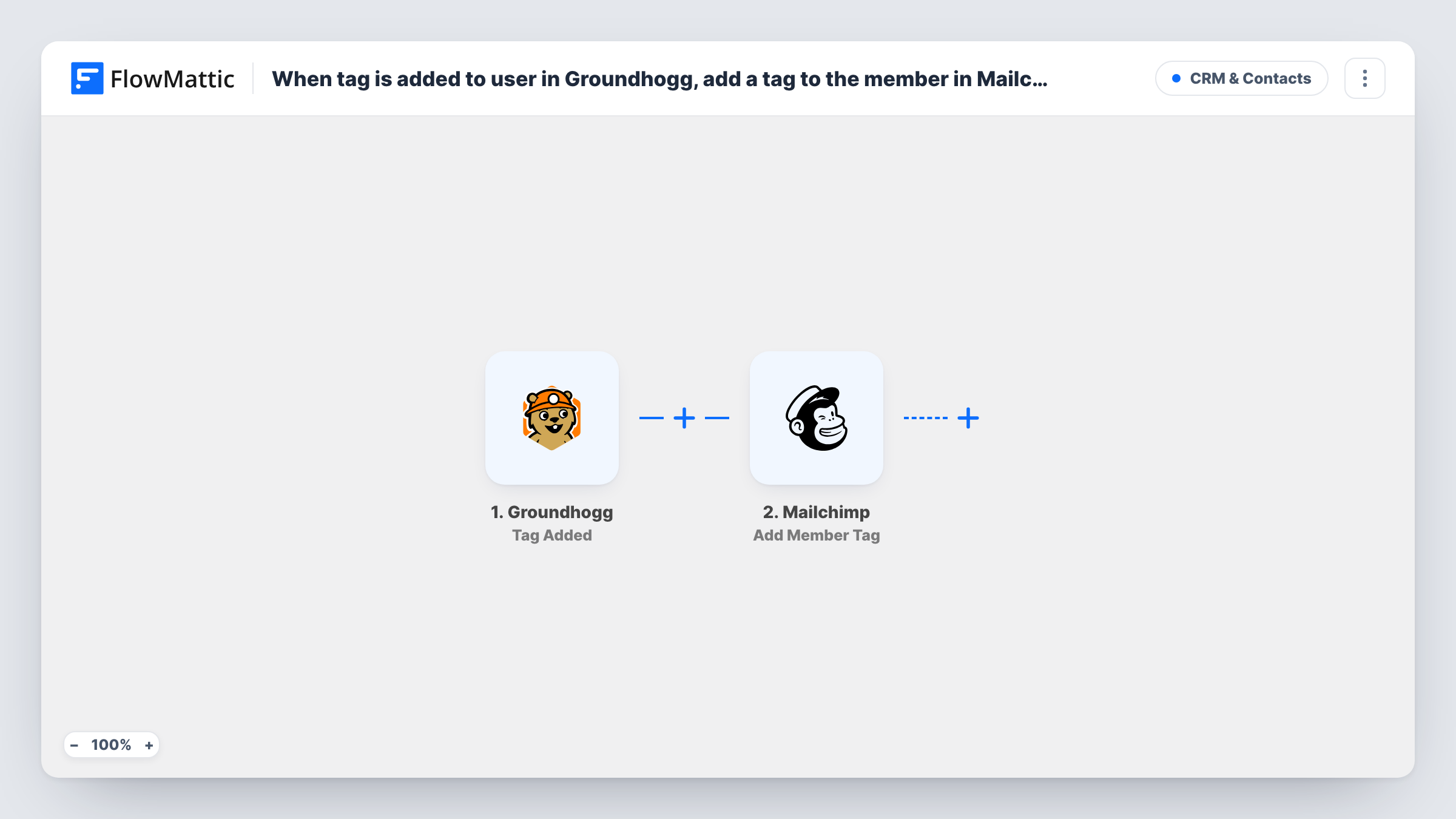
When a tag is added to a contact in Groundhogg, this workflow adds a tag to the same person in your Mailchimp audience, matched by email, so both tools carry the same segment.
 Groundhogg
 Mailchimp
2 steps Setup ~5 min Used on 1.1k sites Free to import
What this workflow does
Some teams keep their CRM in Groundhogg on WordPress but still send newsletters from Mailchimp. Tags you apply in Groundhogg, such as Customer or Webinar Attendee, then exist in only one place, and Mailchimp segments drift out of date. This workflow carries the tag across as soon as Groundhogg applies it.
The Groundhogg trigger fires whenever a tag is added to a contact, whichever tag it is. FlowMattic receives the contact's details and the tag information. The Mailchimp step then adds a tag to the matching member in the audience you choose. You can map the tag from the trigger to mirror it, or type one fixed tag. If the tag doesn't exist in Mailchimp yet, Mailchimp creates it.
The Mailchimp step only works on people already in that audience. A Groundhogg contact who isn't a Mailchimp member gets no tag, and Task History shows the error for that run.
Marking customers for newsletters
Groundhogg tags a contact as Customer after a purchase. The same person gets a Customer tag in Mailchimp, so your next campaign can leave them out of sales pitches.
Webinar attendee follow-up
Attendees tagged in Groundhogg pick up a matching Mailchimp tag, letting you send the replay email to that segment from Mailchimp.
Interest tags from a quiz
A quiz or form tags Groundhogg contacts by interest. Mirroring those tags into Mailchimp keeps interest-based segments in step on both sides.
How this workflow runs
What happens at each step once the workflow is on, and what you need before you import it.
 Groundhogg Tag Added
Fires each time a tag is added to a Groundhogg contact on your WordPress site. The contact's details and the added tag move on for mapping.
- Mailchimp Add Member Tag
Adds a tag to an existing member of your Mailchimp audience, found by email. Map the Groundhogg contact's email, then map the tag from the trigger or enter a fixed tag. Missing tags are created in Mailchimp.
What you need
- FlowMatticCore
- Groundhogg PluginPlugin
- Mailchimp AccountAccount
After importing, map your own data. To keep the template universal, not every step is pre-filled. Open each step in the builder and connect your accounts and fields (channels, lists, sheets, recipients) before you switch the workflow on.
Make it yours
Changes worth making after you import it.
- Only some tags should cross over? Add a Filter after the trigger that continues only when the tag name matches the ones you sync, so other tags stay in Groundhogg.
- If contacts may not be in Mailchimp yet, add Mailchimp's Add New Member step before the tag step. It adds the person or updates them if they're already on the audience.
- Add a tag to a test contact who is already in Mailchimp after import, then check Task History to see how the trigger presents the tag before you map it.
Questions about this workflow
What if the Groundhogg contact isn't in my Mailchimp audience?
The Add Member Tag step works on existing members only, so no tag is added and Task History shows an error for that run. Add Mailchimp's Add New Member step first if you want them added.
Does every Groundhogg tag get copied to Mailchimp?
As imported, every tag added in Groundhogg starts a run. Add a Filter on the tag name if you only want some of them to reach Mailchimp.
Are tags removed in Groundhogg removed from Mailchimp?
No. This workflow only reacts to tags being added. Groundhogg has a separate Tag Removed trigger you could use in another workflow.
Do I need to create the tags in Mailchimp first?
No. Per the action's description, a tag that doesn't exist yet in Mailchimp is created when it is added to the member.
More CRM & Contacts workflows
Other ready-to-import templates from the same category.






Import this workflow into your WordPress site
Download the JSON, import it from the Workflows screen and connect your accounts. Every run stays on your server, with no per-task fees.
30-day money-back guarantee Unlimited workflows and runs Self-hosted