

When user completes a course in MasterStudy LMS, create a WooCommerce coupon and email them
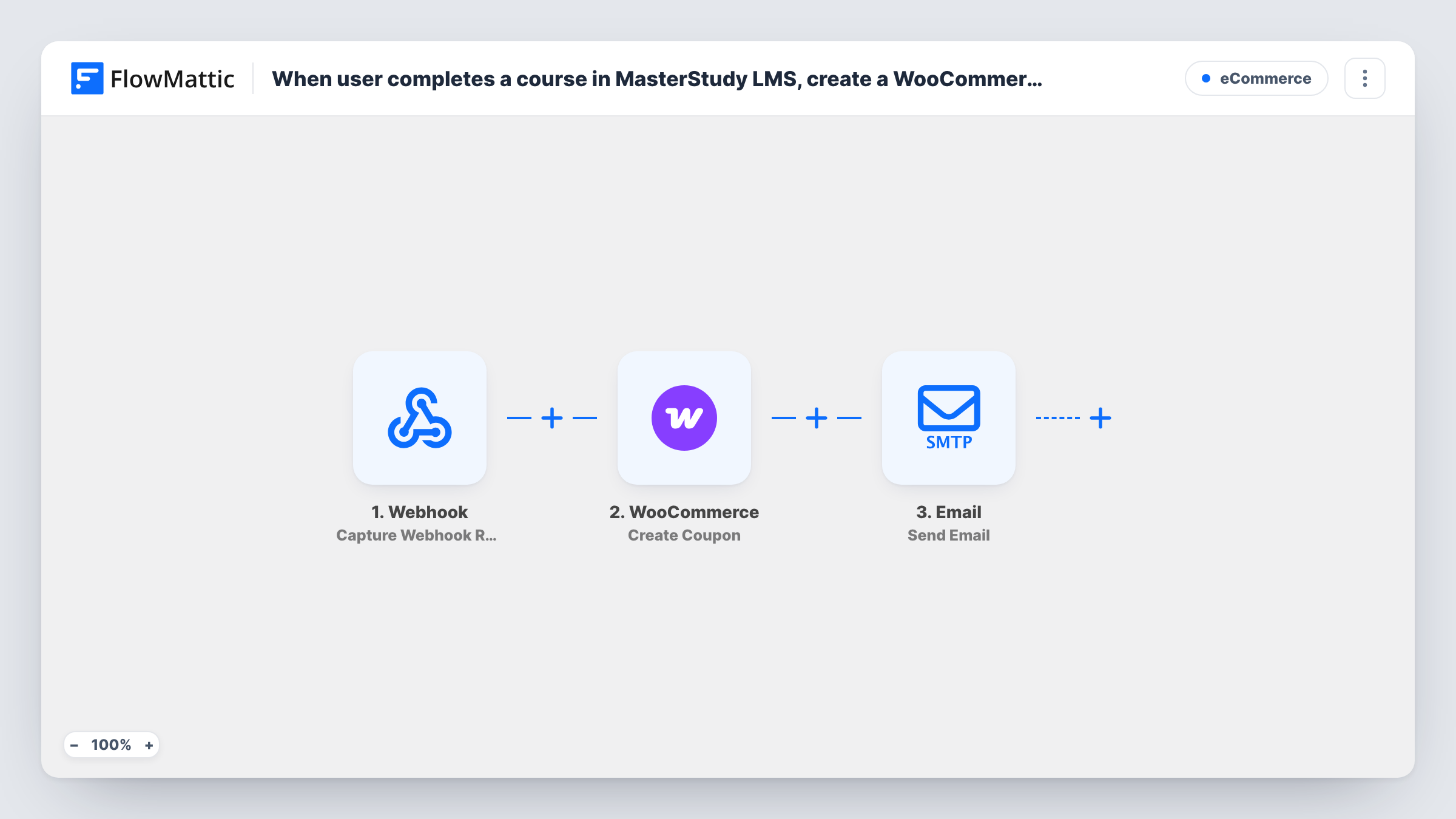
When a student completes a MasterStudy LMS course, FlowMattic creates a WooCommerce coupon and sends it to them by email, so finishing one course comes with a discount on the next purchase.
 Master Study
 WooCommerce
 Email
Email3 steps Setup ~5 min Used on 636 sites Free to import
What this workflow does
A student who has just finished a course is a good candidate for the next one. This workflow rewards course completion with a WooCommerce coupon and delivers it by email straight away, so you don't have to watch the completion reports and send codes by hand.
The MasterStudy LMS Course Completed trigger fires when a user completes all lessons and quizzes in a course. FlowMattic passes the completion data, such as the student and the course, to the next steps.
The WooCommerce Create Coupon step then creates a new coupon in your store. It ships unmapped, so after import you set up the coupon each student should receive and how its code is built. The Email step, FlowMattic's own Send Email action using WordPress mail or your SMTP account, sends the message. It is also unmapped: you write the subject and body, map the student's email as the recipient and map the coupon code from the Create Coupon step into the text.
Every completion creates a fresh coupon and a fresh email. Complete a test course with a test account and check Task History to see the coupon WooCommerce created and the values available for the email.
Discount on the follow-up course
A language school sells levels one to three in WooCommerce. Students who finish level one in MasterStudy get a coupon to put toward level two.
Thank-you reward for graduates
A cooking academy emails a store coupon for equipment and ingredients to every student who completes its MasterStudy course.
Completion incentive for long courses
A certification provider tells students up front that finishing the course earns a coupon, and this workflow delivers it at completion.
How this workflow runs
What happens at each step once the workflow is on, and what you need before you import it.
 Master Study Course Completed
Starts a run once a student has finished every lesson and quiz in a MasterStudy LMS course. Details of the student and the course are passed to the coupon and email steps.
- WooCommerce Create Coupon
Creates a new WooCommerce coupon for each completion. The step ships unmapped: set up the coupon after import and decide how each code is built, then confirm the result with a test run.
 Email Send Email
Sends the coupon by email through WordPress mail or your SMTP account. Write the subject and message, map the student's email as the recipient and insert the coupon code returned by the previous step.
What you need
- FlowMatticCore
- MasterStudy LMS PluginPlugin
- WooCommerce PluginPlugin
After importing, map your own data. To keep the template universal, not every step is pre-filled. Open each step in the builder and connect your accounts and fields (channels, lists, sheets, recipients) before you switch the workflow on.
Make it yours
Changes worth making after you import it.
- WooCommerce coupon codes must be unique, so a fixed code can only be created once. Build the code from values that change per run, such as the student's ID and the course ID.
- If only some courses should earn a reward, put a Filter between the Course Completed trigger and the Create Coupon step that continues for those course names, so other completions create no coupon and send no email.
- Mention in the email which products or courses the coupon applies to and when it expires, matching what you set on the coupon itself.
Questions about this workflow
Does each MasterStudy student get a different WooCommerce coupon?
Each completion runs the Create Coupon step once. Whether the codes differ depends on how you build the code in that step, so map values that are unique to the student and course.
Is the email sent through Gmail or my own mail server?
This step is FlowMattic's own Email action. It sends through WordPress mail or the SMTP account you enter, so add your mail provider's SMTP details if you want messages to come from it.
Do quiz or lesson completions trigger a coupon?
No. Course Completed fires only when a user completes all lessons and quizzes in a course. MasterStudy's Quiz Passed and Lesson Passed are separate triggers.
Will students who finished a MasterStudy course before import get a coupon?
No. Only completions that happen while the workflow is active start a run. Send codes to earlier graduates separately if you want them included.
More E-Commerce workflows
Other ready-to-import templates from the same category.






Import this workflow into your WordPress site
Download the JSON, import it from the Workflows screen and connect your accounts. Every run stays on your server, with no per-task fees.
30-day money-back guarantee Unlimited workflows and runs Self-hosted