

Congratulate students on course completion and celebrate it in Slack
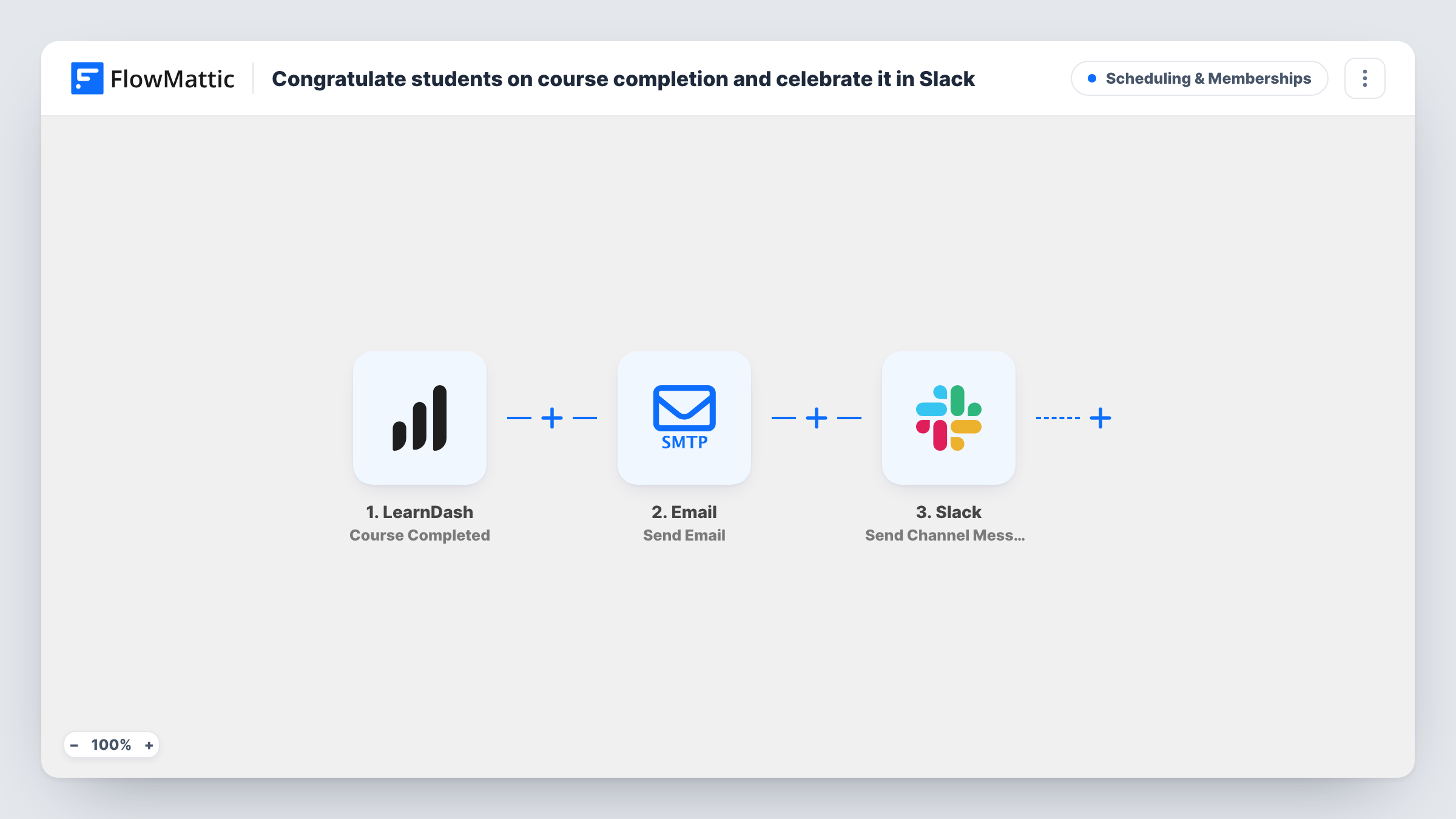
When a student completes a LearnDash course, they get a congratulations email naming the course, and your team sees the completion posted in a Slack channel.
 LearnDash
 Email
Email
 Slack
Slack3 steps Setup ~5 min Used on 2.5k sites Community Free to import
What this workflow does
Finishing a course takes effort, and a quick note of congratulations shows the student someone noticed. Your team also likes to know when students reach the end. This workflow handles both each time LearnDash records a completion.
The LearnDash Course Completed trigger starts the run. The Email step writes to the student's address with the course title in the subject and their display name in the greeting. Then Slack receives a message naming the student and the course they completed.
One thing to fix before going live: the email body ends with a line about the student's certificate, but nothing is attached or linked. Either add a link to where students download their LearnDash certificate, or remove that line so the email doesn't promise something it doesn't include. Each completion shows in Task History, which helps if a student says the email never arrived.
Online academies that celebrate progress
Instructors see every graduate in a Slack channel and can reply with their own congratulations, while the student gets a personal note.
Compliance or staff training on LearnDash
Managers watching the Slack channel see when each employee finishes a required course, and the employee has an email showing they completed it.
Course creators tracking completions
A solo creator gets a Slack post per finished course, which is a simple way to notice which courses people actually complete.
How this workflow runs
What happens at each step once the workflow is on, and what you need before you import it.
 LearnDash Course Completed
Fires each time LearnDash marks a course as completed by a student. Their email, display name and the course title are passed to the next two steps.
 Email Send Email
Emails the student with the course title in the subject and a congratulations addressed by display name. The body mentions a certificate, so add its link or remove that line.
- Slack Send Channel Message
Posts a message to Slack naming the student and the course they completed. Connect your workspace and select the channel your team reads.
What you need
- FlowMatticCore
- LearnDash PluginPlugin
- Slack AccountAccount
After importing, map your own data. To keep the template universal, not every step is pre-filled. Open each step in the builder and connect your accounts and fields (channels, lists, sheets, recipients) before you switch the workflow on.
Make it yours
Changes worth making after you import it.
- Add a link to the next course you recommend in the congratulations email, so students who enjoyed this one know where to go next.
- Place a Filter between the Email and Slack steps if only some courses deserve a Slack post, such as your paid programmes. Every student still gets the email, because it runs first.
- Map the student's email into the Slack message if your team wants to reach out personally after a completion.
Questions about this workflow
Does the email include the LearnDash certificate?
No. The body mentions a certificate, but no file or link is attached. Add the link to the student's certificate page, or edit the line out.
Do students who completed courses earlier get an email?
No. Only completions recorded after you switch the workflow on start a run.
Is the Slack post visible to students?
Only if they are members of the channel. Pick an internal team channel when you connect Slack to keep it private.
More Scheduling & Memberships workflows
Other ready-to-import templates from the same category.


Import this workflow into your WordPress site
Download the JSON, import it from the Workflows screen and connect your accounts. Every run stays on your server, with no per-task fees.
30-day money-back guarantee Unlimited workflows and runs Self-hosted