

FlowMattic 6.1.0 — Redesigned AI Assistant, Workflow Error Handling, Email Builder Upgrades & More
FlowMattic 6.1.0 — Redesigned AI Assistant, Workflow Error Handling, Email Builder Upgrades & More
FlowMattic 6.1.0 is here with one of the biggest updates yet. A completely rebuilt AI Assistant chatbot, automated workflow error handling, major Email Template Builder upgrades, cross-tab copy/paste for workflow steps, and a long list of improvements and fixes across the board.
Let’s walk through everything that’s new.
AI Assistant — Rebuilt from the Ground Up
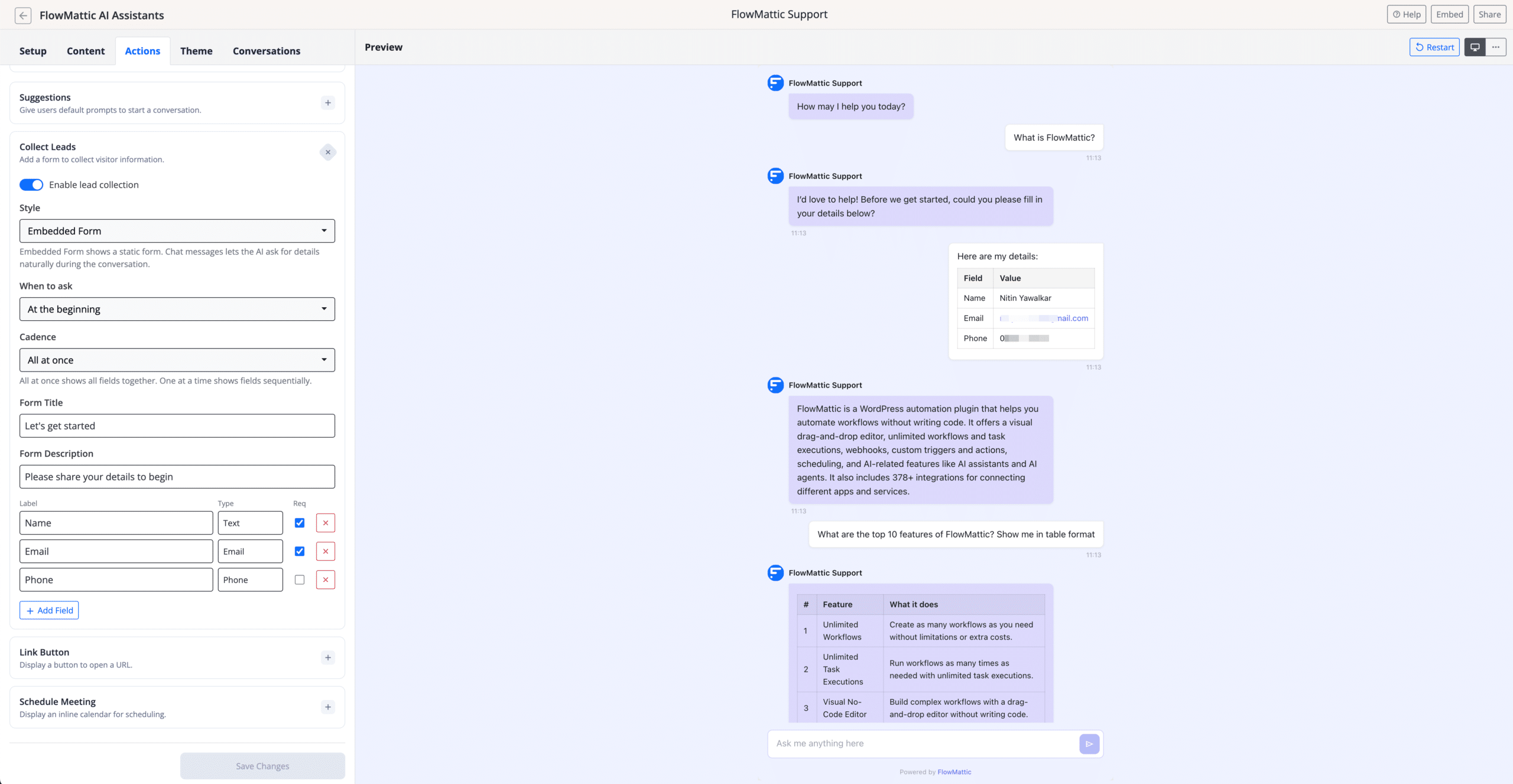
The AI Assistant chatbot has been completely rewritten from scratch. The new engine is built on the latest OpenAI Responses API, delivering faster and more reliable conversations with a much-improved user interface.
14+ Theme Presets and Customization Options
The new AI Assistant comes with over 14 theme presets to match any website design. Beyond presets, you get fine-grained control over colors, layout, fonts, and behavior — making it easy to create a chatbot that feels native to your brand.
Custom Content Sources
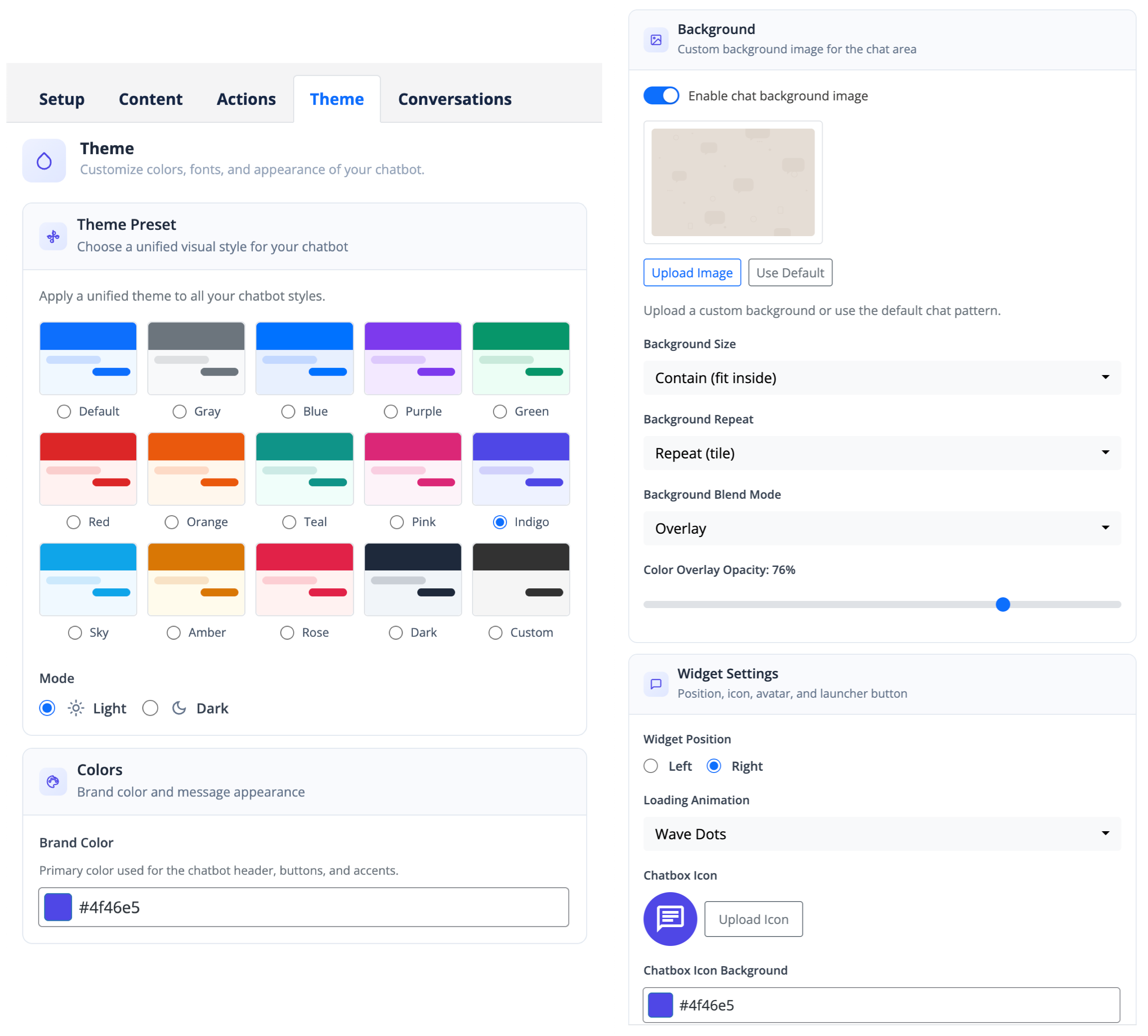
You can now connect your custom database tables, custom post types, and custom links as content sources for the AI Assistant. This means your chatbot can draw from your exact data — not just pages and posts — to give accurate, context-aware answers to your visitors.
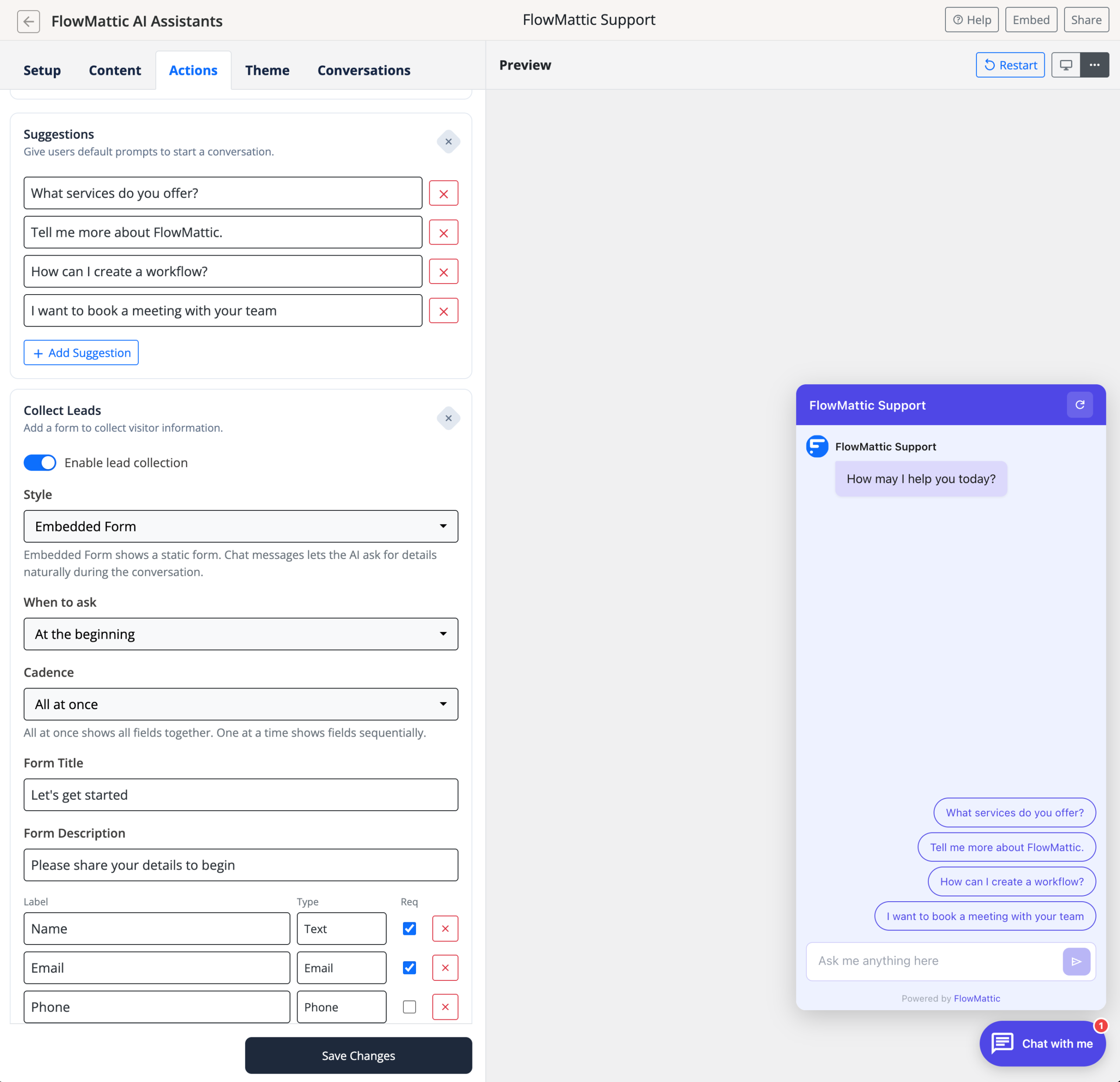
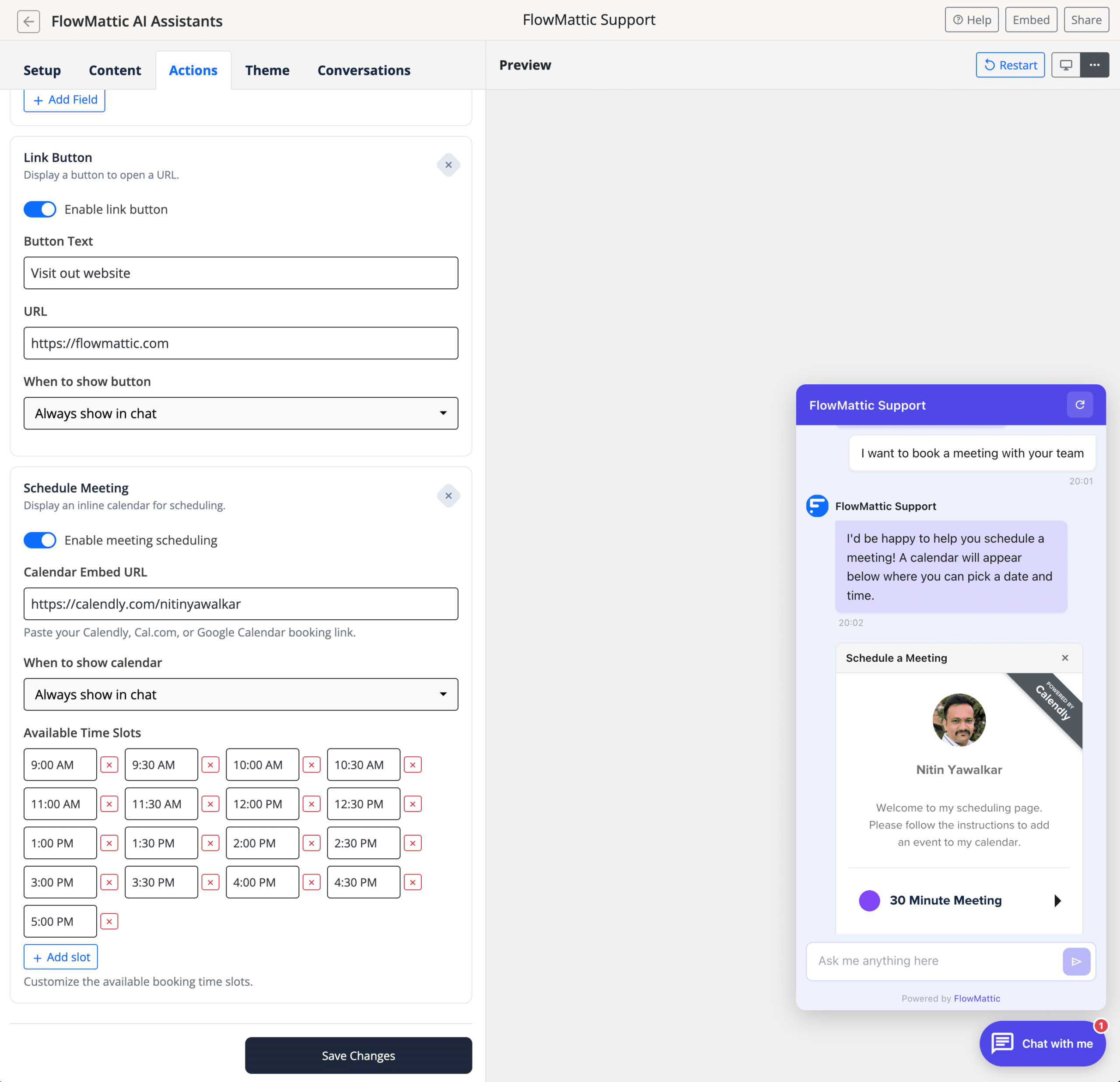
New Actions — Lead Collection, Meeting Scheduling & More
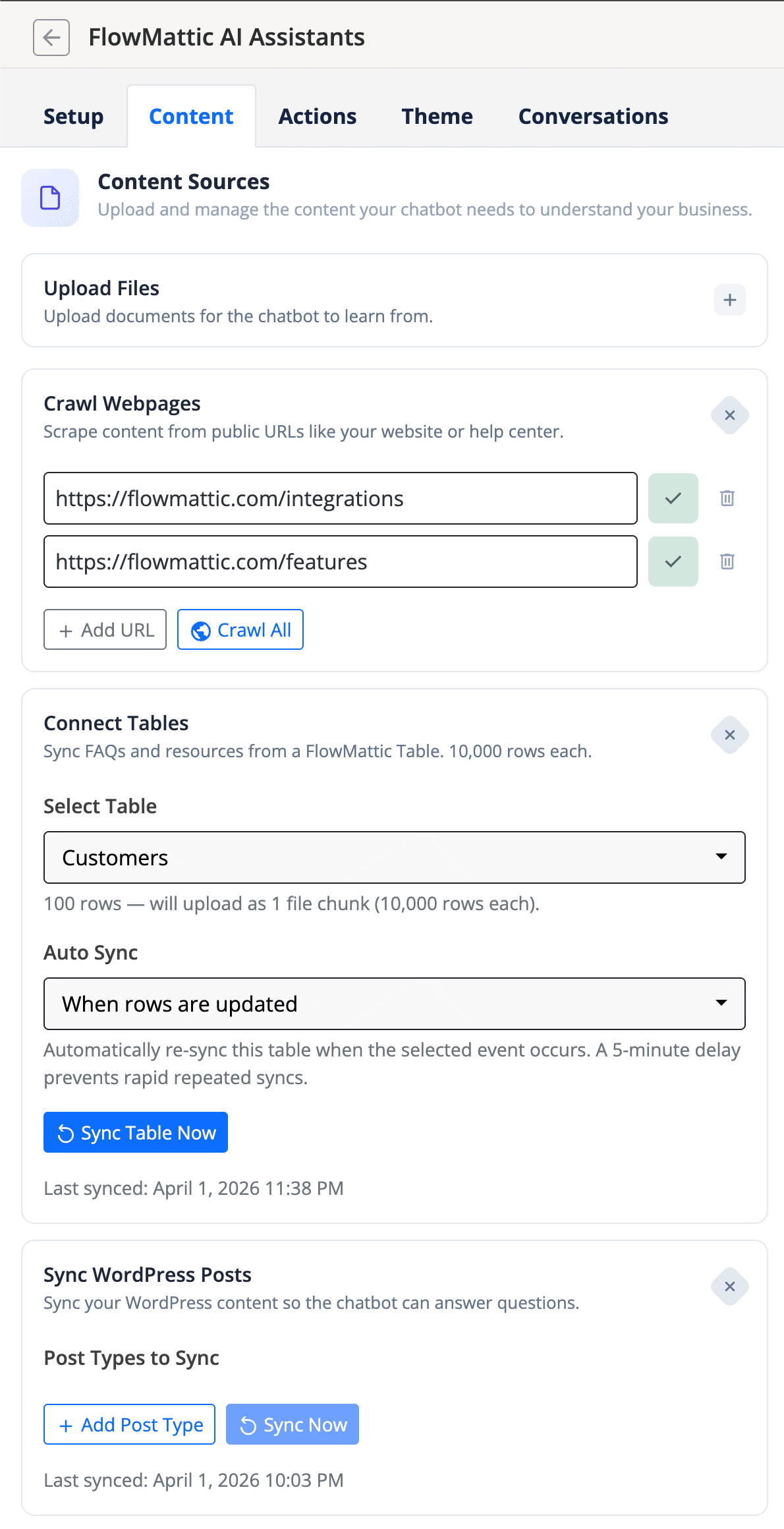
The AI Assistant now supports powerful new actions within the chat experience:
- Collect Leads — Capture visitor information directly inside the chat
- Schedule Meetings — Let visitors book meetings with Calendly integration or your own scheduling setup
- Show Suggestions — Display clickable suggestion buttons to guide conversations
- Link Buttons — Add call-to-action buttons within AI responses
Workflow Error Handling — Never Miss a Failed Workflow
One of the most requested features is here. FlowMattic 6.1.0 introduces built-in workflow error handling with two new capabilities that ensure you’re always aware when something goes wrong.
“Workflow Failed” Trigger
A brand-new trigger that fires automatically when any workflow encounters an error. You can use this to build failover notification workflows that alert you on Slack, Discord, Microsoft Teams, Pushover, or any webhook-compatible service the moment something breaks.
Global Error Webhook URL
Set a single webhook URL in FlowMattic settings to receive all workflow failure payloads as JSON POST requests. This works independently of your email/SMTP setup, making it ideal for routing failure alerts to Slack, Discord, Teams, PagerDuty, or any endpoint that accepts webhooks.
Email Template Builder — Smarter and Faster
The Email Template Builder receives four key upgrades in this release:
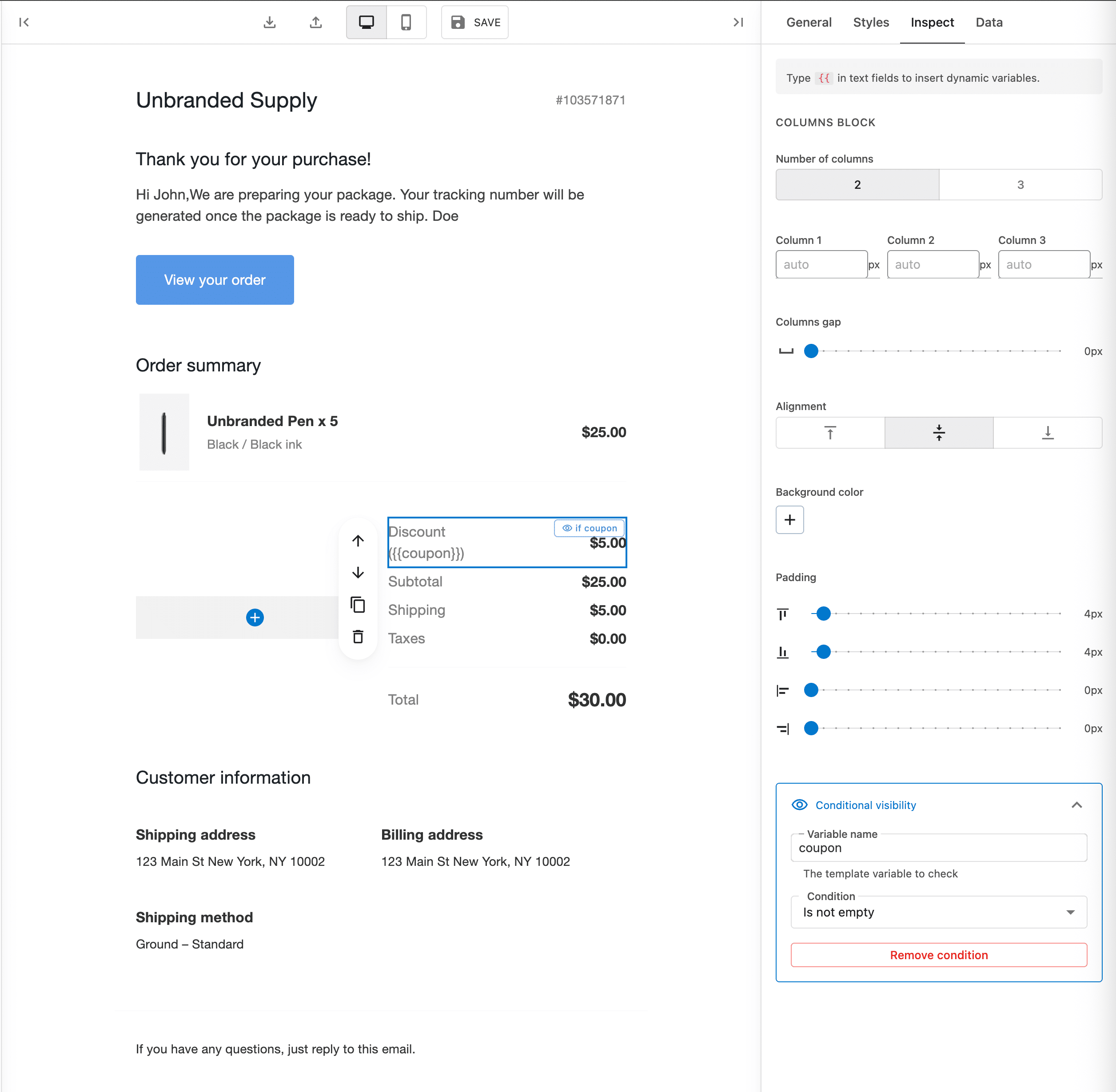
- Conditional Visibility — Show or hide email blocks based on template variables. Perfect for personalized emails where content changes based on the recipient or context.
- Duplicate Block — A new duplicate button in the hover menu lets you clone any block instantly, speeding up template creation.
- Variable Autocomplete — Type
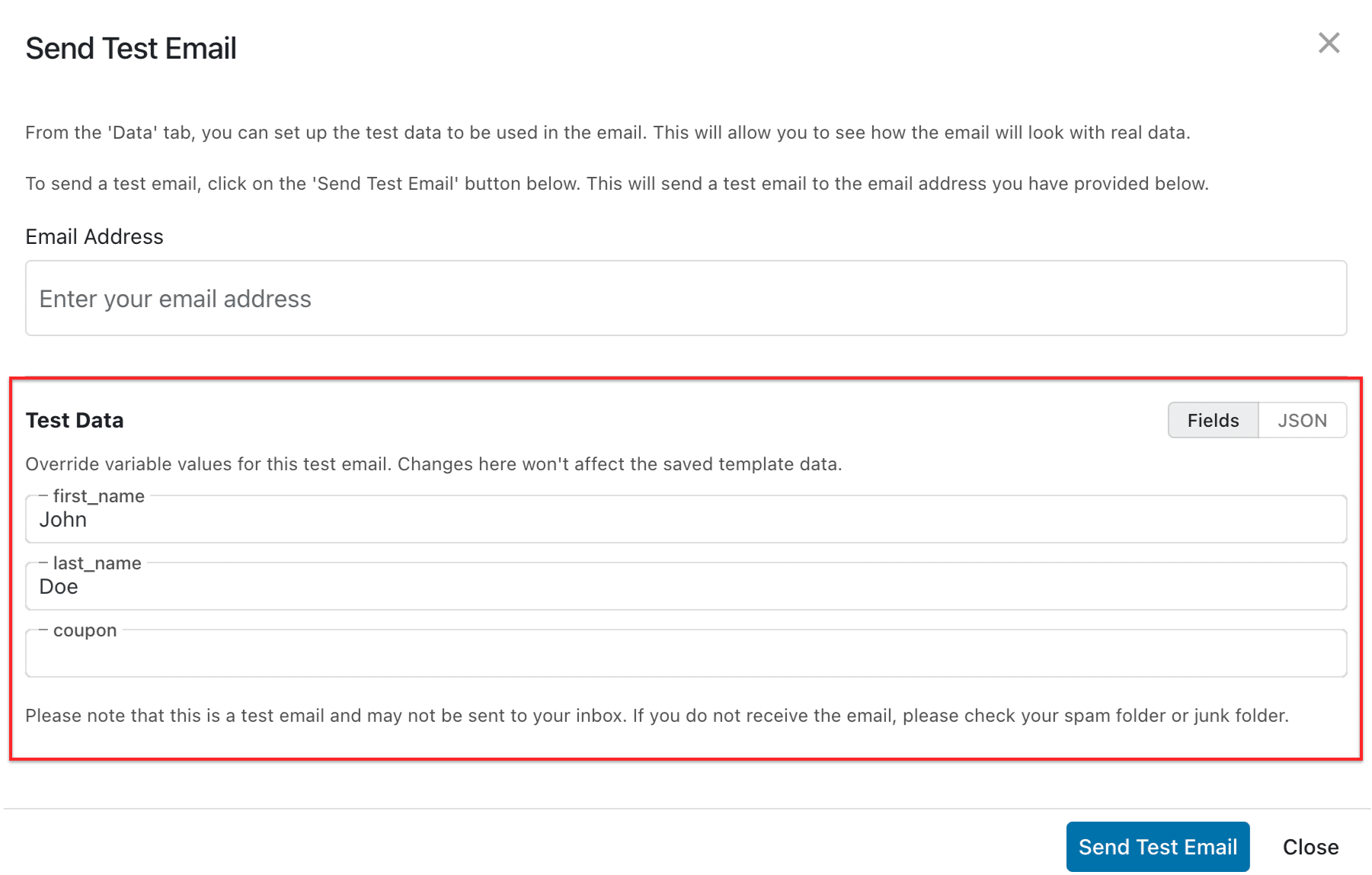
{{in any text field to trigger autocomplete for inserting dynamic variables. No more remembering variable names. - Test Data Editor — The Send Test Email dialog now includes a test data editor, letting you preview exactly how your emails will look with real values before sending.
Copy/Paste Steps Across Tabs
You can now copy and paste workflow steps between different browser tabs. Working on two workflows simultaneously? Just copy a step from one and paste it into another. This cross-tab support makes it significantly faster to build workflows that share similar logic.
Tables — Bulk Checkbox Updates
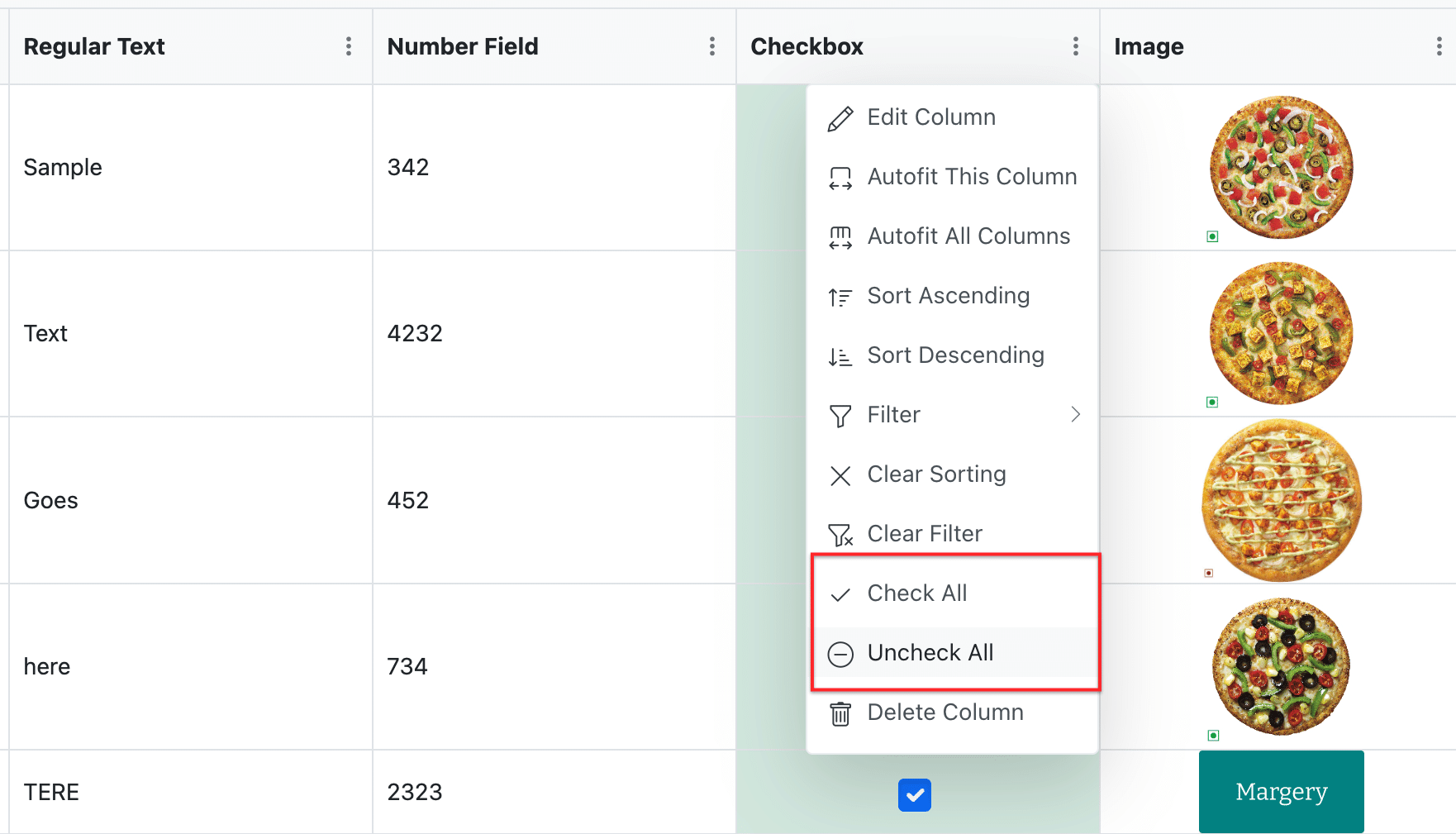
Checkbox columns in FlowMattic Tables now include Check All and Uncheck All options in the column header menu. Select all checkboxes on the current page with a single click — no more toggling rows one by one.
Improvements
- Clickable Execution Count — The execution count on the Workflows page now links directly to the task history for that workflow, saving you a few clicks every time you need to check execution logs.
- Cleaner License Page — The license page now shows only the active state by default, keeping it simple and focused.
- Smarter Paste Below — The Paste Below menu item now shows the correct label based on your workflow layout — Horizontal or Vertical.
- Horizontal Layout Fix — Inserting a step between existing steps in Horizontal layout no longer breaks the layout. It auto-corrects on insertion.
Bug Fixes
This release includes a comprehensive set of bug fixes across multiple modules:
- AI Assistant response streaming occasionally dropping spaces between words
- Webpage Parser producing warnings on newer PHP versions
- MCP Client custom headers not saving or applying correctly
- AI Agent tool settings — fields not showing or hiding based on selections, authentication not updating, API module settings not saving properly
- Delay Until step now continues immediately when the scheduled time has already passed
- MCP Server OAuth discovery improved to prevent conflicts with other plugins
- Custom tables not loading when the database name contains hyphens or special characters
- Router within Iterator skipping remaining routes when a condition fails
- Special characters in MCP tool names and descriptions being escaped incorrectly
- MCP tools panel Edit, Filter, and Search buttons not working in some cases
Update Now
FlowMattic 6.1.0 is available now. Head to your WordPress dashboard and update to get all the new features, improvements, and fixes. As always, we recommend backing up your site before updating.
Have questions or feedback? Reach out to us through our support page — we’d love to hear from you.