

AI agent that drafts a weekly newsletter from your content log
Once a week, the rows in your Google Sheets content log go to an AI agent that writes a newsletter draft and can save it to Google Drive, then Slack tells your team a draft is ready.
 Schedule
 Google Sheets
 AI Agent
 Google Drive
 Slack
Slack5 steps Setup ~8 min Used on 2.8k sites Marketing Free to import
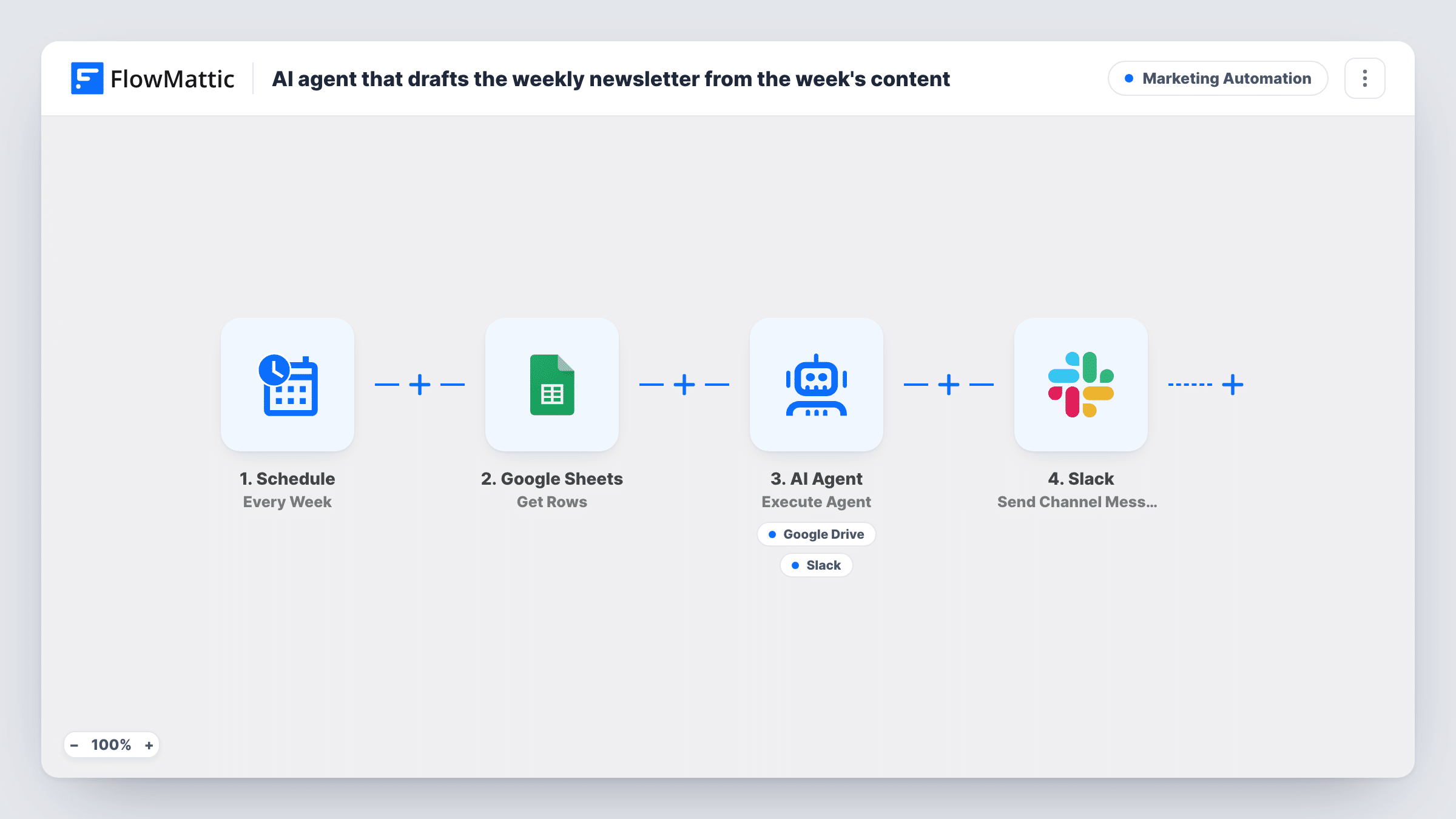
What this workflow does
If you already log each week's posts, videos or announcements in a spreadsheet, the newsletter is mostly a matter of turning that list into readable copy. This workflow hands the list to an AI agent every week, so the first draft is waiting for you instead of a blank page.
The Schedule trigger starts a fresh run once a week. The Google Sheets Get Rows step then reads the rows from your content log. It ships unmapped, so after import you pick the spreadsheet and sheet. The step has no filter, so each run passes every row it reads to the agent, not only the newest ones.
The AI agent is told to write a friendly weekly newsletter with a short intro and one line per item, then save it to Google Drive. It has one tool for that, Create File From Text in Google Drive, and it writes the file name and content itself. The agent decides when to use the tool, so check a few runs to confirm the file appears where you expect.
The last step posts "Weekly newsletter draft is ready for review" to a Slack channel. The text is fixed and doesn't depend on whether the agent saved a file, so open Drive to make sure the draft is there before you plan around it. Keep the sheet to the items you want covered, for example by clearing it after each send.
Blog roundup for subscribers
A food blogger adds each new recipe to a sheet during the week, and on Friday the agent turns the list into a short roundup draft she polishes and sends.
Internal weekly update
An operations lead logs team wins and announcements in a sheet, and the agent drafts the Monday staff newsletter from those rows.
Product changelog email
A software team lists shipped features in a sheet, then reviews the agent's draft in Drive before it goes to customers.
How this workflow runs
What happens at each step once the workflow is on, and what you need before you import it.
 Schedule Every Week
Starts the workflow on a weekly schedule, with no outside event needed. Check the schedule after import so it runs on the day you want the draft.
- Google Sheets Get Rows
Reads rows from your content log in Google Sheets. Ships unmapped: pick the spreadsheet and sheet. Every row it returns goes to the agent, so the sheet should hold only this week's items.
- AI Agent Execute Agent
An AI agent on OpenAI GPT-4o receives the rows and is told to write a newsletter with a short intro and one line per item, then save it to Google Drive using its tool.
- Google Drive Create File From Text
Used by the agent as its only tool. Creates a new file from plain text, with the file name and content written by the agent. Connect your Google account and check where test files land.
- Slack Send Channel Message
Posts "Weekly newsletter draft is ready for review" to the Slack channel you choose, after the agent step finishes.
What you need
- FlowMatticCore
- Google Sheets AccountAccount
- AI ProviderAccount
- Google Drive AccountAccount
- Slack AccountAccount
After importing, map your own data. To keep the template universal, not every step is pre-filled. Open each step in the builder and connect your accounts and fields (channels, lists, sheets, recipients) before you switch the workflow on.
Make it yours
Changes worth making after you import it.
- Add your newsletter's tone, length and sign-off to the agent's system prompt, so the draft needs less editing each week.
- Map the agent's output into the Slack message, so the draft text appears in the channel next to the review notice.
- Give the sheet a date column and clear or archive last week's rows after each send, because Get Rows passes every row in the sheet to the agent on every run.
Questions about this workflow
Does the agent only see new rows in my Google Sheet?
No. Get Rows has no filter in this template, so every run sends all the rows it reads. Keep the sheet to the current week's items, or clear it once each newsletter goes out.
Where is the newsletter draft saved in Google Drive?
The agent creates a text file with the Create File From Text tool and picks the file name. Run the workflow once after import and check your Drive to see where the file lands.
Does the Slack message mean the draft definitely exists?
Not on its own. The Slack step runs after the agent with fixed text, and the agent chooses when to call its Drive tool. Task History shows whether the tool ran on each run.
Can the workflow send the newsletter as well?
Not as imported. It only drafts and saves. Review the file in Drive and send it from your email platform, or add a sending step once you trust the drafts.
More Marketing Automation workflows
Other ready-to-import templates from the same category.







Import this workflow into your WordPress site
Download the JSON, import it from the Workflows screen and connect your accounts. Every run stays on your server, with no per-task fees.
30-day money-back guarantee Unlimited workflows and runs Self-hosted