

AI agent that writes a tailored nudge for each half-finished signup
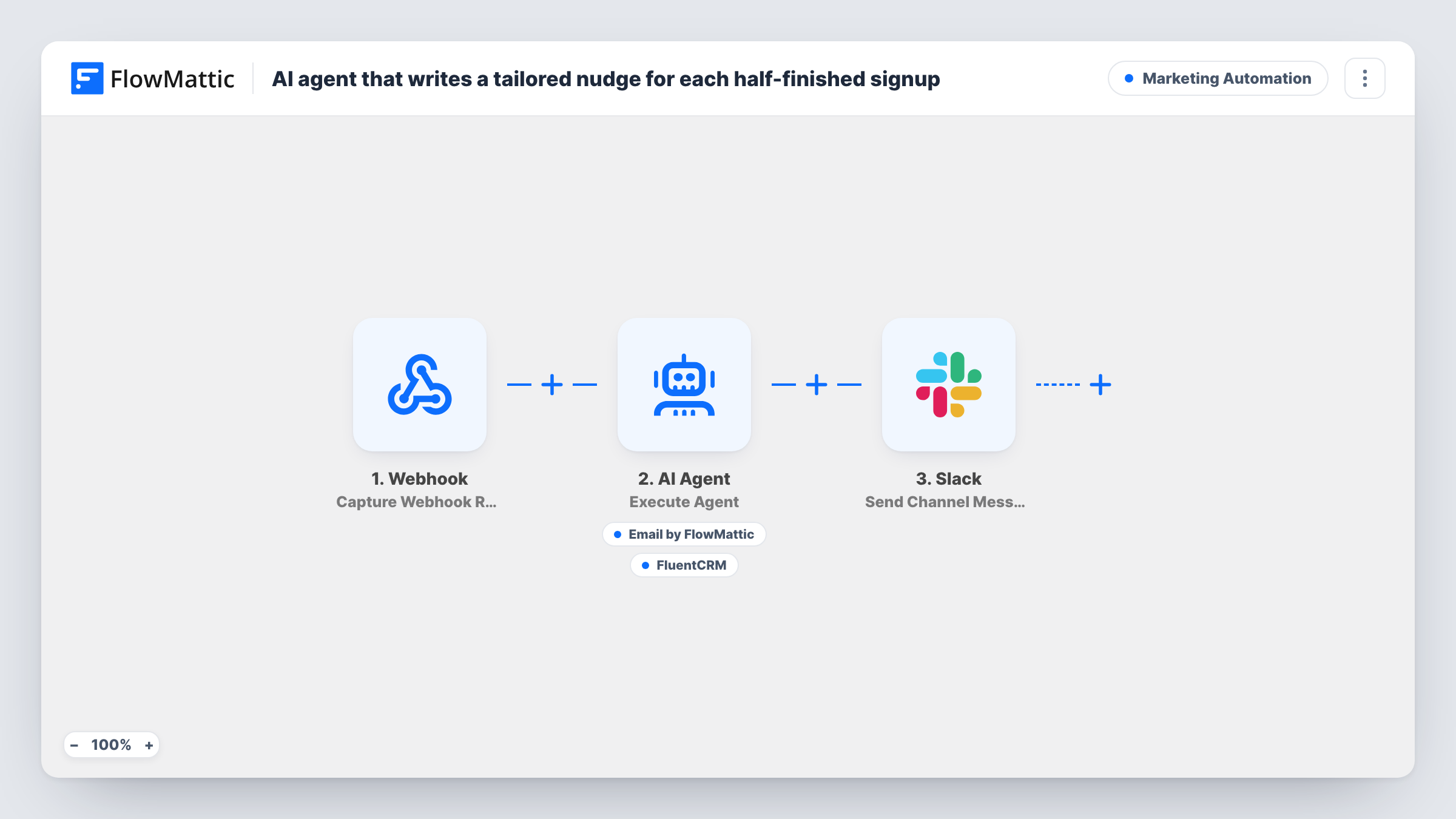
When your app reports a signup that stopped partway, an AI Agent writes a recovery email that speaks to the step where the person left, sends it, tags them in FluentCRM and logs it in Slack.
 Webhook
 AI Agent
 Email
Email
 FluentCRM
 Slack
Slack5 steps Setup ~8 min Used on 3.0k sites Marketing Free to import
What this workflow does
People abandon signups for different reasons. Someone who stopped at payment may have doubts about price, while someone who quit at the profile step may just have been interrupted. One generic reminder fits neither. This workflow writes each recovery email around the step the person reached and the plan they picked.
Your signup system posts the person's name, email, step_reached and plan to a Webhook URL. The AI Agent is told to write a warm email that addresses why they may have stopped at that step, send it and tag them for follow-up. It has two tools. Send Email goes to the address from the webhook, with the subject and body the agent writes. Add Tags to Contact puts a tag the agent chooses on the FluentCRM contact with that email.
Once the agent finishes, Slack posts Recovery email sent to, followed by the address, so your team sees each attempt. That message goes out after every run, so check Task History if a send looks doubtful. Deciding when a signup counts as abandoned is up to the system that calls the webhook.
SaaS trial that stalls at payment
Visitors who reach the card form and leave get an email that answers common worries about billing on the plan they chose, instead of a plain come back note.
Membership site with a long profile form
People who stop halfway through the profile get a short note that tells them what is left and why it is worth finishing.
Course enrolment with several steps
Students who leave before checkout get a message tied to the course plan they looked at, and the tag lets you follow up in FluentCRM later.
How this workflow runs
What happens at each step once the workflow is on, and what you need before you import it.
 Webhook Capture Webhook Response
Gives you a URL for your signup system to call when someone abandons. Send name, email, step_reached and plan, matching the sample payload.
- AI Agent Execute Agent
The AI Agent reads who left, at which step and on which plan, writes a recovery email around that, and is told to send it and tag the person with its two tools. GPT-4o from OpenAI is the model set in the template.
 Email Send Email
The agent's tool for the recovery email. It goes to the email address from the webhook, and the agent writes both the subject and the body. Send uses your FlowMattic email settings.
- FluentCRM Add Tags to Contact
The agent's tool for tagging the person in FluentCRM by email, with a tag name the agent picks. Run a test with an address that is not yet a contact to see how this step behaves.
- Slack Send Channel Message
Posts Recovery email sent to, with the person's email address, to Slack. Connect your workspace and check with a test where the message lands.
What you need
- FlowMatticCore
- AI ProviderAccount
- FluentCRM PluginPlugin
- Slack AccountAccount
After importing, map your own data. To keep the template universal, not every step is pre-filled. Open each step in the builder and connect your accounts and fields (channels, lists, sheets, recipients) before you switch the workflow on.
Make it yours
Changes worth making after you import it.
- Name the exact tag you want in the agent's instructions, such as abandoned-signup. Letting the model invent a tag on each run can leave you with several similar ones.
- Add a Delay before the agent so the email arrives an hour or so after the person leaves, not while they may still be finishing in another tab.
- Give the agent short notes about each signup step and plan in its instructions. The emails can then answer real questions instead of guessing.
Questions about this workflow
How does the workflow know a signup was abandoned?
It doesn't decide that itself. Your signup system has to call the webhook when it considers a signup abandoned, with the fields from the sample.
Does the person need to be in FluentCRM already?
The tagging tool works on the contact with that email. If your signup flow does not add people to FluentCRM, test what happens for a new address before going live.
Can I check the emails before they go out?
Not as imported, since the agent sends them directly. While testing, post sample data with your own email address to the webhook and read what arrives before you connect the live signup system.
Does the Slack message mean the email really went out?
It is posted after the agent step on every run, whatever the agent did. To check a particular run, open it in Task History and look at what the agent step returned.
More Marketing Automation workflows
Other ready-to-import templates from the same category.






Import this workflow into your WordPress site
Download the JSON, import it from the Workflows screen and connect your accounts. Every run stays on your server, with no per-task fees.
30-day money-back guarantee Unlimited workflows and runs Self-hosted