

AI agent that runs a smart membership renewal reminder
When a MemberPress subscription expires, an AI agent writes a personal renewal reminder from the member’s first name and membership, can email it to them, and can log the outreach in Google Sheets.
 MemberPress
 AI Agent
 Email
Email
 Google Sheets
4 steps Setup ~8 min Used on 2.3k sites Community Free to import
What this workflow does
A lapsed membership is often an oversight, not a decision. A prompt, friendly note can bring that member back, but writing one by hand for every expiry does not scale, and a single fixed template reads the same to everyone. Here an AI agent drafts the note for each member and handles the sending and record-keeping itself.
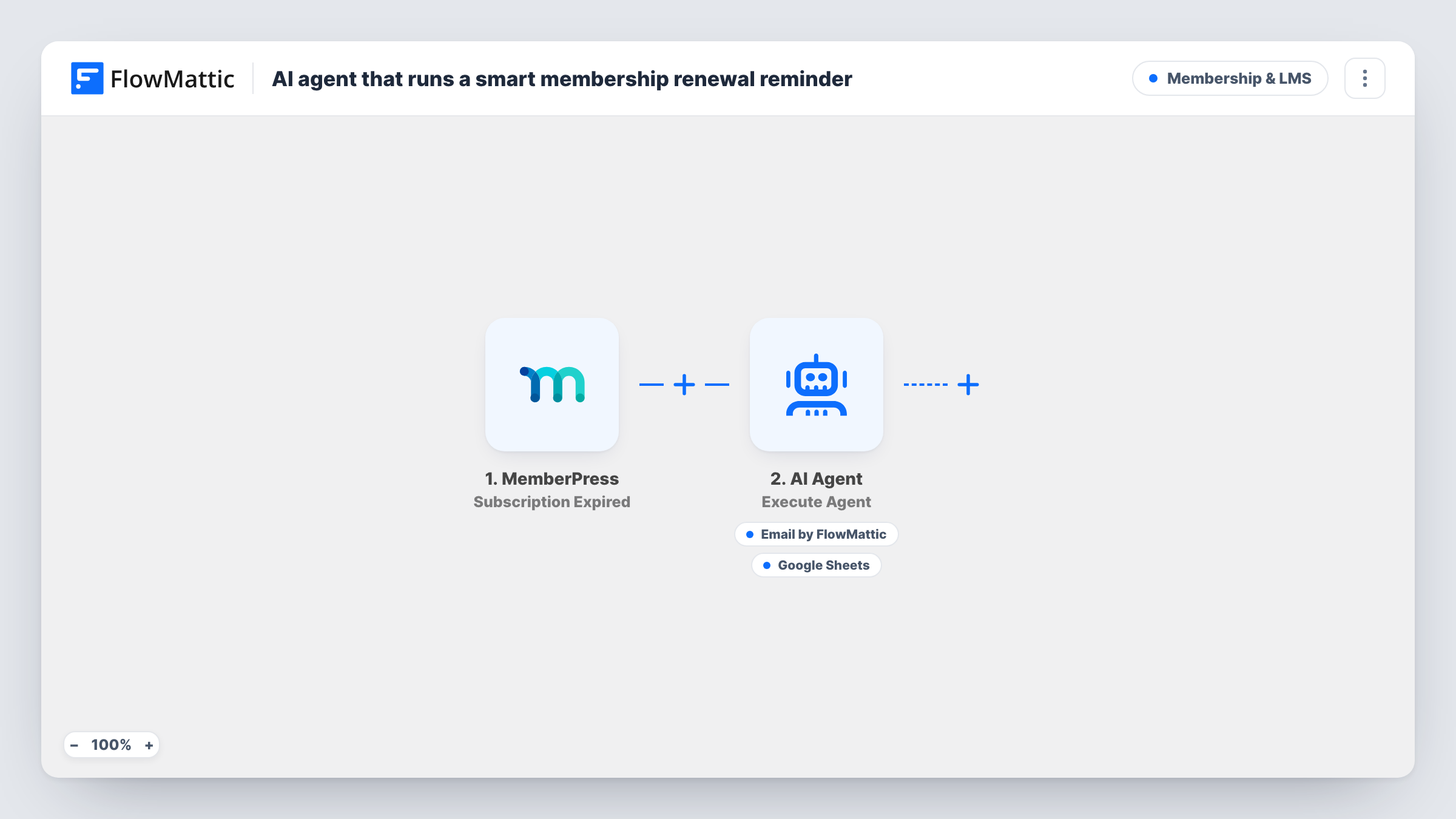
The MemberPress trigger fires on Subscription Expired. FlowMattic passes the member's first name and membership name to the AI Agent, which runs on OpenAI GPT-4o with an instruction to write a value-led renewal reminder, send it, then log the outreach. The agent has two tools. The Email tool sends to the member's address, with the subject and body written by the agent. The Google Sheets tool adds a row to a sheet you connect, with values the agent fills in.
The agent decides when to use each tool, based on its instructions, so check Task History after the first few runs to see what it sent and logged. It only knows the first name and membership name, so the reminder cannot quote usage or history. Note that the agent is told the membership is expiring, while the trigger fires after it has expired. Edit that line if you want the email to say the membership has lapsed.
Monthly community memberships
When a member's monthly plan lapses, they hear from you with a personal note naming their membership, instead of the access simply ending in silence.
Annual course access
When a year of course access runs out, the agent writes each student a reminder in a tone that suits your brand, and the sheet records who was contacted.
Small team without a retention tool
You have no dedicated retention software. The Google Sheet becomes a simple record of every renewal reminder the agent sent.
How this workflow runs
What happens at each step once the workflow is on, and what you need before you import it.
 MemberPress Subscription Expired
Runs when a MemberPress subscription expires. The member's email, first name and membership name are passed to the AI Agent and its tools.
- AI Agent Execute Agent
Runs an AI agent on OpenAI GPT-4o. It is told to write a value-led renewal reminder, send it and log the outreach, and is given the member's first name and membership name.
 Email Send Email
Agent tool: sends the renewal email to the member's MemberPress email address. The agent writes the subject and the body each time it uses this tool.
- Google Sheets Add New Row
Agent tool: adds a row to the Google Sheets spreadsheet you connect, to log the renewal touch. The agent fills in the values, so check a test run to see what it records.
What you need
- FlowMatticCore
- MemberPress PluginPlugin
- AI ProviderAccount
- Google Sheets AccountAccount
After importing, map your own data. To keep the template universal, not every step is pre-filled. Open each step in the builder and connect your accounts and fields (channels, lists, sheets, recipients) before you switch the workflow on.
Make it yours
Changes worth making after you import it.
- Edit the agent's system prompt to describe what your membership offers. The agent only knows the name of the plan, so a line or two about its benefits gives the email real substance.
- Add a renewal link to the agent's instructions and tell it to include that link in every email, so members can act straight from the reminder.
- Add a Delay before the AI Agent if you would rather wait a day or two after expiry before the reminder goes out.
Questions about this workflow
Is the reminder sent before the MemberPress membership expires?
No. The trigger is Subscription Expired, so the agent runs once the subscription has ended. For a reminder ahead of time you would need a different trigger or a scheduled workflow.
Will the AI agent always email and log every member?
It is instructed to do both, but the agent chooses when to call its tools. Review Task History during the first runs, and tighten the system prompt if it skips a step.
Which AI provider does the agent use?
As imported, the agent step uses GPT-4o from OpenAI, through the AI provider account you connect on import.
What ends up in the Google Sheets row?
The agent fills the row, so set up columns for what you want logged, such as member name, membership and date, and mention them in the system prompt.
More Membership & LMS workflows
Other ready-to-import templates from the same category.



Import this workflow into your WordPress site
Download the JSON, import it from the Workflows screen and connect your accounts. Every run stays on your server, with no per-task fees.
30-day money-back guarantee Unlimited workflows and runs Self-hosted