

AI tutor that gives written feedback on every quiz attempt
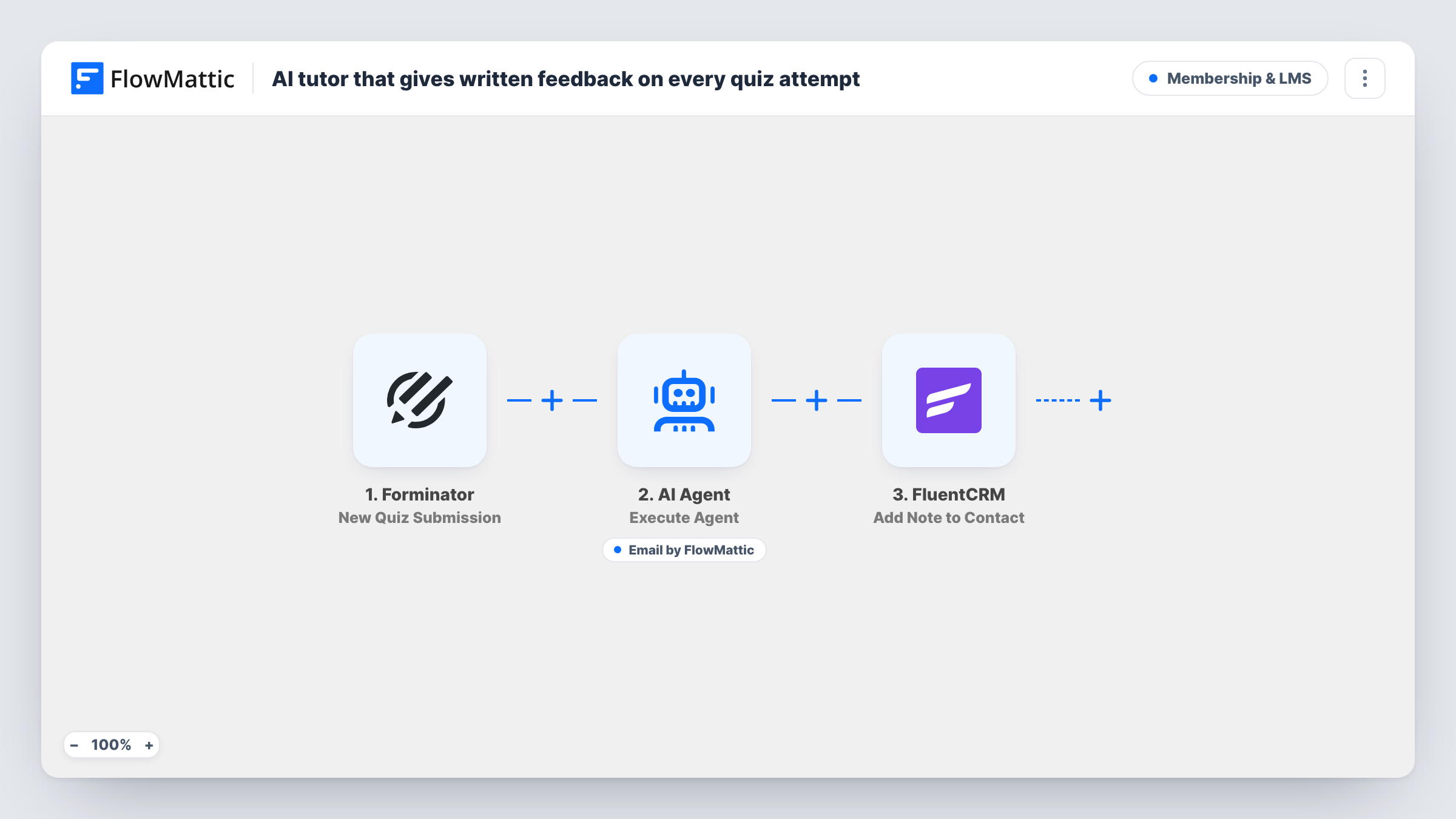
After each Forminator quiz submission, an AI Agent writes encouraging feedback and emails it to the student, then FlowMattic adds a note to their FluentCRM contact so you have a record of it.
 Forminator
 AI Agent
 Email
Email
 FluentCRM
4 steps Setup ~8 min Used on 389 sites Community Free to import
What this workflow does
A bare score tells a student little. A few lines of encouragement with a pointer on what to revisit makes them more likely to try again, but writing that by hand for every attempt does not scale. This workflow has an AI Agent write and send the feedback for each quiz submission, then records it in your CRM.
The Forminator New Quiz Submission trigger passes the student's name, email, score and the quiz title. The AI Agent gets those details with a system prompt asking for encouraging feedback that names strengths and the two weakest areas to revisit. It has a Send Email tool addressed to the student's email and writes the subject and body itself. Last, a FluentCRM step adds a note titled Quiz feedback sent to the contact with that email.
One limit matters. The agent sees the score and quiz title, not the student's answers, so any strengths and weak areas it names are guesses unless you pass more detail in. The agent runs on OpenAI's GPT-4o by default, through an AI provider account you connect.
Practice quizzes in an online course
Students taking a practice quiz get a personal note on their result, and the course owner sees in FluentCRM which students have had feedback.
Certification prep for a training provider
Each mock exam attempt brings an encouraging email, and the note on the contact helps the team spot students who keep retaking the same quiz.
Lead quizzes on a coaching site
A coach running a self-assessment quiz sends every taker a short written response, while FluentCRM keeps a note on each contact for later follow-up.
How this workflow runs
What happens at each step once the workflow is on, and what you need before you import it.
 Forminator New Quiz Submission
Runs when someone submits a Forminator quiz. The student's name, email and score, plus the quiz title, are passed to the AI Agent and the FluentCRM step.
- AI Agent Execute Agent
Runs an AI Agent asked to write encouraging feedback naming strengths and two areas to revisit. Connect your AI provider; the template starts on GPT-4o.
 Email Send Email
The agent's Send Email tool sends the feedback to the student's email address. The agent writes both the subject and the body, and delivery uses your FlowMattic SMTP settings.
- FluentCRM Add Note to Contact
Adds a note titled Quiz feedback sent to the student's FluentCRM contact, matched by email, recording which quiz the feedback was for.
What you need
- FlowMatticCore
- Forminator PluginPlugin
- AI ProviderAccount
- FluentCRM PluginPlugin
After importing, map your own data. To keep the template universal, not every step is pre-filled. Open each step in the builder and connect your accounts and fields (channels, lists, sheets, recipients) before you switch the workflow on.
Make it yours
Changes worth making after you import it.
- Map the student's answers or per-question results into the agent's user input, so the feedback can name real weak areas instead of guessing from the score.
- Add a FluentCRM step that creates or updates the contact before the note, so students who are not yet contacts still get the note recorded.
- Set the pass mark in the system prompt and ask for different wording above and below it, so the email matches how well the student did.
Questions about this workflow
Does the AI see the student's answers?
No. As imported, it gets the name, email, score and quiz title. Add more of the submission to the user input if you want feedback on specific questions.
What if the student is not in FluentCRM?
The note step looks for a contact by the quiz email. Run a test with a new address to see how it behaves, and add a step that creates the contact first if you need every note saved.
Does the FluentCRM note prove the email arrived?
No. The note is added after the agent step and says feedback was sent, whether or not the email reached the inbox. Task History shows what happened in each run.
What do I need installed?
Forminator and FluentCRM on the same WordPress site as FlowMattic, an AI provider account for the agent, and working SMTP settings for the email.
More Membership & LMS workflows
Other ready-to-import templates from the same category.





Import this workflow into your WordPress site
Download the JSON, import it from the Workflows screen and connect your accounts. Every run stays on your server, with no per-task fees.
30-day money-back guarantee Unlimited workflows and runs Self-hosted