

Send a daily birthday offer to every customer on a birthdays-today sheet
Once a day, FlowMattic reads your birthdays-today sheet in Google Sheets and emails each customer on it a birthday greeting with a 20% discount code.
 Schedule
 Google Sheets
 Iterator
 Email
4 steps Setup ~8 min Used on 3.2k sites Marketing Free to import
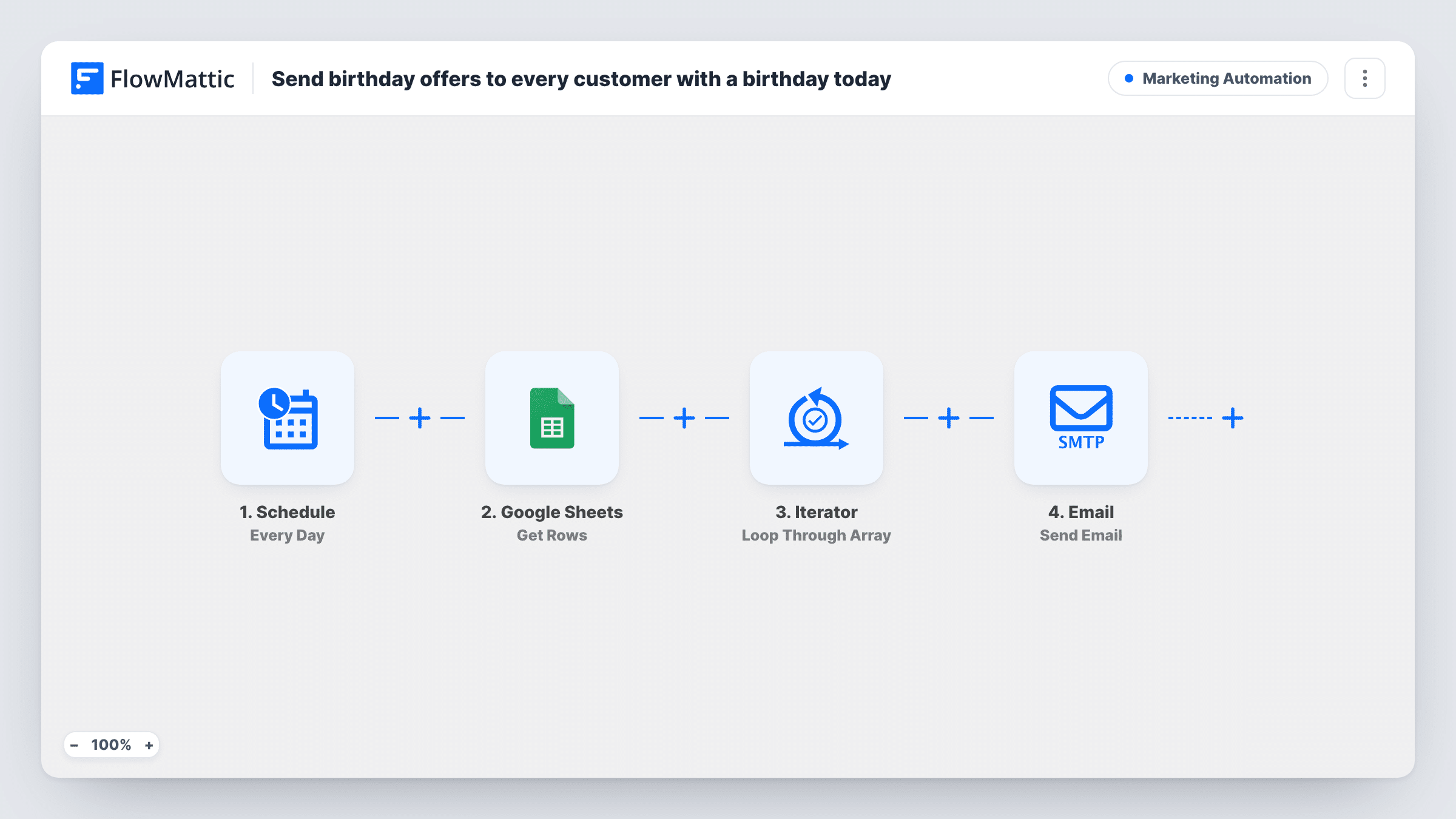
What this workflow does
A birthday email is a small, personal touch, and a discount code gives the customer a reason to come back. If you can produce a list of today's birthdays, from a CRM export or a formula over your customer sheet, this workflow takes care of the sending.
A daily Schedule trigger kicks off each round of birthday emails. The Google Sheets Get Rows step reads the rows from the sheet you choose; it ships without a sheet selected, so set that after import. The sheet is expected to hold only the customers whose birthday is today. The workflow doesn't check dates itself.
An Iterator goes through the rows one at a time, and FlowMattic's Email step sends each customer a birthday message at the address in their row, with their first name in the subject. The body offers 20% off with the code BDAY20. Create that coupon in your store, or change the code to one you already have, before the first run.
Every daily run emails every row in the sheet. If yesterday's names are still there, they get the email again, so make sure the sheet changes each day.
Birthday coupons for a WooCommerce shop
A gift shop keeps a tab that filters its customer list to today's date with a formula, so each morning's run emails only those customers a coupon.
Salon and spa clients
A beauty salon exports today's birthdays from its booking system into the sheet and sends clients a treat they can use at their next visit.
Members of a local club
A fitness studio updates a birthdays sheet from its member list and sends each member a discount on merchandise on their day.
How this workflow runs
What happens at each step once the workflow is on, and what you need before you import it.
 Schedule Every Day
Starts the workflow every day at the time you pick. It carries no customer data; it only sets when the birthday emails go out.
- Google Sheets Get Rows
Reads all rows from your birthdays-today sheet. Choose the spreadsheet and sheet after import, with columns for each customer's email and first name.
- Iterator Loop Through Array
Loops through the rows from the sheet one by one, so the email step runs once for every customer listed.
 Email Send Email
Sends the current customer a happy-birthday email with their first name in the subject and the BDAY20 code for 20% off. Edit the wording and code before going live.
What you need
- FlowMatticCore
- Google Sheets AccountAccount
After importing, map your own data. To keep the template universal, not every step is pre-filled. Open each step in the builder and connect your accounts and fields (channels, lists, sheets, recipients) before you switch the workflow on.
Make it yours
Changes worth making after you import it.
- Point the Get Rows step at a tab that a FILTER formula fills with today's birthdays from your main customer list, so the sheet changes by itself each day.
- Name the sheet's columns email and first_name, or remap the Email step after a test run, so the Iterator passes the right values.
- Set a usage limit and an expiry on the BDAY20 coupon in your store, since every customer on the list gets the same code.
- Pick an early morning time in the Schedule trigger, so the email arrives at the start of the customer's birthday.
Questions about this workflow
Does the workflow work out whose birthday it is from the Google Sheet?
No. It emails every row in the sheet it reads. The sheet must already contain only today's birthdays, kept current by you or by a formula.
Will a customer get the birthday email twice?
Only if their row is still in the sheet on the next daily run. Each run sends to every row, so clear or refresh the list every day.
Do I have to use the BDAY20 discount code?
No. The code is written into the email body as an example. Replace it with a coupon you've created in your store, or remove the offer.
Which email service sends the birthday message?
FlowMattic's Email step, which uses WordPress mail or the SMTP account you configure. Use an SMTP service if your host's mail tends to land in spam.
More Marketing Automation workflows
Other ready-to-import templates from the same category.




Import this workflow into your WordPress site
Download the JSON, import it from the Workflows screen and connect your accounts. Every run stays on your server, with no per-task fees.
30-day money-back guarantee Unlimited workflows and runs Self-hosted