

Route support tickets to the billing or engineering squad by subject
New Fluent Support tickets whose subject mentions billing alert your billing squad in Slack and get a tag. Other tickets alert engineering only when the subject mentions an error.
 Fluent Support
 Branch
 Slack
 Filter
6 steps Setup ~12 min Used on 1.3k sites Agentic Support Free to import
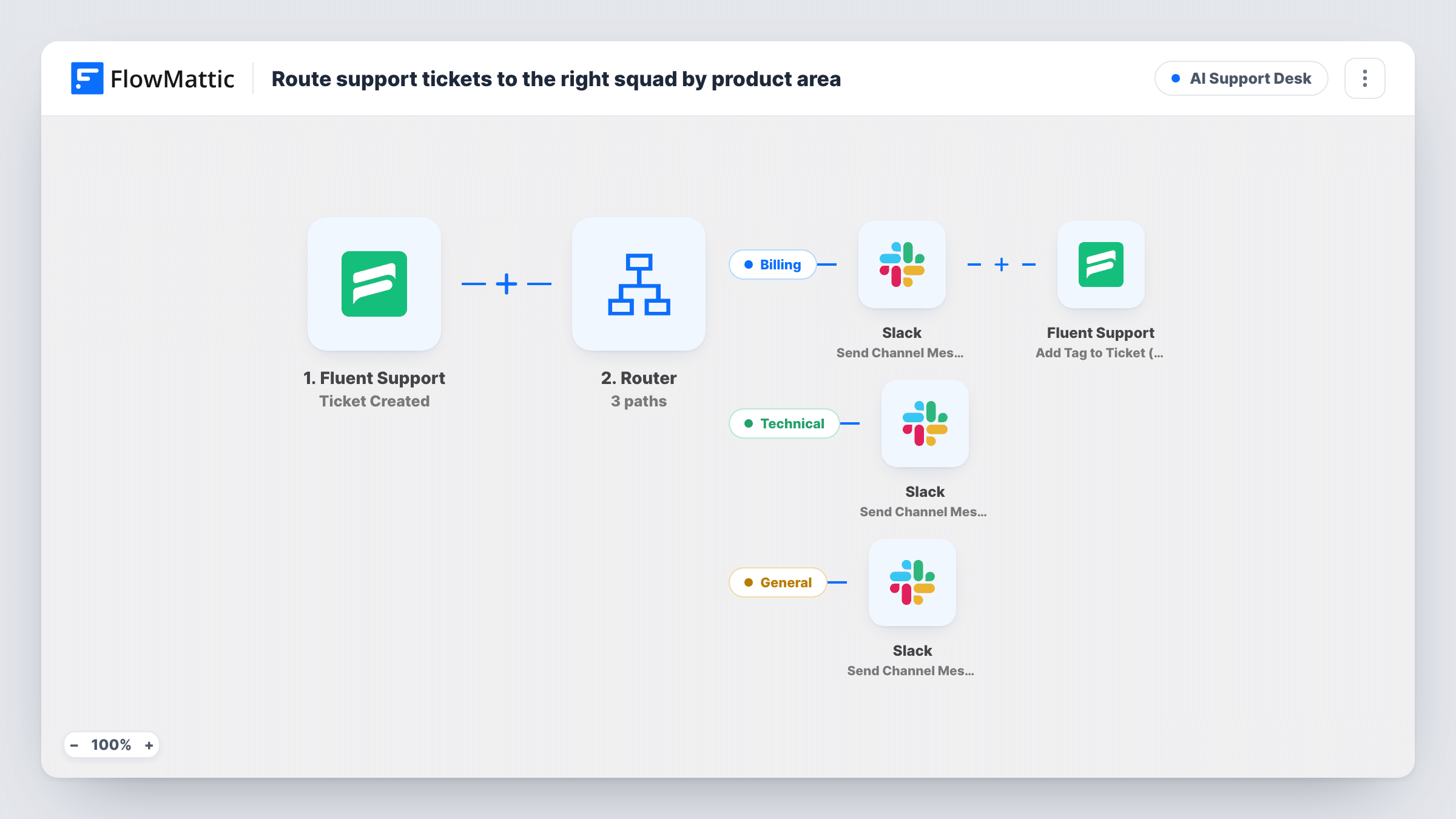
What this workflow does
A shared support queue mixes invoice questions with bug reports, and each kind needs a different team. Posting every ticket to every channel buries the important ones. This workflow reads the ticket subject and sends each kind to the squad that handles it.
The Fluent Support Ticket Created trigger starts a run for each new ticket, whoever opens it. A Branch labelled Billing ticket? checks whether the subject contains billing, in any case.
On the yes path, a Slack message reading Billing ticket with the ticket number and subject goes to the channel you choose for the billing squad. Then Add Tag to Ticket (Pro) tags that ticket in Fluent Support. The template fills in the ticket ID but not the tag, so pick your Billing tag in the step after import. As the action name says, it is a Fluent Support Pro action.
On the no path, a Filter continues only if the subject contains error. Those tickets post Technical ticket with the number and subject to the engineering channel through Slack. Tickets that mention neither word stop there and send no alert, so general questions stay in the normal queue.
SaaS with separate finance and dev teams
A subscription app's finance staff see refund and invoice tickets in their own Slack channel, while developers only hear about tickets that report an error.
Tagged billing tickets for reporting
A support lead filters Fluent Support by the Billing tag at month-end to count how many payment questions came in.
Keeping engineers out of general questions
A plugin vendor stops how-to questions from reaching the engineering channel, since only subjects with error in them are posted there.
How this workflow runs
What happens at each step once the workflow is on, and what you need before you import it.
 Fluent Support Ticket Created
Starts when a customer or an agent creates a ticket in Fluent Support. The ticket ID and subject are passed to the Branch and the messages.
- Branch Billing ticket?
Checks whether the ticket subject contains billing, ignoring case. Tickets that do take the yes path; all others take the no path.
- Slack Send Channel Message
On the yes path, posts Billing ticket with the ticket number and subject to a Slack channel. Connect Slack and choose the billing squad's channel.
- Fluent Support Add Tag to Ticket (Pro)
On the yes path, adds a tag to the same ticket in Fluent Support, using the ticket ID from the trigger. The tag isn't set in the template, so select it after import.
- Filter Continue If Condition Meet
On the no path, continues only when the subject contains error, in any case. Tickets without it stop here and post nothing. The word is an example you can change.
- Slack Send Channel Message
Posts Technical ticket with the ticket number and subject to a Slack channel for engineering. Pick that channel when you connect Slack.
What you need
- FlowMatticCore
- Fluent Support PluginPlugin
- Slack AccountAccount
After importing, map your own data. To keep the template universal, not every step is pre-filled. Open each step in the builder and connect your accounts and fields (channels, lists, sheets, recipients) before you switch the workflow on.
Make it yours
Changes worth making after you import it.
- In the Branch, which sits between the Fluent Support trigger and the two paths, add invoice, refund or payment as extra condition groups. A subject matching any group then takes the billing path.
- Widen the Filter between the Branch's no path and the engineering Slack step with groups for words like bug or broken, so technical tickets that don't say error get through.
- Create the Billing tag in Fluent Support before import, so you can select it in the Add Tag to Ticket step straight away.
Questions about this workflow
Does a Fluent Support ticket about a billing error reach both squads?
No. The Branch sends any subject containing billing down the yes path, so it alerts the billing squad and gets tagged. The engineering Filter only sees tickets on the no path.
Is Fluent Support Pro required for the billing tag step?
For the tagging step, yes: Add Tag to Ticket is marked Pro. Without Pro, remove that step and the Slack alerts still work as described.
What happens to Fluent Support tickets that mention neither billing nor error?
They take the no path and stop at the Filter, so no Slack message is sent. The ticket itself stays in Fluent Support as usual.
Does a subject written as BILLING or Error still match?
Yes. Billing, BILLING and billing all match the Branch, and the same goes for error in the Filter. Both checks also find the word inside a longer one, so a subject such as Errors after update or Rebilling question still matches.
More AI Support Desk workflows
Other ready-to-import templates from the same category.





Import this workflow into your WordPress site
Download the JSON, import it from the Workflows screen and connect your accounts. Every run stays on your server, with no per-task fees.
30-day money-back guarantee Unlimited workflows and runs Self-hosted