

Categorise Typeform responses with AI and store them in Notion
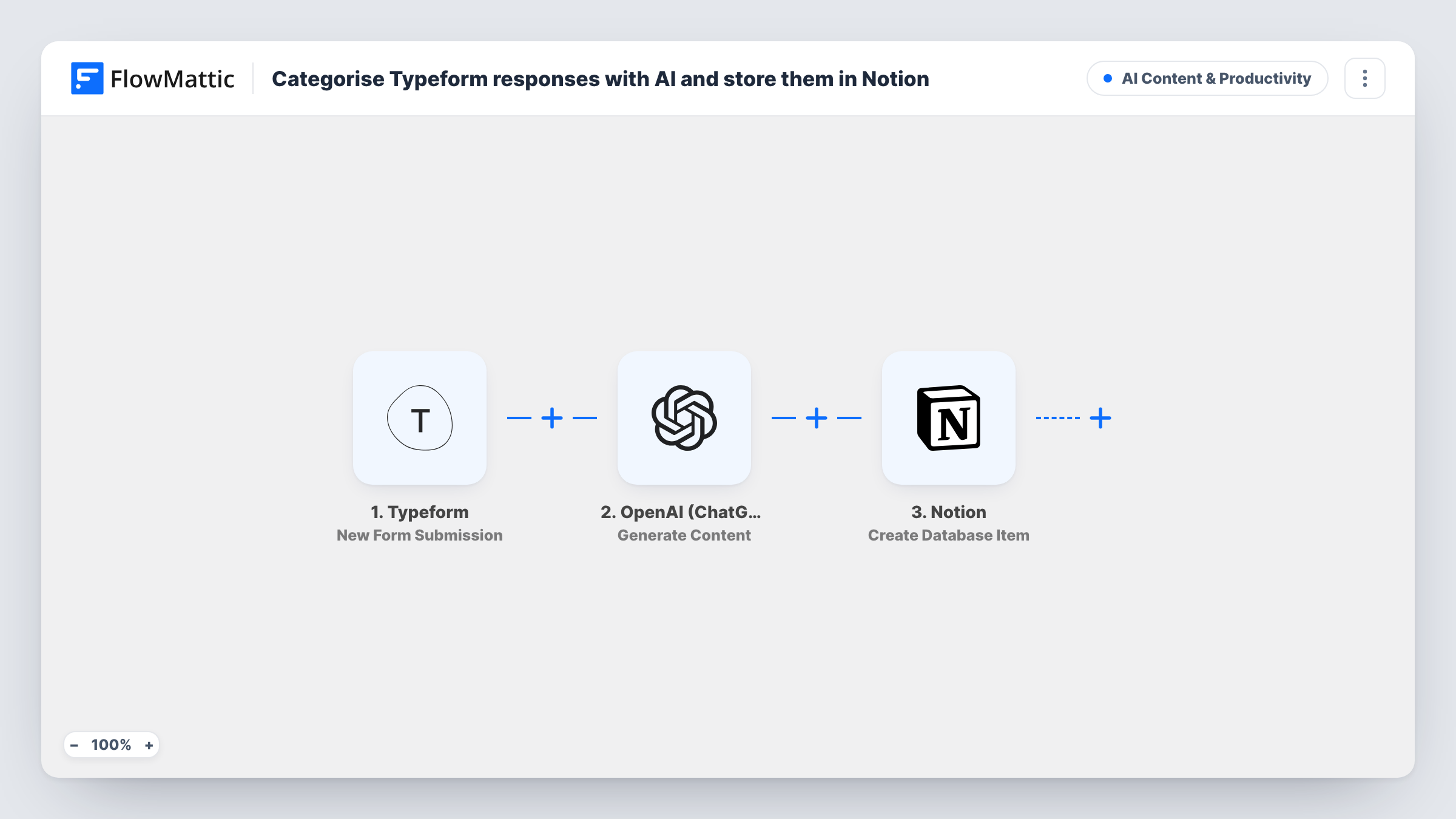
Each Typeform response is sent to OpenAI with a request to label it Billing, Technical, Sales or Other, then saved as a new item in a Notion database alongside that label, ready for whoever owns that kind of request.
 Typeform
 OpenAI (ChatGPT)
 Notion
3 steps Setup ~5 min Used on 541 sites Content Ops Free to import
What this workflow does
A general contact form in Typeform collects all kinds of messages, and someone has to read each one to decide who should handle it. When responses pile up, that sorting becomes a chore. This workflow asks an AI model to label each message, then files the response and its label in Notion.
The Typeform trigger runs when a new response comes in. FlowMattic sends the response's message field to OpenAI (ChatGPT) using Generate Content with the gpt-4o model. The prompt asks for a single word: Billing, Technical, Sales or Other. The model's reply then becomes data the next step can use.
The last step creates an item in a Notion database. The template leaves this step unmapped, so after import you choose what goes into the item, typically the Typeform answers plus the OpenAI reply as the category. The label comes from an AI model, so treat it as a suggestion and check odd ones. Each run is recorded in Task History.
One contact form for a whole small company
A single Typeform handles every enquiry. In Notion, the team groups items by the AI label, so billing questions and sales leads sit in separate views.
Product feedback triage
Swap the four categories in the prompt for your own, such as Bug, Feature request and Praise, and the Notion database becomes a sorted feedback log.
Freelancer intake
A freelancer reviews the Notion database each morning and sees at a glance which enquiries look like paid work and which are general questions.
How this workflow runs
What happens at each step once the workflow is on, and what you need before you import it.
 Typeform New Form Submission
Starts the workflow for each new Typeform response. The message answer, plus the other answers, become available for the OpenAI and Notion steps.
- OpenAI (ChatGPT) Generate Content
Sends the Typeform message to OpenAI with gpt-4o and a prompt asking for one word: Billing, Technical, Sales or Other. Connect your OpenAI account and edit the categories in the prompt to match your own.
- Notion Create Database Item
Creates a new item in your Notion database. Nothing is mapped yet, so after a test response map the Typeform answers and the OpenAI reply into it, then check the result in Notion.
What you need
- FlowMatticCore
- Typeform AccountAccount
- OpenAI (ChatGPT) AccountAccount
- Notion AccountAccount
After importing, map your own data. To keep the template universal, not every step is pre-filled. Open each step in the builder and connect your accounts and fields (channels, lists, sheets, recipients) before you switch the workflow on.
Make it yours
Changes worth making after you import it.
- The prompt reads a Typeform field called message. If your question has another name, remap it in the OpenAI step or the model receives nothing to sort.
- Add a Router after the OpenAI step with one route per exact label, for example the reply equals Billing, to notify a different person for each category as well as saving to Notion.
- Ask for the label only, with no punctuation, in the prompt. A clean single word is easier to match in a Notion select property or a later condition.
Questions about this workflow
Will OpenAI always reply with one of the four Typeform categories?
The prompt asks it to, but the reply is generated text and is not checked by the workflow. Check a few Notion items after import, and tighten the prompt if you see extra words.
Who pays for the OpenAI call that labels each Typeform response?
The Generate Content step runs through the OpenAI account you connect, so OpenAI bills that account for the usage.
Which Notion database do the responses go to?
The one you set up in the Create Database Item step after import. The template ships with that step empty, so you decide the target and the mapping.
Is the original Typeform response kept?
Yes. The workflow reads the response and does not change it in Typeform. Notion gets whatever answers you map into the item.
More AI Content & Productivity workflows
Other ready-to-import templates from the same category.








Import this workflow into your WordPress site
Download the JSON, import it from the Workflows screen and connect your accounts. Every run stays on your server, with no per-task fees.
30-day money-back guarantee Unlimited workflows and runs Self-hosted