

Draft support replies with AI and send them to Slack for review
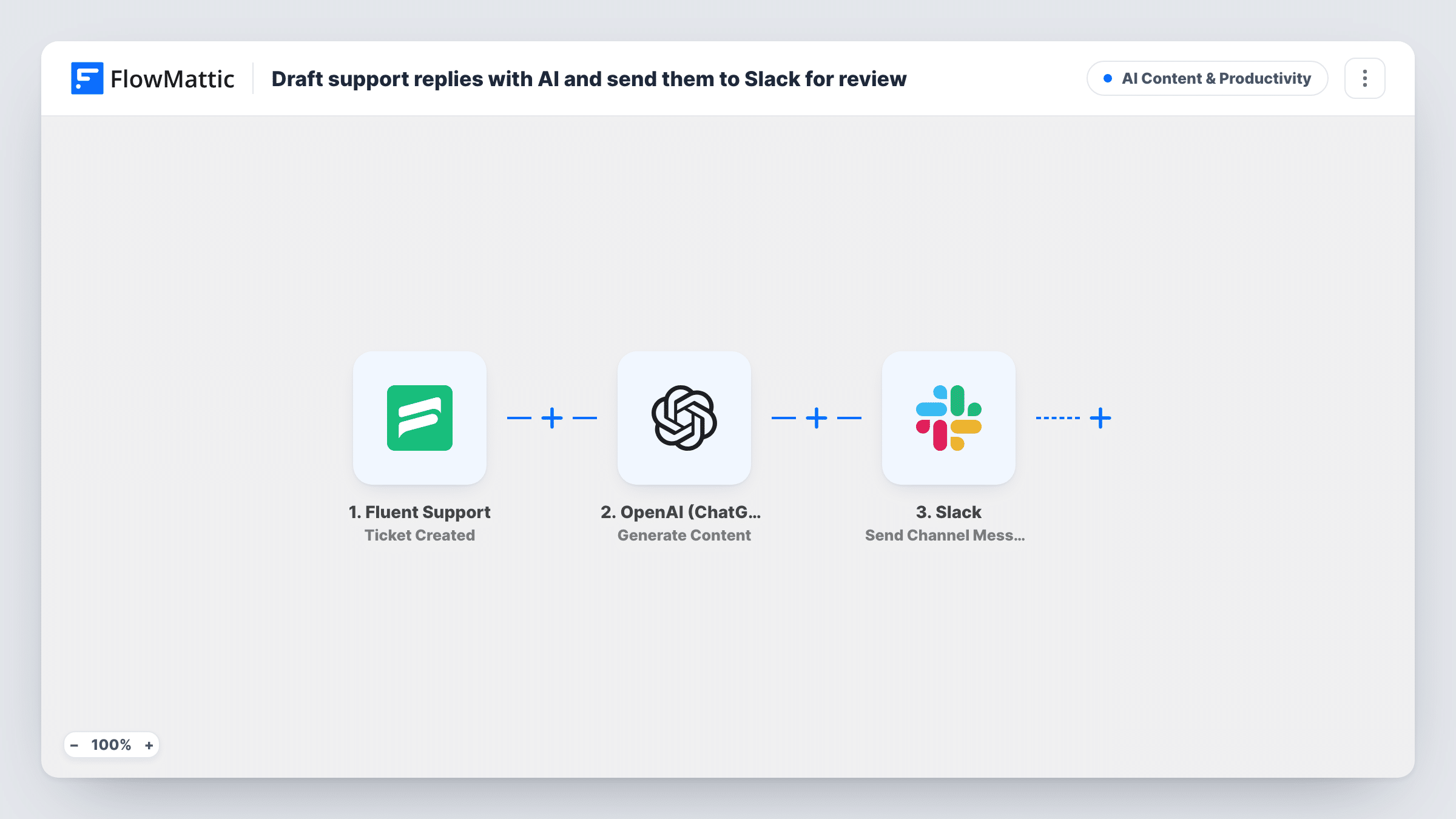
Each new Fluent Support ticket is sent to OpenAI for a friendly, concise draft reply, which FlowMattic posts to a Slack channel with the ticket number and subject for an agent to review.
 Fluent Support
 OpenAI (ChatGPT)
 Slack
Slack3 steps Setup ~5 min Used on 347 sites Content Ops Free to import
What this workflow does
The first reply to a ticket is often the slowest, because someone has to read the request and start from nothing. This workflow prepares a draft as soon as a ticket is opened and puts it where your support team already talks, so an agent can check it before answering the customer.
The Fluent Support trigger runs when a ticket is created on your helpdesk. FlowMattic passes the ticket's subject and message to OpenAI with the prompt "Write a friendly, concise support reply to this ticket", using gpt-4o with a 600-token limit. The Slack step then posts to your chosen channel: "Draft reply for ticket #" with the ticket ID and subject, followed by the draft.
The draft stays in Slack. Nothing is added to the ticket and the customer receives nothing from this workflow, so an agent reads the draft, corrects any details, and replies in Fluent Support as usual. Every new ticket gets a draft, since there is no Filter in the template.
A small team covering support part time
Developers who also answer tickets see each new request in Slack with a starting reply, so they can respond between other tasks without writing from scratch.
Training new support agents
New hires compare the AI draft with what an experienced colleague sends, which gives the team a shared example to discuss in the channel.
A plugin shop with common setup questions
Many tickets ask how to install or configure a product. The draft gives the agent a base reply to adjust with the customer's details.
How this workflow runs
What happens at each step once the workflow is on, and what you need before you import it.
 Fluent Support Ticket Created
Starts the run whenever Fluent Support records a new ticket. The ticket ID, subject and message are passed to the OpenAI and Slack steps.
- OpenAI (ChatGPT) Generate Content
Asks OpenAI to write a friendly, concise support reply using the ticket's subject and message. The template uses gpt-4o with a 600-token limit, and the draft comes back as the step's response.
- Slack Send Channel Message
Posts to the Slack channel you pick. The message starts with "Draft reply for ticket #", then the ticket ID and subject in brackets, then the OpenAI draft on its own lines.
What you need
- FlowMatticCore
- Fluent Support PluginPlugin
- OpenAI (ChatGPT) AccountAccount
- Slack AccountAccount
After importing, map your own data. To keep the template universal, not every step is pre-filled. Open each step in the builder and connect your accounts and fields (channels, lists, sheets, recipients) before you switch the workflow on.
Make it yours
Changes worth making after you import it.
- Add your product name, tone and any standard sign-off to the OpenAI prompt so drafts sound like your team rather than a generic assistant.
- Put a Filter after the trigger if only some tickets need a draft, for example tickets whose subject contains a word your team uses for setup questions.
- Use a separate Slack channel for drafts so they don't crowd your main support chat, and agents know where to look.
Questions about this workflow
Does the AI draft get sent to the Fluent Support customer?
No. The draft is posted only in Slack. An agent reviews it and replies in Fluent Support, so the customer sees only what your team sends.
What ticket details does OpenAI see?
The prompt includes the ticket's subject and message. Nothing else from the ticket is sent to OpenAI unless you add it to the prompt.
Do I need an OpenAI account for the drafts?
Yes. You connect your own OpenAI account in FlowMattic, and the Generate Content step runs through it.
Can I change the model or the length of the draft?
Yes. The template uses gpt-4o and a 600-token limit. Change either in the OpenAI step, or ask for a shorter reply in the prompt itself.
More AI Content & Productivity workflows
Other ready-to-import templates from the same category.






Import this workflow into your WordPress site
Download the JSON, import it from the Workflows screen and connect your accounts. Every run stays on your server, with no per-task fees.
30-day money-back guarantee Unlimited workflows and runs Self-hosted