

Post a daily AI-written tip to Telegram and Discord
Once a day, OpenAI writes a short productivity tip for a business automation audience, and FlowMattic posts the same tip to your Telegram chat and your Discord channel.
 Schedule
 OpenAI (ChatGPT)
 Telegram
 Discord
4 steps Setup ~8 min Used on 860 sites Content Ops Free to import
What this workflow does
Communities on Telegram and Discord go quiet when nobody posts. A small daily message gives members something to read and reply to, but writing one by hand every day is easy to drop. This workflow writes and posts a tip for you each day.
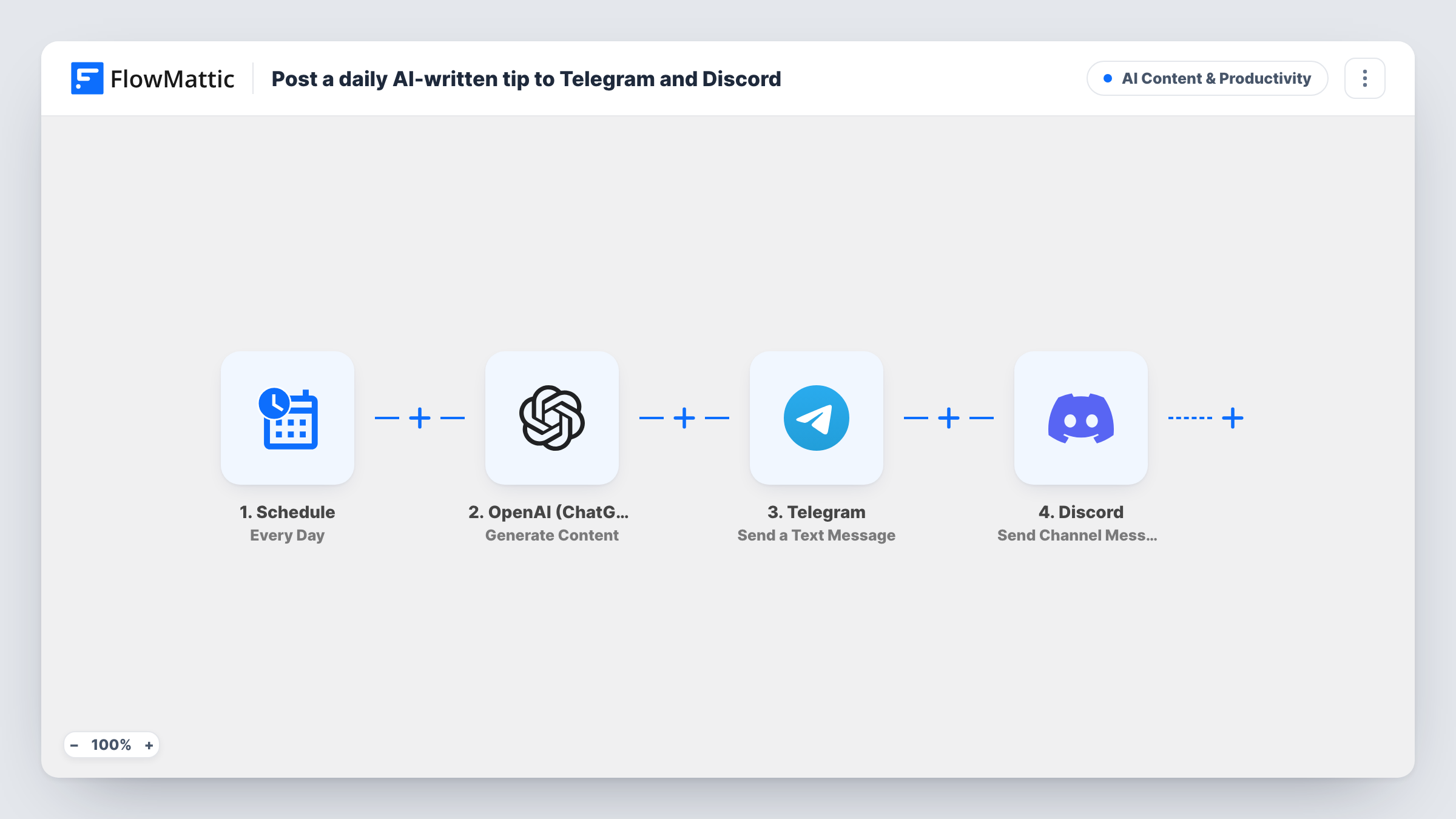
Every day, at the time set in the Schedule trigger, a new run begins. FlowMattic asks OpenAI (ChatGPT), with the gpt-4o model, for a short, upbeat productivity tip aimed at a business automation audience and asks it to stay under 240 characters. The reply goes to Telegram as a text message with a light bulb emoji in front, sent with HTML formatting. The same text then goes to Discord as a channel message.
Each day's tip is new text from the model, and nothing checks it against earlier posts, so read the first few before you leave it running. The prompt sets the topic and tone. Change it to match your own community, for example tips about your product or your industry.
Product community on Telegram and Discord
Post a daily tip about getting more from your product in both places, after rewriting the prompt around your own features.
Automation consultant's audience
Keep a free Telegram channel and Discord server active with a short automation tip each day while you work on client projects.
Study or coaching group
Change the prompt to ask for a study habit or a coaching prompt, and both groups receive the same message every day.
How this workflow runs
What happens at each step once the workflow is on, and what you need before you import it.
 Schedule Every Day
Kicks off a fresh run each day on a daily schedule. Check the run time in the Schedule step after import and set it to when your members are most likely to be online.
- OpenAI (ChatGPT) Generate Content
Asks OpenAI, using gpt-4o, for a short upbeat productivity tip under 240 characters. Connect your OpenAI account and rewrite the prompt for your own topic.
- Telegram Send a Text Message
Sends the tip to Telegram as a text message, starting with a light bulb emoji and using HTML parse mode. Connect Telegram on import and confirm the target chat with a test run.
- Discord Send Channel Message
Posts the same tip, with the same emoji in front, as a Discord channel message. Connect Discord on import and check in a test run which channel receives it.
What you need
- FlowMatticCore
- OpenAI (ChatGPT) AccountAccount
- Telegram AccountAccount
- Discord AccountAccount
After importing, map your own data. To keep the template universal, not every step is pre-filled. Open each step in the builder and connect your accounts and fields (channels, lists, sheets, recipients) before you switch the workflow on.
Make it yours
Changes worth making after you import it.
- Add a Human in the Loop step after OpenAI if you want to approve each tip before it reaches Telegram and Discord. Its timeout action should be End Workflow; the default lets unanswered tips through.
- Save each tip to Google Sheets or a FlowMattic Table as a third action, so you have a record of what was posted on each day.
- Add a Delay between the Telegram and Discord steps if you want the two posts to go out at different times of day.
Questions about this workflow
Will OpenAI post the same tip twice?
The workflow does not compare new tips with earlier ones, so repeats can happen. Give the prompt more variety, such as a list of topics to rotate through, if that is a concern.
Can I post only to Telegram and skip Discord?
Yes. Delete the Discord step after import. The Telegram step still receives the tip from OpenAI.
Is the 240-character limit guaranteed?
No. The prompt asks for it, but the model can go over. Read a few test runs, and tighten the prompt wording if tips come out too long.
Can the daily AI tip go out more than once a day?
Yes. Change the Schedule trigger to a shorter interval, such as every few hours. Each run asks OpenAI for a fresh tip and posts it to both channels.
More AI Content & Productivity workflows
Other ready-to-import templates from the same category.





Import this workflow into your WordPress site
Download the JSON, import it from the Workflows screen and connect your accounts. Every run stays on your server, with no per-task fees.
30-day money-back guarantee Unlimited workflows and runs Self-hosted