

When a new post is created in Brizy Cloud, generate a social media caption using AI and post it to X ( Twitter )
When a post is created in Brizy Cloud, FlowMattic asks OpenAI to write a social caption for it and then posts that caption to your X account, so each new post gets announced without you drafting the text.
 Brizy Cloud
 OpenAI (ChatGPT)
 X ( Twitter )
3 steps Setup ~5 min Used on 2.6k sites Free to import
What this workflow does
Writing a fresh caption for every new post is easy to put off, and the post goes unannounced. This workflow hands that job to OpenAI and sends the result straight to X, so a new Brizy Cloud post leads to a tweet without you opening either app.
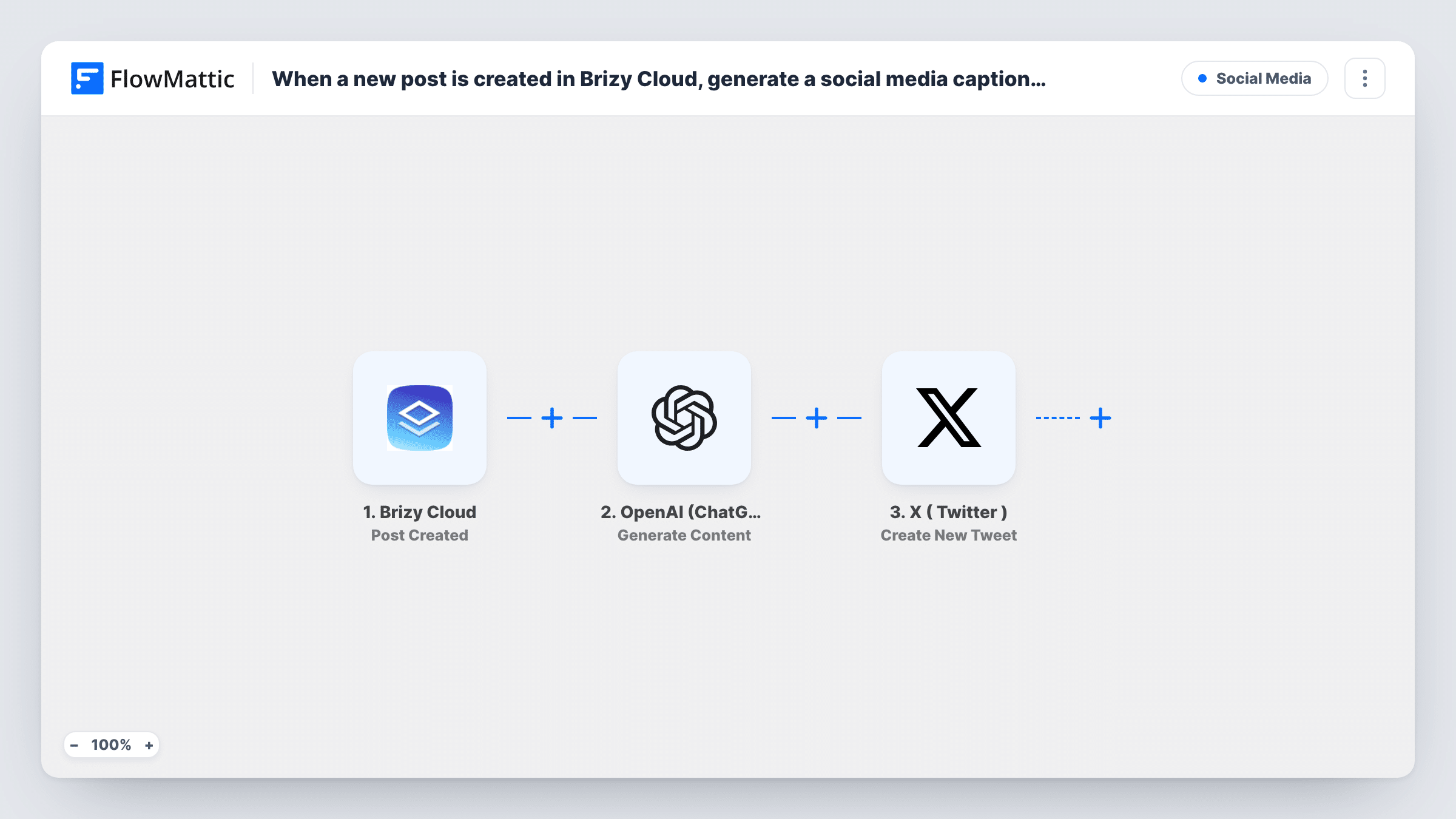
The Brizy Cloud trigger runs when a post is created in your account. The post data Brizy Cloud sends is passed to OpenAI (ChatGPT) with the Generate Content action. You write the prompt there and map in the post details, so the caption is based on the actual post. The text OpenAI returns then goes to X ( Twitter ), where Create New Tweet publishes it on the account you connect.
As imported, there is no review stage, so whatever OpenAI writes is posted. Every post created in Brizy Cloud runs all three steps. Task History keeps each run, showing what each step sent and received, which helps you tune the wording.
Announcing blog posts from a Brizy Cloud site
You publish articles on a site built with Brizy Cloud. Each new post produces a short caption, posted to your brand's X account.
Agency running a client's social feed
The client adds posts in Brizy Cloud. The workflow drafts and posts the tweet on the client's X account, so you don't write a caption for every entry.
Keeping a consistent voice
Put your tone rules in the OpenAI prompt, such as plain wording and one hashtag, so every caption for a new Brizy Cloud post follows the same style.
How this workflow runs
What happens at each step once the workflow is on, and what you need before you import it.
 Brizy Cloud Post Created
Runs when a new post is created in your Brizy Cloud account. The post data Brizy Cloud sends is available to map in the OpenAI and X steps.
- OpenAI (ChatGPT) Generate Content
Sends a prompt you write to OpenAI and returns the generated text. Map the post details into the prompt and ask for a short social caption.
- X ( Twitter ) Create New Tweet
Posts a tweet on the X account you connect. Map the text returned by OpenAI into the tweet so the caption is published as soon as it is generated.
What you need
- FlowMatticCore
- Brizy Cloud AccountAccount
- OpenAI (ChatGPT) AccountAccount
- X ( Twitter ) AccountAccount
After importing, map your own data. To keep the template universal, not every step is pre-filled. Open each step in the builder and connect your accounts and fields (channels, lists, sheets, recipients) before you switch the workflow on.
Make it yours
Changes worth making after you import it.
- Add a Human in the Loop step between OpenAI and X if you want to read and approve each caption before it goes out. Set its timeout action to End Workflow, or an unanswered request still posts.
- Add a Filter after the trigger so only certain posts are tweeted, for example posts whose title does not contain the word Draft.
- Tell OpenAI in the prompt to keep the caption well within the length X accepts for a post, and to return only the caption text with no quotes or notes.
Questions about this workflow
Will every new Brizy Cloud post be tweeted?
Yes, as imported. Each post created in Brizy Cloud runs the workflow and produces a tweet. Add a Filter after the trigger if you want to limit which posts are shared.
Can I check the OpenAI caption before it posts to X?
Not as imported, because the X step runs right after OpenAI. Insert a Human in the Loop step between them to approve or reject each caption.
Do I need an OpenAI account for the caption step?
Yes. The Generate Content step runs through your own OpenAI account, which you connect in FlowMattic, along with your Brizy Cloud and X accounts.
Are posts created before I import this tweeted too?
No. The trigger reacts to new posts, so only posts created after you turn the workflow on are captioned and shared on X.
More Social Media workflows
Other ready-to-import templates from the same category.




Import this workflow into your WordPress site
Download the JSON, import it from the Workflows screen and connect your accounts. Every run stays on your server, with no per-task fees.
30-day money-back guarantee Unlimited workflows and runs Self-hosted