

Add a new FlexiFunnels form submission as a row in Google Sheets
Each new form submission on your FlexiFunnels pages becomes a row in the Google Sheets spreadsheet you choose, holding the answers you map, so your funnel leads build up in a sheet you can sort and share.
 FlexiFunnels
 Google Sheets
2 steps Setup ~5 min Used on 331 sites Free to import
What this workflow does
Funnel pages built in FlexiFunnels collect leads, but you may want those leads somewhere your whole team can open, filter and share without a FlexiFunnels login. A spreadsheet is the simplest place. This workflow writes each new FlexiFunnels form submission into Google Sheets.
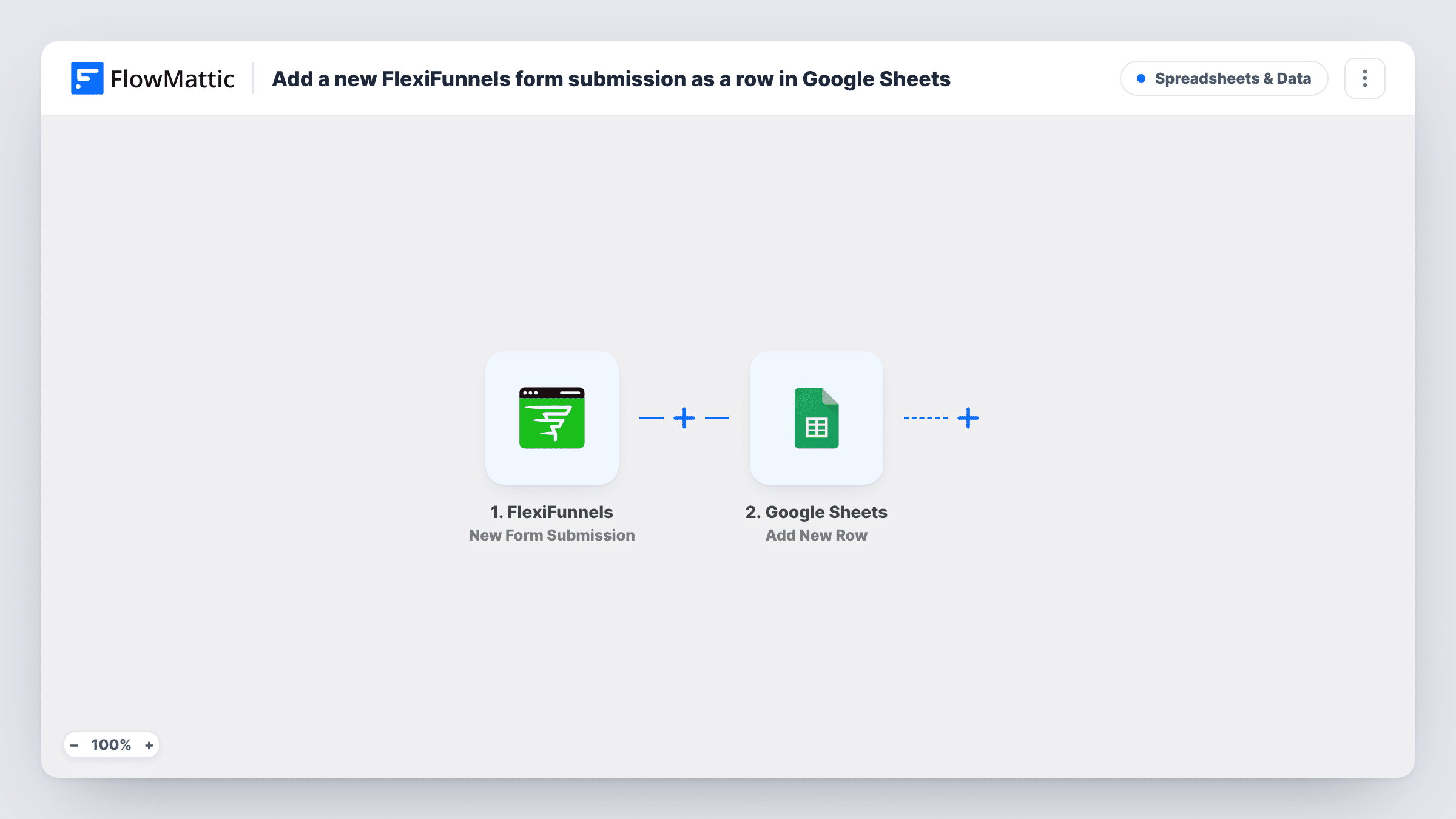
The FlexiFunnels trigger fires on a new form submission and passes the submitted answers to FlowMattic. FlowMattic then runs Add New Row in Google Sheets. You pick the spreadsheet and sheet, then map each answer to a column, so each lead takes one row.
Nothing is filtered or merged: every submission adds its own row, even when the same person fills in a form twice. Submissions made before you turn the workflow on are not copied. Task History records each run, so you can see what was sent to the sheet if a row looks wrong.
Webinar funnel registrations
People who register through a FlexiFunnels webinar page are listed in a sheet you can share with the co-host or export for reminders.
Lead list for a sales assistant
An assistant without a FlexiFunnels login works through new opt-ins from the sheet and marks each one as called.
Course launch waitlist
A launch page in FlexiFunnels collects waitlist sign-ups. The sheet becomes the waitlist you count, review and share with your launch partner.
How this workflow runs
What happens at each step once the workflow is on, and what you need before you import it.
 FlexiFunnels New Form Submission
Fires when a visitor submits a form on one of your FlexiFunnels pages. The submitted answers are passed on so you can map them to sheet columns.
- Google Sheets Add New Row
Writes the submission into a new row of the spreadsheet you pick. Connect your Google account, choose the sheet, and map each FlexiFunnels answer to a column.
What you need
- FlowMatticCore
- FlexiFunnels AccountAccount
- Google Sheets AccountAccount
After importing, map your own data. To keep the template universal, not every step is pre-filled. Open each step in the builder and connect your accounts and fields (channels, lists, sheets, recipients) before you switch the workflow on.
Make it yours
Changes worth making after you import it.
- Add a header row in the sheet first, naming each column after a form field, so mapping in the Google Sheets step is quick.
- Add a Filter after the trigger to leave out your own test submissions, for example entries whose email contains your company domain.
- Add a column for the date and map a date value into it, so you can sort leads by when they arrived.
Questions about this workflow
Will a duplicate FlexiFunnels submission add a second row?
Yes. The step always adds a new row, so a person who submits twice appears twice. Remove duplicates in the sheet or add a lookup step if that matters.
Which FlexiFunnels form fields can go into the sheet?
Whatever the trigger receives. Submit a test entry after import, then check Task History to see the answers available to map.
Can FlexiFunnels leads also go to my email tool?
Yes. Add another action after the Google Sheets step, such as your email marketing app, and map the same answers into it.
Do I need both a FlexiFunnels account and a Google account?
Yes. FlexiFunnels provides the form submissions, and the Google account must be able to edit the spreadsheet you write to.
More Spreadsheets & Data workflows
Other ready-to-import templates from the same category.



Import this workflow into your WordPress site
Download the JSON, import it from the Workflows screen and connect your accounts. Every run stays on your server, with no per-task fees.
30-day money-back guarantee Unlimited workflows and runs Self-hosted