

Redirect user based on the input field value by looking at the Google Sheet to match the value with URL
When a visitor submits your Fluent Forms form, FlowMattic looks up one of their answers in a Google Sheet and sends them to the URL stored on the matching row.
 Fluent Forms
 Google Sheets
3 steps Setup ~5 min Used on 2.7k sites Free to import
What this workflow does
A single thank-you page doesn't fit every visitor. Someone who picks "Pricing" wants a different page from someone who picks "Support", and a partner code should lead to that partner's offer. This workflow lets a Google Sheet decide where each visitor lands, so you can change destinations by editing a row instead of the form.
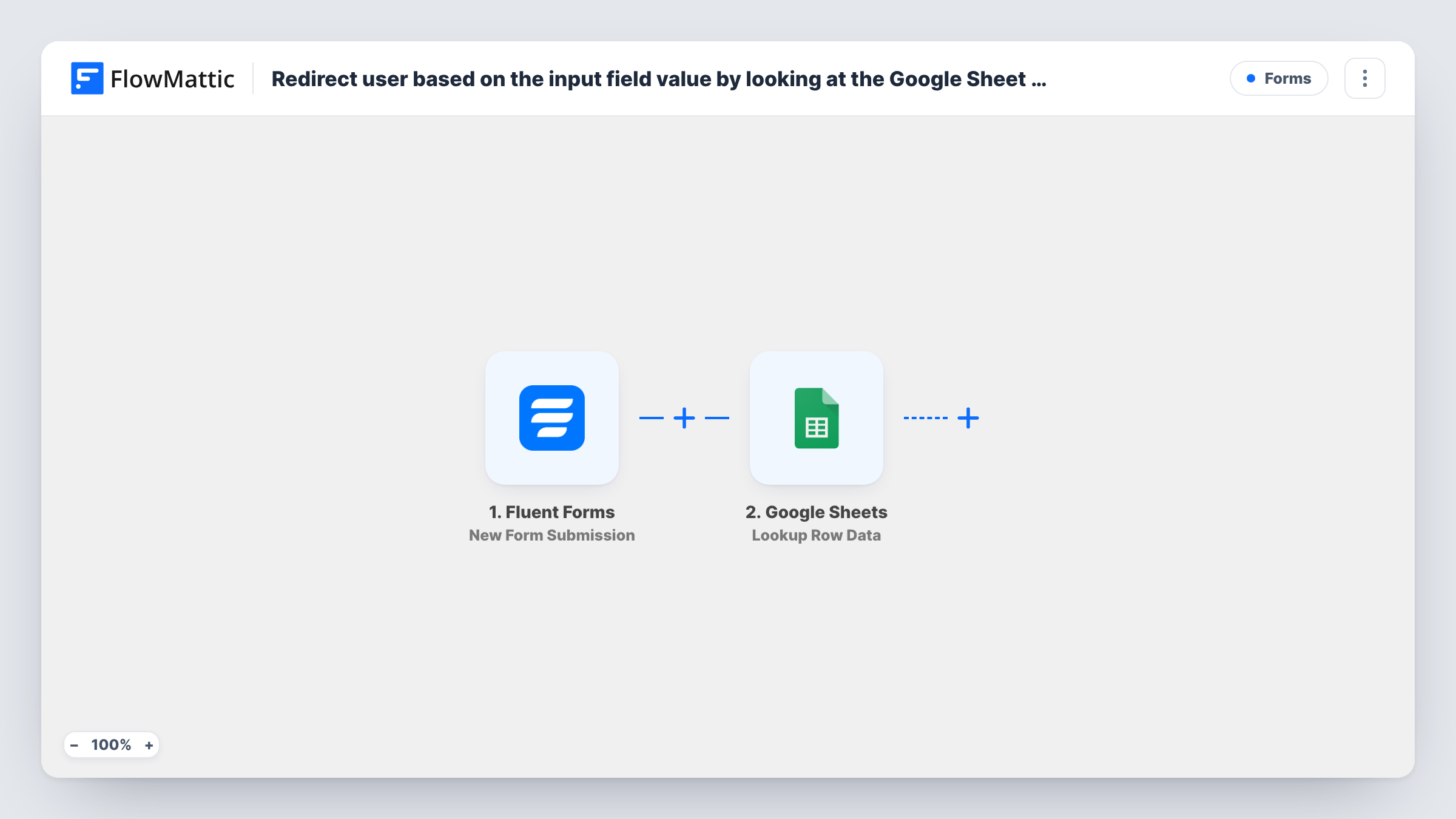
The Fluent Forms trigger fires when a submission is received on the form you pick, and passes the answers on. The Google Sheets Lookup Row Data step then searches your spreadsheet. It ships unmapped: after import you choose the spreadsheet and sheet, the column to search, and map the form field whose value should be looked up. Set the sheet up with one column for the values and another for the URL each one leads to.
The last step is Fluent Forms' Redirect to Custom URL action, which sends the visitor to a URL when they submit. Map the URL column from the lookup result into it.
Test with a value that isn't in the sheet as well as ones that are. When nothing matches, the lookup has no URL to pass on, so check what the visitor sees and add a catch-all destination if you need one. Task History shows what the lookup found for each submission.
Enquiry forms that route by topic
A software company's contact form asks what the visitor needs, and the sheet sends sales questions to a booking page and support questions to the help centre.
Partner codes with their own landing pages
A course seller lets visitors enter a partner code, and each code in the sheet points to a page with that partner's offer.
Region picker for local pages
A franchise asks visitors for their city, then sends them to their nearest branch's page, using a sheet the marketing team keeps up to date.
How this workflow runs
What happens at each step once the workflow is on, and what you need before you import it.
 Fluent Forms New Form Submission
Starts when a submission is received on your chosen Fluent Forms form. Each submission is one run, and the answers are passed on for the sheet lookup.
- Google Sheets Lookup Row Data
Searches your Google Sheet for the submitted value. The step ships unmapped: pick the spreadsheet and sheet, choose the column to search and map the form field to look up.
- Fluent Forms Redirect to Custom URL
Redirects the visitor to a custom URL after they submit the form. Map the URL column from the matching Google Sheets row into this step after import.
What you need
- FlowMatticCore
- Fluent Forms PluginPlugin
- Google Sheets AccountAccount
After importing, map your own data. To keep the template universal, not every step is pre-filled. Open each step in the builder and connect your accounts and fields (channels, lists, sheets, recipients) before you switch the workflow on.
Make it yours
Changes worth making after you import it.
- Use a dropdown or radio field for the value you look up, with options that match the sheet exactly, so typos don't leave visitors without a match.
- Store complete web addresses in the sheet, starting with the https part, so the redirect works without extra formatting.
- Keep the lookup sheet on its own tab with just two columns, value and URL, so nobody edits it by accident while working on other data.
Questions about this workflow
What happens if the Fluent Forms value isn't in the Google Sheet?
The lookup finds no row, so there is no URL to send to the redirect step. Test this case after import, and add a row or a default destination for values you don't list.
Can I change where visitors go without editing the workflow?
Yes. The destinations live in the Google Sheet, so editing a row's URL changes where that value sends people on the next submission.
Do I need a specific layout for the Google Sheet?
You need one column holding the values to match and one holding the URLs. Pick the value column as the search column in the Lookup Row Data step and map the URL column into the redirect.
More Forms workflows
Other ready-to-import templates from the same category.






Import this workflow into your WordPress site
Download the JSON, import it from the Workflows screen and connect your accounts. Every run stays on your server, with no per-task fees.
30-day money-back guarantee Unlimited workflows and runs Self-hosted