

Send messages on Telegram for new SureForms submissions
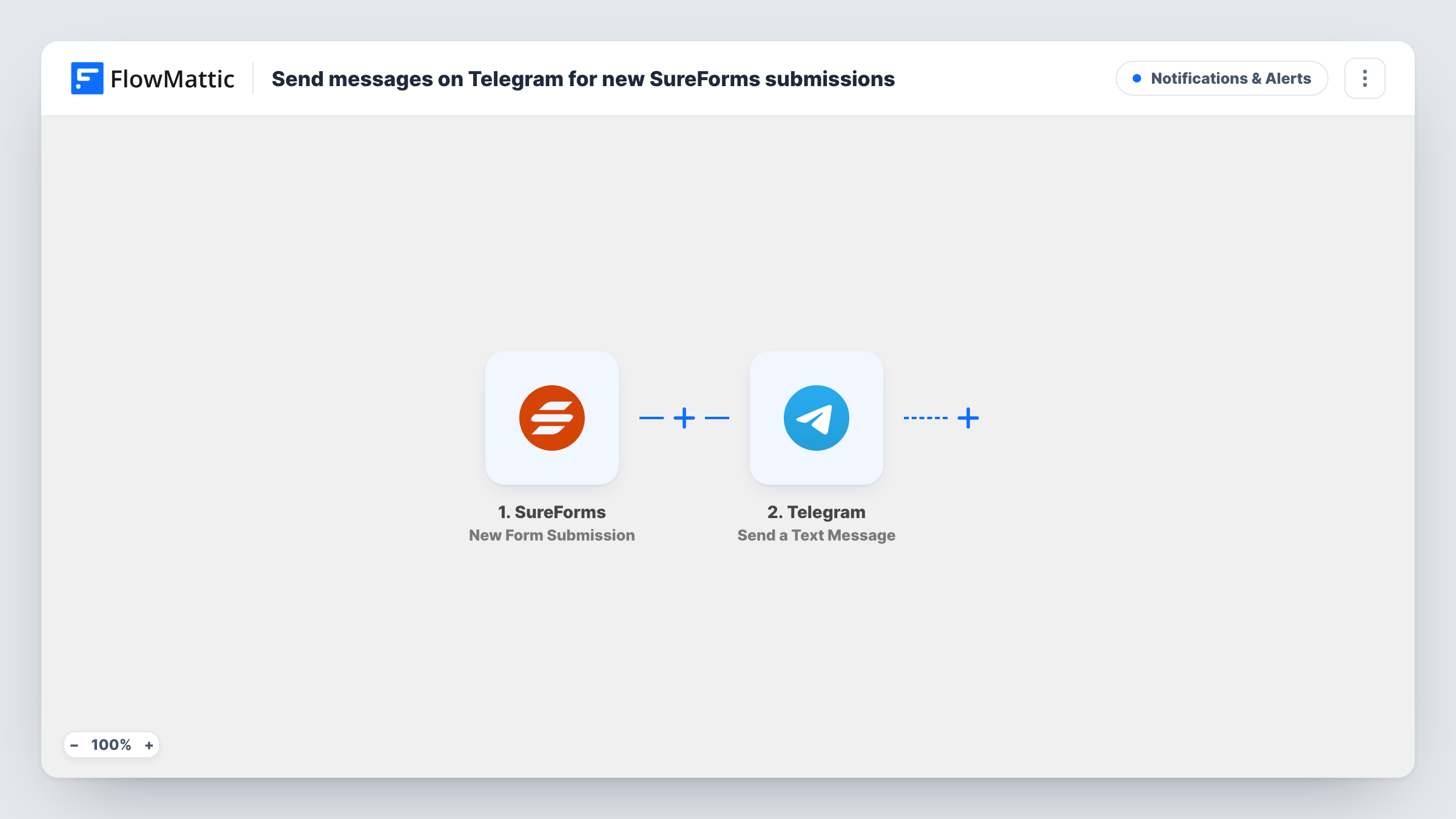
Every time a visitor submits a SureForms form on your WordPress site, FlowMattic posts a text message to Telegram with the answers you choose to include.
 SureForms
 Telegram
2 steps Setup ~5 min Used on 3.0k sites Free to import
What this workflow does
Form responses that sit unread in the WordPress dashboard get answered late. If your team already talks in Telegram, a message there is harder to miss than an admin screen nobody opens. This workflow turns each SureForms response into a Telegram message the moment it arrives.
As soon as a visitor sends a SureForms form, the trigger fires. FlowMattic holds the submitted answers as data you can map. The Telegram step then sends a text message, and you write that message yourself: a short line such as "New enquiry from" followed by the name field, or every answer on its own line. The action supports markup, so you can make labels bold.
FlowMattic does not change anything in SureForms: the plugin keeps storing entries and sending its own emails as before. Each run appears in Task History with the data that went to Telegram, so you can see exactly what was sent for any response.
Booking requests for a small studio
A photographer's SureForms booking form sends the date and package straight to the Telegram chat they check between shoots, so no request waits until they are back at a desk.
Support form alerts for a two-person team
Both founders sit in one Telegram group. Each support form response shows up there with the customer's email and message, and whoever is free picks it up.
Volunteer sign-ups for a local event
Organisers follow a Telegram channel where every volunteer form response appears with the person's name and the shift they chose.
How this workflow runs
What happens at each step once the workflow is on, and what you need before you import it.
 SureForms New Form Submission
Starts the workflow when a SureForms form on your site receives a new submission. The answers from that response are passed on for the Telegram step to use.
- Telegram Send a Text Message
Posts a Telegram text message for each response. Compose the message from fixed text and the SureForms answers you map in, then run a test to confirm it reaches the chat you expect.
What you need
- FlowMatticCore
- SureForms PluginPlugin
- Telegram AccountAccount
After importing, map your own data. To keep the template universal, not every step is pre-filled. Open each step in the builder and connect your accounts and fields (channels, lists, sheets, recipients) before you switch the workflow on.
Make it yours
Changes worth making after you import it.
- Add a Filter after the trigger so only responses that meet a rule reach Telegram, for example a budget field greater than a set amount or a topic equal to Urgent.
- Put the submitter's email or phone number near the top of the message so anyone reading on a phone can reply without opening WordPress.
- Use a Router with one Telegram step per route to send sales responses to one chat and support responses to another, keyed on a dropdown that can only hold one value.
Questions about this workflow
Does every SureForms response trigger a Telegram message?
Yes, as imported. There is no Filter in the template, so each new submission sends one message. Add a Filter if you want only some responses to go through.
Can the Telegram message include all the SureForms answers?
Yes. Any answer the trigger captures can be mapped into the message text. Submit a test entry after import so the fields are available to pick.
Will SureForms stop emailing me once this Telegram workflow is on?
No. The workflow listens for submissions and leaves the form's own settings alone, so its email notifications keep working.
What happens to SureForms entries made before I turn this on?
Nothing. The trigger reacts to new submissions only, so earlier entries are not sent to Telegram.
More Notifications & Alerts workflows
Other ready-to-import templates from the same category.





Import this workflow into your WordPress site
Download the JSON, import it from the Workflows screen and connect your accounts. Every run stays on your server, with no per-task fees.
30-day money-back guarantee Unlimited workflows and runs Self-hosted