

Post to a Discord channel when an airfocus number field is updated
When a number field on an airfocus item is updated, this workflow posts a message to a Discord channel, so changes to scores, estimates or other numbers on your roadmap reach the team where they chat.
 airfocus
 Discord
2 steps Setup ~5 min Used on 753 sites Free to import
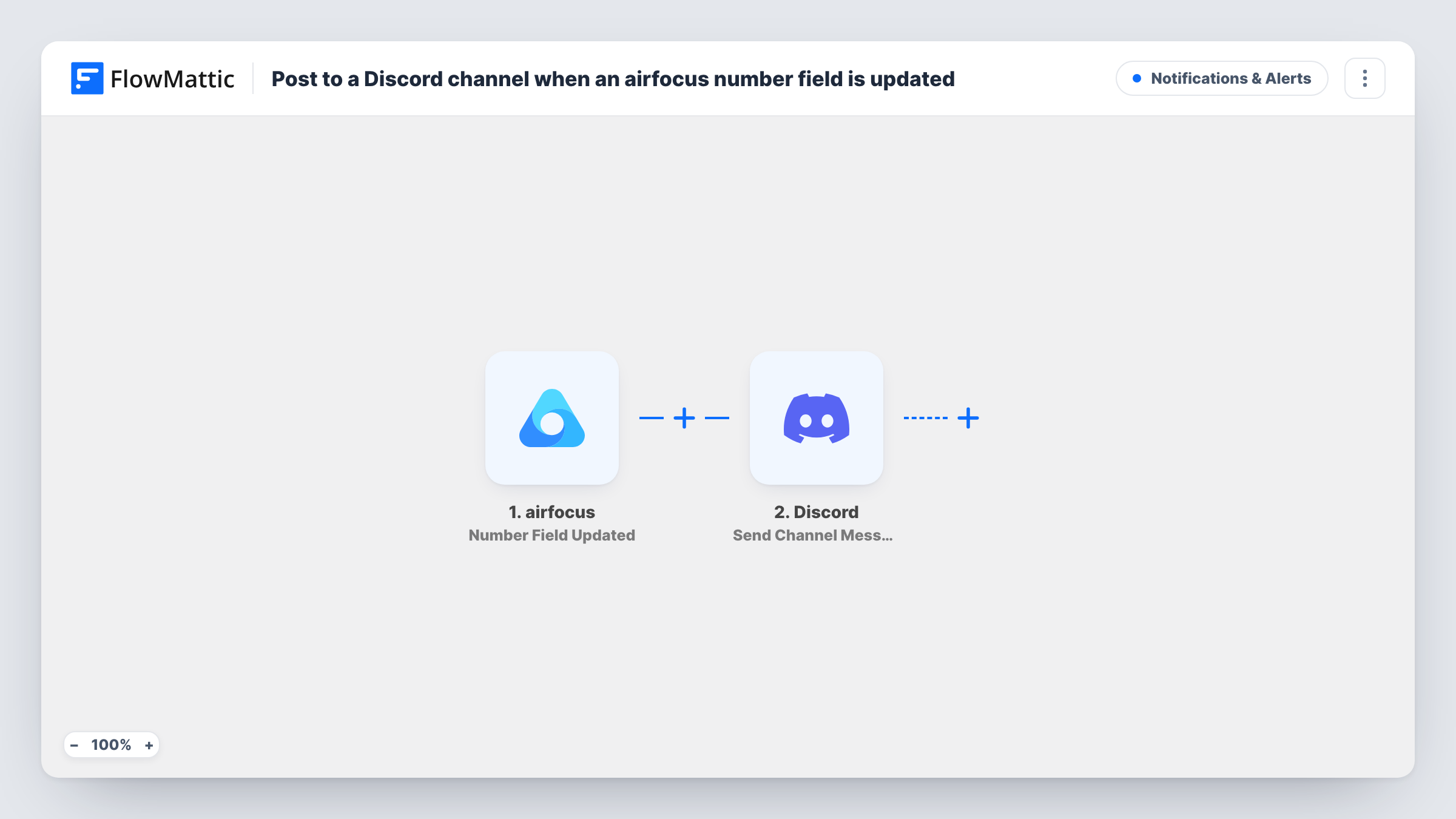
What this workflow does
Product teams keep scores, effort estimates and other numbers on airfocus items. When one of those numbers changes, priorities can shift, but the people affected often don't see it until the next review. This workflow posts the change in Discord.
The airfocus trigger, Number Field Updated, fires when a number field is updated and passes the details airfocus sends about the change to FlowMattic. The second step is Discord Send Channel Message, which posts a message to the #channel you choose. You write that message and place the airfocus values in it.
Every update of a number field sends a post, so a busy workspace can produce many messages. If only some items or fields matter, add a Filter after the trigger. Make one test change in airfocus after import to see which values arrive, then build the Discord message from them. Each airfocus change that reaches Discord is listed in Task History.
Effort estimate changes
When an engineer changes the effort estimate on an airfocus item, the product channel in Discord gets a post, so the product manager can check the plan.
Priority score changes for a community roadmap
A team that shares its roadmap with users on Discord posts each change to an item's score in a public updates channel.
Budget or revenue figures on initiatives
Leads track a budget number on airfocus initiatives. Any change to it is posted to a private Discord channel for the leadership group.
How this workflow runs
What happens at each step once the workflow is on, and what you need before you import it.
 airfocus Number Field Updated
Fires when a number field on an airfocus item is updated. Connect your airfocus account, and the details airfocus sends about the change become available to map.
- Discord Send Channel Message
Shares the airfocus update in one Discord channel of your choosing. Connect Discord, pick the channel, and write the message using whichever airfocus values the test change shows.
What you need
- FlowMatticCore
- airfocus AccountAccount
- Discord AccountAccount
After importing, map your own data. To keep the template universal, not every step is pre-filled. Open each step in the builder and connect your accounts and fields (channels, lists, sheets, recipients) before you switch the workflow on.
Make it yours
Changes worth making after you import it.
- Add a Filter after the trigger so only one field or a set of items posts to Discord. Use a value airfocus sends with the update as the condition.
- Pair this with a second workflow on airfocus Status Updated if you also want status changes announced in the same channel.
- Put the item name at the start of the Discord message so people can tell at a glance which item changed.
Questions about this workflow
Does every airfocus number field change post to Discord?
Yes, as imported. Each update the trigger receives runs the workflow and sends a message. Add a Filter to narrow it down.
Can it post to more than one Discord channel?
Not as imported. Add a second Send Channel Message step for another channel, or use a Router with separate conditions to pick a channel per update.
Does the message show the old and new number?
Only if airfocus sends both values with the update. Make a test change after import and look at the data FlowMattic received before you write the message.
Which Discord account posts the airfocus updates?
You need a Discord account connected in FlowMattic that can post in the channel you choose. Test once to confirm the message appears.
More Notifications & Alerts workflows
Other ready-to-import templates from the same category.




Import this workflow into your WordPress site
Download the JSON, import it from the Workflows screen and connect your accounts. Every run stays on your server, with no per-task fees.
30-day money-back guarantee Unlimited workflows and runs Self-hosted