

Send a Slack alert to staff for every new FareHarbor booking notification
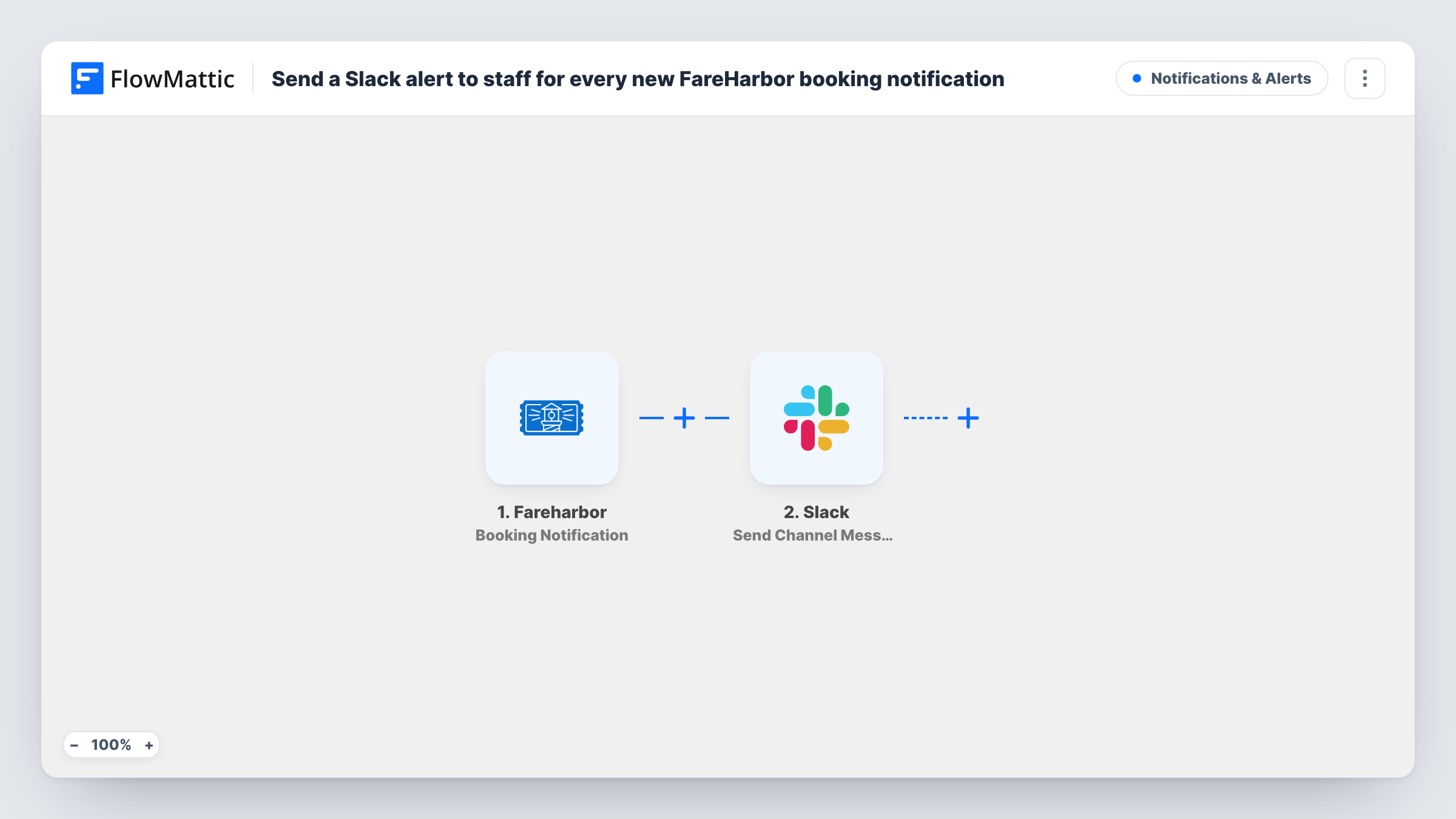
Whenever FareHarbor sends a booking notification, this workflow posts a message to a Slack channel, so guides and front-desk staff see booking activity where they already talk.
 Fareharbor
 Slack
2 steps Setup ~5 min Used on 1.8k sites Free to import
What this workflow does
Tour and activity operators run on their FareHarbor schedule, but guides, drivers and front-desk staff rarely sit in the FareHarbor dashboard all day. When a booking comes in, the team hears about it late or not at all. This workflow puts each FareHarbor booking notification into a Slack channel your staff already read.
The FareHarbor trigger runs whenever FareHarbor sends FlowMattic a booking-related event. The booking data in that event, such as the activity, the time slot and the guest details FareHarbor includes, becomes available to map. The Slack step then posts a message to the channel you choose, written with those fields.
FareHarbor's booking events can cover more than brand-new bookings, depending on what it sends for changes and cancellations. Run a test after import and look at the data in Task History, so you know which kinds of booking activity reach the channel. If you want only some of them, add a Filter on the field that tells them apart.
Guides checking tomorrow's groups
A kayak tour company posts every FareHarbor booking event to a #bookings channel, so guides see group sizes and time slots as they fill up.
Front desk at a busy attraction
Staff at the check-in desk follow a Slack channel showing each booking as FareHarbor reports it, with the guest name and time slot in the message.
Owner keeping an eye on sales
An operator who is out in the field reads the Slack channel on a phone to follow booking activity during the day.
How this workflow runs
What happens at each step once the workflow is on, and what you need before you import it.
 Fareharbor Booking Notification
Runs each time FareHarbor sends a booking notification to FlowMattic. The booking data in the event is passed on for mapping into the Slack message.
- Slack Send Channel Message
Sends one Slack message per booking event to the channel you set. Write the text and insert booking fields from FareHarbor, such as the activity and time, then connect your Slack workspace on import.
What you need
- FlowMatticCore
- FareHarbor AccountAccount
- Slack AccountAccount
After importing, map your own data. To keep the template universal, not every step is pre-filled. Open each step in the builder and connect your accounts and fields (channels, lists, sheets, recipients) before you switch the workflow on.
Make it yours
Changes worth making after you import it.
- Run one test booking after import and read the captured data in Task History. It shows which fields FareHarbor sends and which ones are worth putting in the Slack message.
- If FareHarbor's notifications include changes or cancellations, add a Filter after the trigger on the field that marks the event type, so the channel shows only the kind you want.
- Use a Router with a route per activity, each with its own Slack step, when different teams run different tours and should only see their own bookings.
Questions about this workflow
Does every FareHarbor booking notification post to Slack?
Yes, as imported. Each booking event FareHarbor sends runs the Slack step once. A Filter after the trigger lets you narrow that down.
Will cancelled or changed FareHarbor bookings show up too?
That depends on the events FareHarbor sends to FlowMattic. Make a test change to a booking and check Task History to see whether it arrives and how it is marked.
Can the Slack message include the guest's details?
Yes, if FareHarbor includes them in the event. You choose which booking fields go into the message text when you set up the Slack step.
Does the workflow change anything in FareHarbor?
No. It reads the booking notification and posts to Slack. Bookings stay as they are in FareHarbor.
More Notifications & Alerts workflows
Other ready-to-import templates from the same category.




Import this workflow into your WordPress site
Download the JSON, import it from the Workflows screen and connect your accounts. Every run stays on your server, with no per-task fees.
30-day money-back guarantee Unlimited workflows and runs Self-hosted