

Send Slack message when the API response of a connected app changes
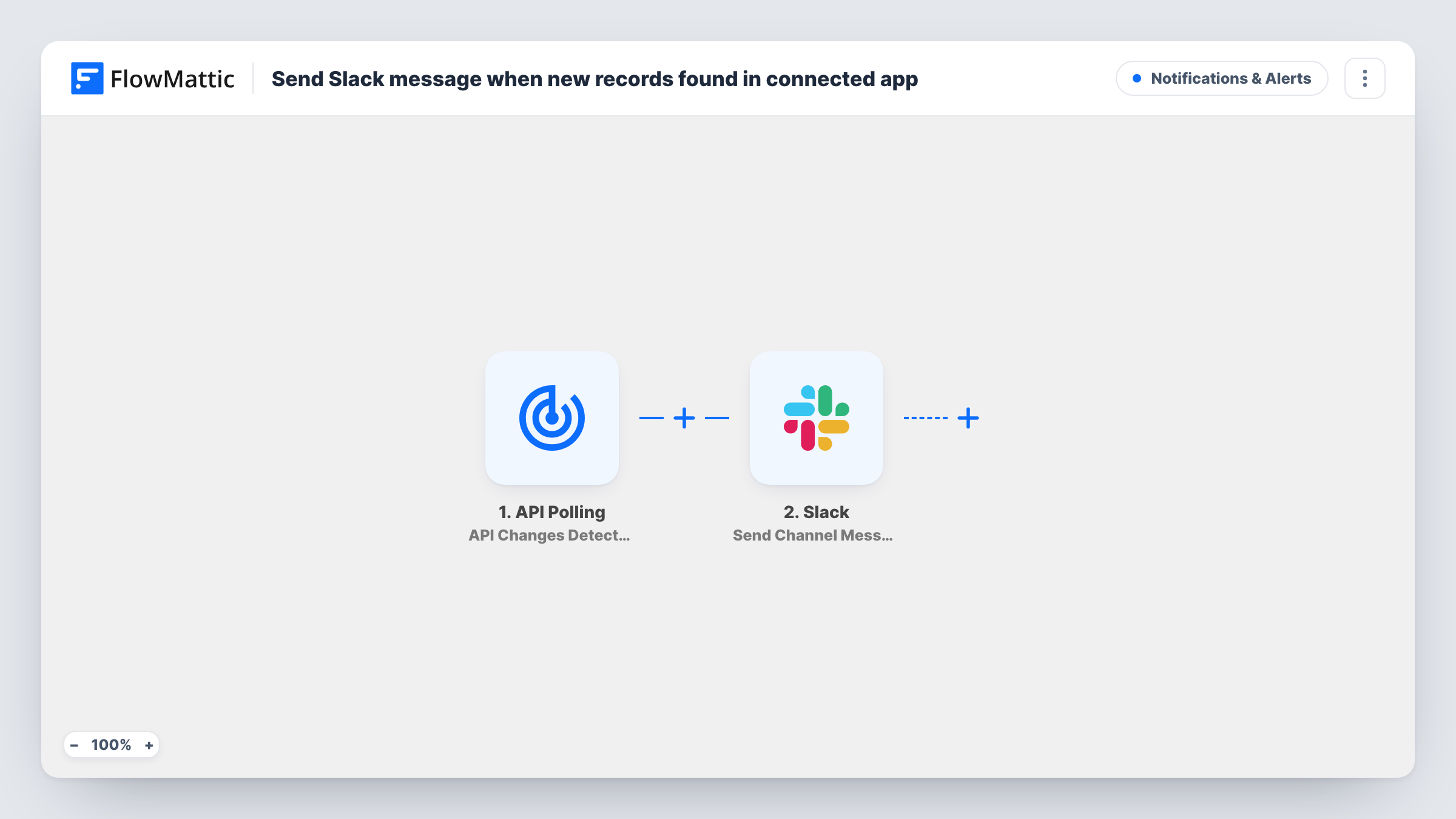
FlowMattic’s API Polling trigger watches an API you point it at, and whenever the response changes it posts a message to the Slack channel you choose.
 API Polling
 Slack
2 steps Setup ~5 min Used on 2.7k sites Free to import
What this workflow does
Plenty of tools have an API but no webhooks or native FlowMattic trigger, so nothing tells you when their data changes. This workflow fills that gap: FlowMattic checks the API for you and posts to Slack when the response is different, so your team hears about new records or updated values without checking by hand.
The API Polling trigger is set up after import with the API request you want watched, such as an endpoint that lists recent orders, tickets or sign-ups, plus any authentication that API needs. FlowMattic runs the workflow when it detects changes in the API response, and passes that response on.
Each detected change becomes a post from the Slack Send Channel Message step. That step ships unmapped: connect Slack, pick the channel and write the message, mapping in fields from the API response so people can see what changed.
FlowMattic compares each new response with the one it stored from the previous check. If your API returns a value that changes on every request, watch Task History over the first few checks to confirm that runs match real changes in the data.
New records in a tool without webhooks
An operations team polls a booking system's API for the latest reservations, and Slack gets a message when a new one shows up.
Status page or uptime check
A developer watches a service's public status endpoint, and #engineering hears about it in Slack when the reported status changes.
Price or stock value watch
A shop owner polls a supplier's product API and gets a Slack post whenever the stock or price data in the response changes.
How this workflow runs
What happens at each step once the workflow is on, and what you need before you import it.
 API Polling API Changes Detected
Runs the workflow when FlowMattic detects a change in the API response you configure after import. Set the request URL and any authentication, then run a test to see the response it returns.
- Slack Send Channel Message
Posts the change to a Slack channel. The step ships unmapped: after import, connect Slack, choose the channel and write the message, mapping in fields from the API response.
What you need
- FlowMatticCore
- Slack AccountAccount
After importing, map your own data. To keep the template universal, not every step is pre-filled. Open each step in the builder and connect your accounts and fields (channels, lists, sheets, recipients) before you switch the workflow on.
Make it yours
Changes worth making after you import it.
- Watch an endpoint that returns only the data you care about, for example the newest records sorted by date, so unrelated changes don't post to Slack.
- Map a few key fields from the response into the Slack message, such as a record name and status, rather than the whole response.
- Put a Filter between the API Polling trigger and the Slack step on a field from the response, if only some changes matter. Choose that field and its value from what your own API returns.
- Send the alert to one person with Slack's Send Direct Message action instead, if the change only concerns you.
Questions about this workflow
Which APIs can the API Polling trigger watch?
Any API you can call with a request FlowMattic can make, as long as you have the URL and any credentials it needs. Test the request in the trigger after import to check the response.
Does capturing the API response during setup post to Slack?
No. When you capture the response while setting up the trigger, FlowMattic stores it as the starting point. Later checks are compared against the stored response, and only a change starts a run.
What does the Slack message say as imported?
Nothing yet. Send Channel Message has no channel or text set, so you write the message and map fields from the API response yourself.
Can the API Polling alert go to a private Slack channel?
Not with the step as imported. Replace Send Channel Message with Slack's Send Private Channel Message action to post API changes in a private channel.
More Notifications & Alerts workflows
Other ready-to-import templates from the same category.





Import this workflow into your WordPress site
Download the JSON, import it from the Workflows screen and connect your accounts. Every run stays on your server, with no per-task fees.
30-day money-back guarantee Unlimited workflows and runs Self-hosted