

When transcription is completed in ElevenLabs, add transcript to Notion databases
When an ElevenLabs speech-to-text job finishes, this workflow creates an item in your Notion database with the transcript, so recordings you send for transcription end up as searchable pages.
 ElevenLabs
 Notion
2 steps Setup ~5 min Used on 2.1k sites Free to import
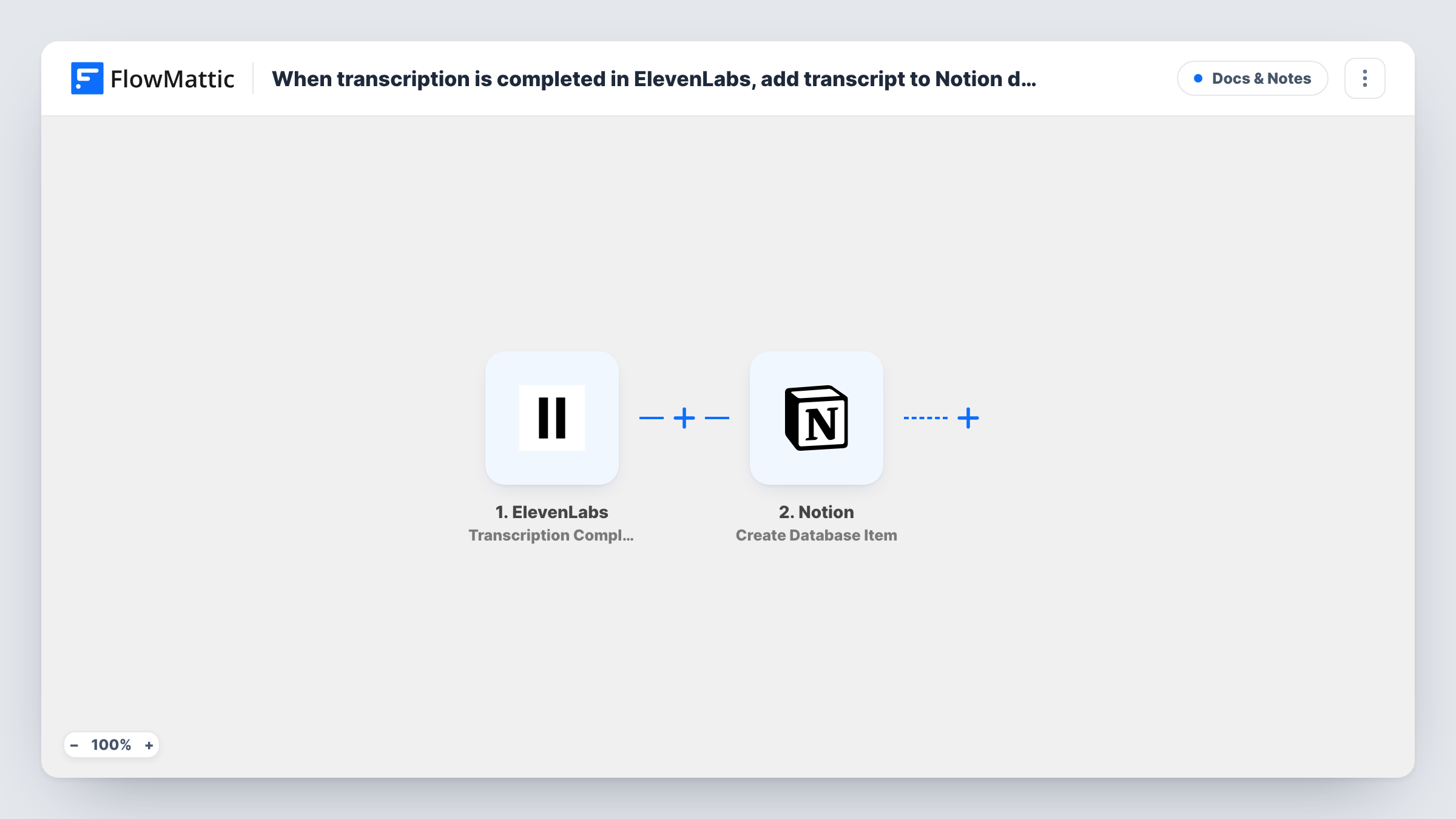
What this workflow does
Transcripts are most useful where your notes already live. If you transcribe interviews, calls or voice memos with ElevenLabs, copying each result into Notion by hand is a chore that tends to slip. This workflow moves the text into a Notion database as soon as the job is done.
The ElevenLabs trigger fires when a speech-to-text transcription finishes, as long as the transcription request asked ElevenLabs to report back by webhook. FlowMattic receives the finished result and passes it to Notion, which creates an item in the database you choose. You map the transcript text and any other values from ElevenLabs to that database's properties.
One finished transcription makes one Notion item. The workflow does not start transcriptions itself, so they still begin from wherever you send audio to ElevenLabs. Task History records what each run received from ElevenLabs and what was sent to Notion.
A library of interview transcripts
A journalist transcribes each recorded interview with ElevenLabs. The text lands in a Notion database where it can be tagged by story and searched later.
Meeting notes for a remote team
Recorded calls go to ElevenLabs for speech-to-text, and each transcript becomes a Notion item the team can comment on and link to tasks.
Show notes for a podcast
Each episode's transcript appears in the podcast's Notion workspace, ready to edit into show notes or quotes for social posts.
How this workflow runs
What happens at each step once the workflow is on, and what you need before you import it.
 ElevenLabs Transcription Completed
Fires when an ElevenLabs speech-to-text transcription finishes and the request included the webhook parameter. The completed result is passed to the Notion step.
- Notion Create Database Item
Creates an item in the Notion database you select. Map the transcript and any other ElevenLabs values to the database's properties, and connect your Notion account.
What you need
- FlowMatticCore
- ElevenLabs AccountAccount
- Notion AccountAccount
After importing, map your own data. To keep the template universal, not every step is pre-filled. Open each step in the builder and connect your accounts and fields (channels, lists, sheets, recipients) before you switch the workflow on.
Make it yours
Changes worth making after you import it.
- Make sure the transcription requests you send to ElevenLabs include the webhook parameter. Without it the job still finishes, but this trigger never fires.
- Share the target database with your Notion integration before mapping, otherwise FlowMattic cannot see it when you pick where items go.
- Run one short transcription after import. FlowMattic then captures a sample, so you can see which ElevenLabs values exist before you map the Notion properties.
Questions about this workflow
Does this workflow start ElevenLabs transcriptions?
No. It only reacts when a transcription finishes. You start the job in your usual way, as long as the request includes the webhook parameter.
Which Notion database receives the ElevenLabs transcript?
The one you pick in the Notion step after connecting your account. Each finished transcription creates a new item there.
Will older ElevenLabs transcriptions be copied to Notion?
No. Only transcriptions that finish while the workflow is active trigger a run. Earlier ones would need to be added another way.
What if a transcript is very long?
Test with your longest typical recording first. Compare the Notion item with the ElevenLabs result in Task History to confirm the full text arrived before you rely on it.
More Docs & Notes workflows
Other ready-to-import templates from the same category.



Import this workflow into your WordPress site
Download the JSON, import it from the Workflows screen and connect your accounts. Every run stays on your server, with no per-task fees.
30-day money-back guarantee Unlimited workflows and runs Self-hosted