

Send a Slack alert for every new Givecloud supporter
Every time a new supporter is created in Givecloud, this workflow posts a message to a Slack channel, so your fundraising or donor care team knows who has joined without checking Givecloud.
 Givecloud
 Slack
2 steps Setup ~5 min Used on 2.6k sites Free to import
What this workflow does
For a charity or nonprofit, a new supporter record is a person to thank and get to know. Staff who spend their day in Slack don't always open Givecloud to see who has been added. This workflow puts each new supporter in front of them in a channel they already read.
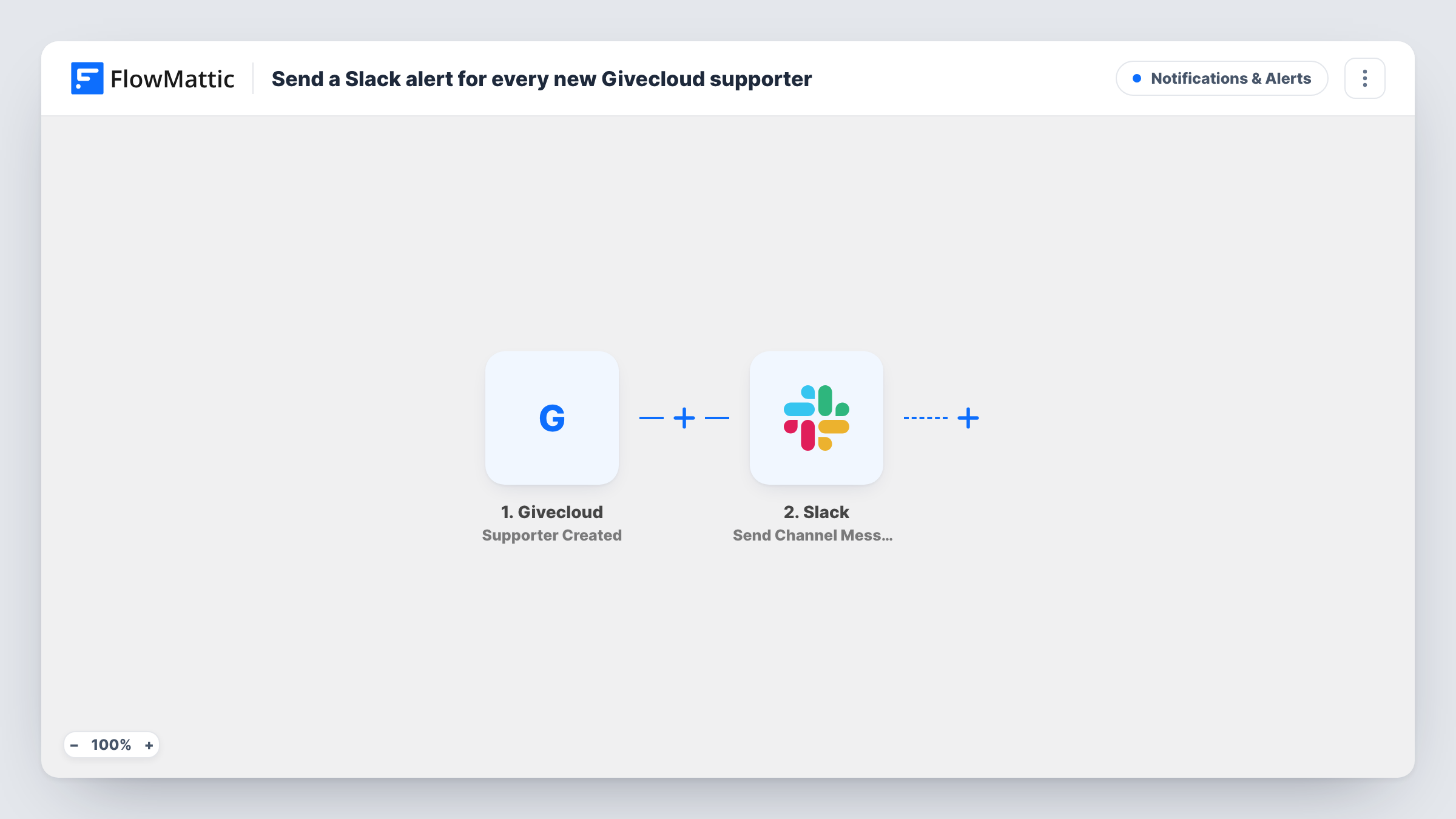
The Givecloud Supporter Created trigger fires when a new supporter is created in Givecloud. FlowMattic receives the supporter data and uses it in the next step, Send Channel Message in Slack. You choose the channel and write the message, mapping in supporter details where they belong.
The trigger is about supporter records, not payments. It fires when the supporter is created, which may happen with or without a gift, so the message shouldn't promise a donation amount unless you add a step for that. Edits to existing supporters don't fire this trigger. Each run appears in Task History along with the data Givecloud sent.
Thank-you calls for new supporters
A small charity's donor care lead watches a Slack channel and phones or emails each new Givecloud supporter within the week.
Board or volunteer channel
Trustees who don't use Givecloud follow a Slack channel where each new supporter is announced, so they see the community growing.
Campaign launch monitoring
During a launch week the fundraising team keeps a Slack channel open and sees each supporter record Givecloud creates as it happens.
How this workflow runs
What happens at each step once the workflow is on, and what you need before you import it.
 Givecloud Supporter Created
Fires when a new supporter is created in Givecloud. The supporter's data is passed on so you can map details into the Slack message.
- Slack Send Channel Message
Posts a message about the supporter to a Slack channel. Connect your Slack workspace, pick the channel and compose the text with the Givecloud supporter details you want shown.
What you need
- FlowMatticCore
- Givecloud AccountAccount
- Slack AccountAccount
After importing, map your own data. To keep the template universal, not every step is pre-filled. Open each step in the builder and connect your accounts and fields (channels, lists, sheets, recipients) before you switch the workflow on.
Make it yours
Changes worth making after you import it.
- Want alerts for gifts as well? Build a second workflow on Givecloud's Contribution Paid trigger, which covers payments rather than new supporter records.
- Add a Google Sheets Add New Row step after Slack to keep a dated list of new Givecloud supporters for monthly reporting.
- Create a test supporter in Givecloud after import so FlowMattic captures real fields, then map them into the message and check how it looks in Slack.
Questions about this workflow
Does the Slack alert include the donation amount?
Not necessarily. The trigger is about the supporter record, not a payment. Use Givecloud's Contribution Paid trigger in another workflow if you want gift amounts.
Will updating a Givecloud supporter send another Slack message?
No. This template only uses Supporter Created. Givecloud also offers a Supporter Updated trigger if you want alerts for changes.
Which Givecloud supporter fields can go in the message?
Whatever Givecloud sends with the Supporter Created event. Check the captured test data after import to see the available values.
Are supporters added before import posted to Slack?
No. Only supporters created after you switch the workflow on trigger a message.
More Notifications & Alerts workflows
Other ready-to-import templates from the same category.



Import this workflow into your WordPress site
Download the JSON, import it from the Workflows screen and connect your accounts. Every run stays on your server, with no per-task fees.
30-day money-back guarantee Unlimited workflows and runs Self-hosted