

Create a Google Docs file from every new Northpass learner
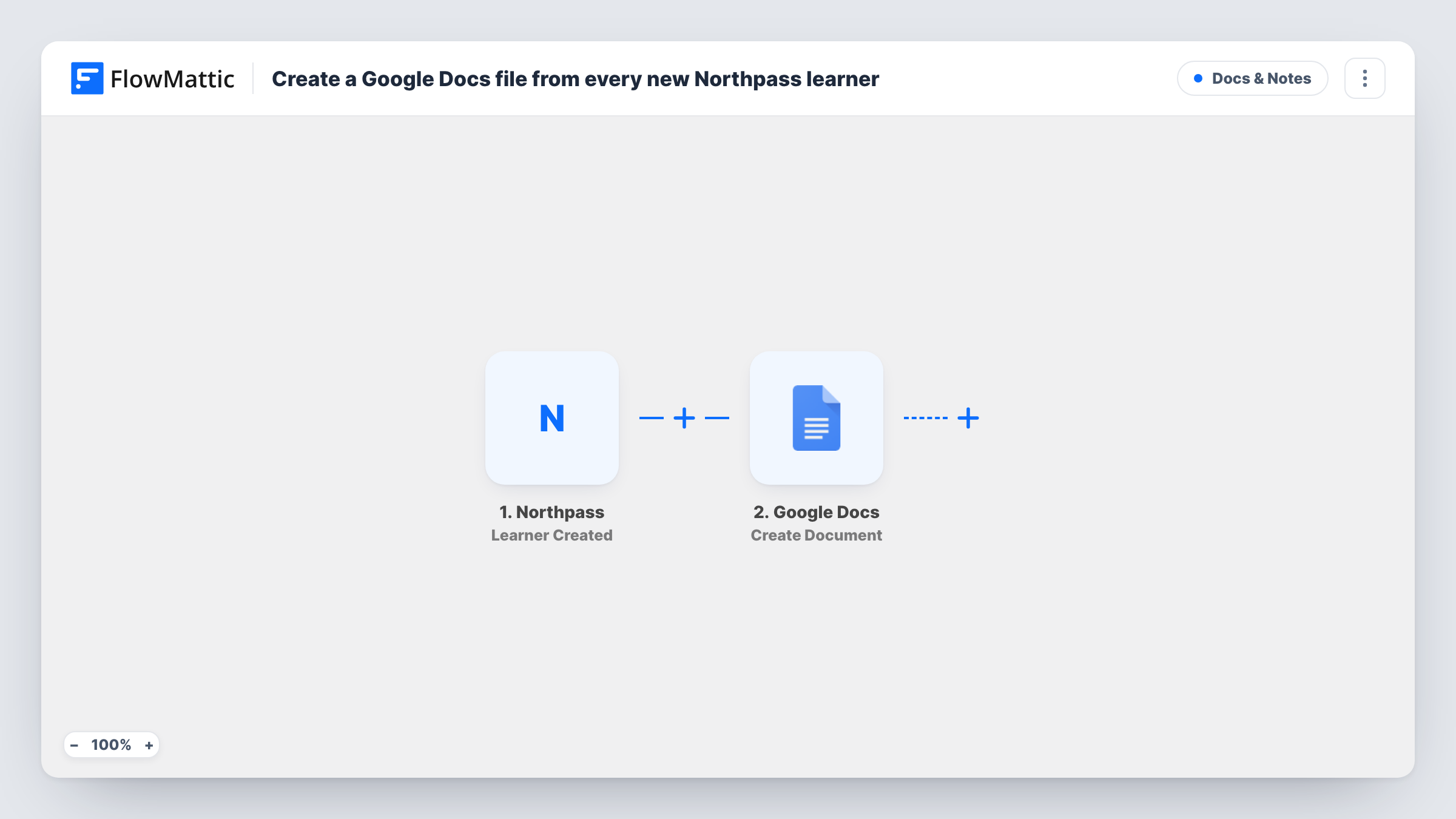
When a learner account is created in Northpass, this workflow creates a new Google Doc for that learner, holding the details you place in it, so each person starts with their own document for notes.
 Northpass
 Google Docs
2 steps Setup ~5 min Used on 3.1k sites Free to import
What this workflow does
Training teams often keep a running document per learner: onboarding notes, check-in comments, goals agreed with a manager. Setting one up by hand for every new account is the kind of job that slips. This workflow creates the document as soon as Northpass creates the learner.
The Northpass trigger runs when a learner account is created. FlowMattic then uses Google Docs to create a new document, with optional content. You decide the title, for example the learner's name, and can write starting text that includes details from the new account.
One account means one document. The doc is created in the Google account you connect, and the workflow does not share it with the learner. Each learner's run, with Google's reply, can be checked later in Task History.
Customer onboarding notes
A customer success manager gets a Google Doc for each new Northpass learner from a client company and records onboarding calls in it.
Employee training records
HR keeps a document per new hire who joins the Northpass academy, noting which sessions they attended and any follow-up.
Partner certification file
Each partner who gets a Northpass account has a doc where the partner manager tracks their certification progress.
How this workflow runs
What happens at each step once the workflow is on, and what you need before you import it.
 Northpass Learner Created
Runs when a learner account is created in Northpass. The new learner's details can be used in the document title and content.
- Google Docs Create Document
Creates a new Google Doc, with optional starting content. Connect your Google account, set a title such as the learner's name, and add any learner details as text.
What you need
- FlowMatticCore
- Northpass AccountAccount
- Google Docs AccountAccount
After importing, map your own data. To keep the template universal, not every step is pre-filled. Open each step in the builder and connect your accounts and fields (channels, lists, sheets, recipients) before you switch the workflow on.
Make it yours
Changes worth making after you import it.
- Put the learner's name and email in the document title so docs are easy to find by searching your Drive.
- Write a short starting template in the content, with headings such as Goals and Notes, so every learner doc begins with the same layout.
- Create a test learner in Northpass after import to capture the account fields, then build the title and content from them.
Questions about this workflow
Where are the Northpass learner docs saved?
They are created under whichever Google login you link for document creation. Check with a test run where the new document appears in your Drive.
Is the Google Doc shared with the Northpass learner?
No. FlowMattic creates the learner's doc but leaves sharing settings alone, so you share it yourself if needed.
Does every new Northpass learner get a Google Doc?
Yes, as imported. Each learner account created starts one run and one document. A Filter placed after the Northpass trigger can narrow which learners get a doc.
More Docs & Notes workflows
Other ready-to-import templates from the same category.



Import this workflow into your WordPress site
Download the JSON, import it from the Workflows screen and connect your accounts. Every run stays on your server, with no per-task fees.
30-day money-back guarantee Unlimited workflows and runs Self-hosted