

When a new row is added in Google Sheets, create document in Documint
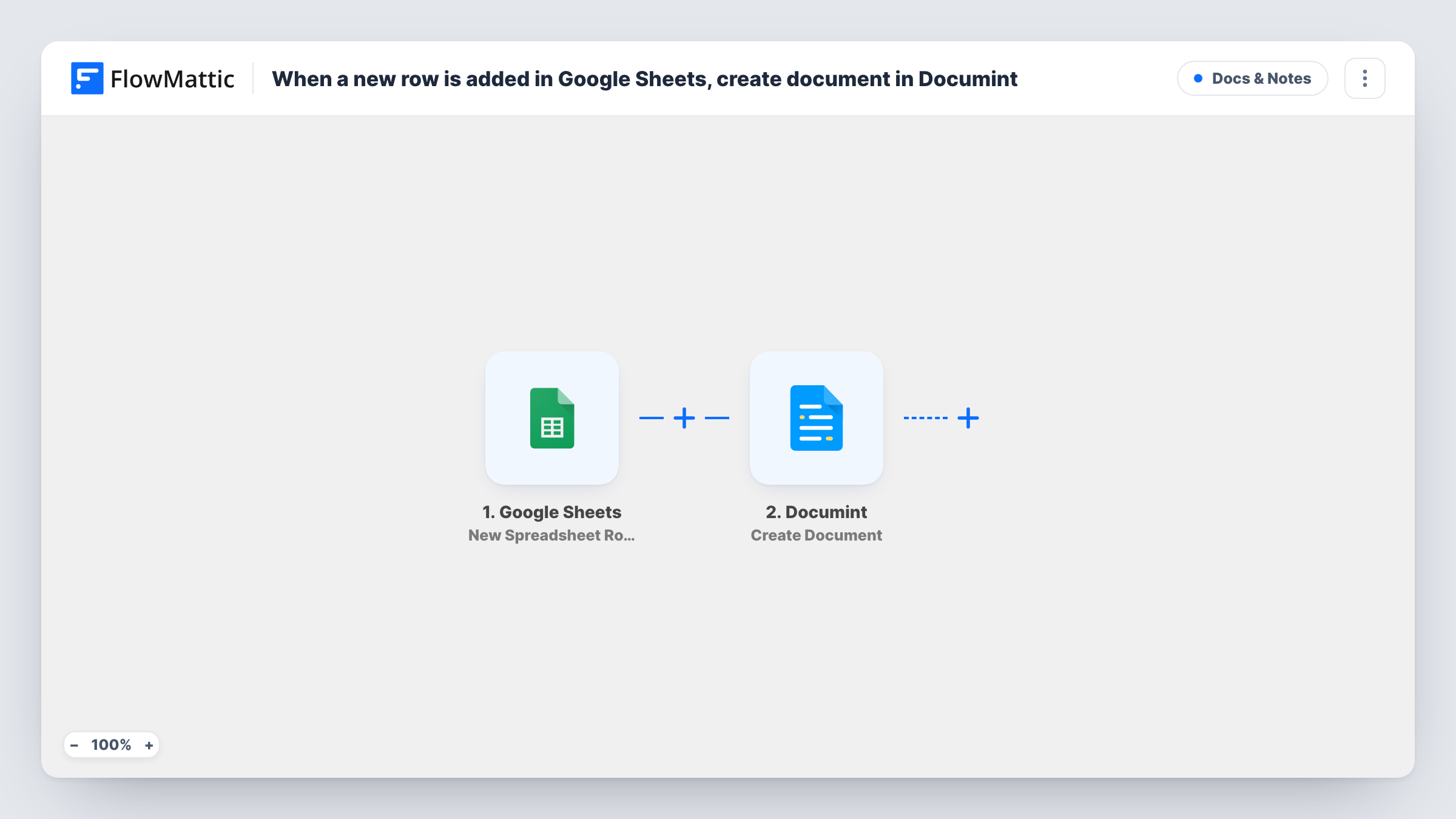
When a new row is added to your Google Sheets spreadsheet, this workflow merges that row’s values into a Documint template and creates the document, so each row becomes a finished file.
 Google Sheets
 Documint
2 steps Setup ~5 min Used on 2.3k sites Free to import
What this workflow does
A spreadsheet is a good place to collect the facts for a document: a client name, an amount, a date, a list of items. Turning each row into a properly laid-out certificate, quote or letter is the tedious part. This workflow hands each new row to Documint, which fills a template with it.
The Google Sheets trigger watches the spreadsheet you connect and starts a run for each row added to it. FlowMattic reads the row's columns and passes them to Documint. The Create Document action merges that data into the template you choose and creates the document.
The template does the design work, so set it up in Documint first, with placeholders for the values your sheet holds. Then map each column to its placeholder. Add a test row after import to check the result. The workflow stops once the document exists; to send or store it, add another step that uses the Documint output. Task History keeps a record of each document request.
Course completion certificates
You add each graduate to a sheet with their name, course and date. Documint turns every new row into a certificate from your template.
Quotes from a sales tracker
Sales reps log a new quote as a row with the client and amount. A quote document is created from the company template for each one.
Offer letters for new hires
HR adds a row when an offer is approved, and Documint fills the offer letter template with the candidate's name, role and start date.
How this workflow runs
What happens at each step once the workflow is on, and what you need before you import it.
 Google Sheets New Spreadsheet Row
Fires when a new row is added to the Google Sheets spreadsheet you connect. Each column's value is passed on so you can map it into the Documint template.
- Documint Create Document
Creates a document in Documint by merging the row's data into the template you pick. Connect your Documint account, choose the template, and map sheet columns to its fields.
What you need
- FlowMatticCore
- Google Sheets AccountAccount
- Documint AccountAccount
After importing, map your own data. To keep the template universal, not every step is pre-filled. Open each step in the builder and connect your accounts and fields (channels, lists, sheets, recipients) before you switch the workflow on.
Make it yours
Changes worth making after you import it.
- Add a Filter that continues only when a key column such as the name is not empty, so a blank or half-finished row doesn't produce an empty document.
- Add a Gmail step after Documint to email the finished document, using a link or file from the Documint step's output after a test run shows what it returns.
- Add a Google Sheets update step after Documint to write the document link back to the row, if the Documint step returns one, so the sheet shows which rows already have a document.
Questions about this workflow
Do I need a Documint template before importing this Google Sheets workflow?
Yes. Create Document merges data into a template, so build one in Documint first with placeholders for the values in your sheet.
What happens if I edit an existing row in the sheet?
Nothing. The trigger reacts to new rows only, so editing a row that is already there doesn't create another document.
Does the Documint document get emailed to anyone?
Not as imported. The workflow creates the document and ends there. Add an email step after it if you want to send the file.
Can several rows pasted at once each become a Documint document?
Each new row the trigger picks up starts its own run. Paste a few test rows and check Task History to confirm every one was processed.
More Docs & Notes workflows
Other ready-to-import templates from the same category.






Import this workflow into your WordPress site
Download the JSON, import it from the Workflows screen and connect your accounts. Every run stays on your server, with no per-task fees.
30-day money-back guarantee Unlimited workflows and runs Self-hosted