

When a new document is created in Crove, add the document PDF URL to Google Spreadsheet and send an email to the responder
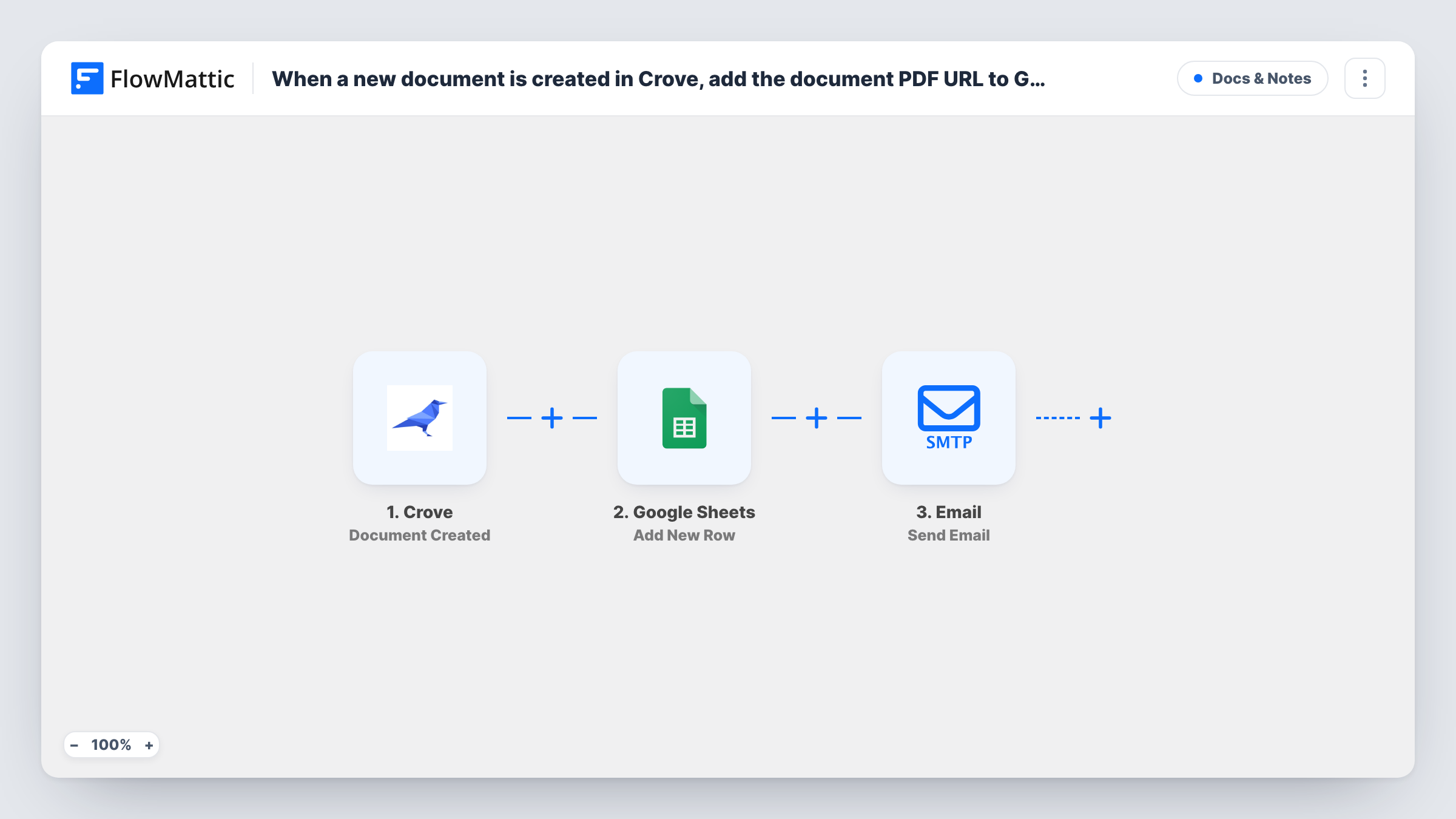
Each new Crove document is logged as a Google Sheets row with its PDF link, and FlowMattic’s Email step then sends a message to the responder, giving you a record of every document and a copy for the person it was made for.
 Crove
Crove
 Google Sheets
 Email
Email3 steps Setup ~5 min Used on 1.9k sites Free to import
What this workflow does
Crove builds documents from your templates, but finding a particular PDF later means going back into Crove. The person who filled in the details also wants their copy. This workflow gives you a spreadsheet log of each document with its PDF link, and an email to the responder.
The Crove trigger fires when a new document is created. The document data Crove sends becomes values you can map. The Google Sheets step adds a row to the spreadsheet you pick, where you place the PDF link and any other details, such as the document name and date, in their own columns.
For the message, the template uses FlowMattic's Email module rather than a mail app, so it goes out via WordPress mail or an SMTP account you add. Map the responder's email address as the recipient and include the PDF link in the body. Before you go live, create one test document in Crove and check in the trigger that its data includes both the PDF link and the responder's email, since those two values carry this flow. Task History keeps each run, so you can see what was logged and sent.
Signed agreements from an onboarding form
A client completes your onboarding questionnaire, Crove builds the agreement, and the client gets the PDF link by email while your sheet lists every agreement issued.
Certificates for course attendees
Each certificate Crove generates is logged with its link, and the attendee receives an email pointing to their copy.
Quotes for a service business
Quotes built in Crove go to the requester by email, and the sheet gives your team one list of every quote and its PDF.
How this workflow runs
What happens at each step once the workflow is on, and what you need before you import it.
 Crove Document Created
Fires when a new document is created in Crove. The document data Crove sends, including the values you need for the sheet and the email, is passed on for mapping.
- Google Sheets Add New Row
Writes one new row per Crove document into the spreadsheet you pick. Map the PDF link and any other document details to columns, and connect your Google account.
 Email Send Email
Sends an email with FlowMattic's Email module, through WordPress mail or your SMTP server. Map the responder's address as recipient and put the PDF link in the message body.
What you need
- FlowMatticCore
- Crove AccountAccount
- Google Sheets AccountAccount
After importing, map your own data. To keep the template universal, not every step is pre-filled. Open each step in the builder and connect your accounts and fields (channels, lists, sheets, recipients) before you switch the workflow on.
Make it yours
Changes worth making after you import it.
- Add a Filter before the Email step that continues only when the responder email is not empty, so documents created without one are logged but not emailed.
- Set up an SMTP connection in the Email step if your WordPress site's own mail tends to land in spam.
- Add a column for the date and the Crove template name, so you can sort the sheet and see which template each document came from.
Questions about this workflow
Does the email attach the Crove PDF itself?
As imported, you place the PDF link in the email body. The Email step can attach files stored on your WordPress site, but this template doesn't save the Crove PDF there.
Which address does the Email step send from?
From WordPress mail or the SMTP account you configure in the step. To send through Gmail, enter Gmail's SMTP details there.
What if the Crove document data has no responder email?
The row is still added to the sheet, and the Email step has no recipient, so Task History shows an error for that step. A test document tells you whether your Crove data includes the address.
Are documents made before I import this logged in Google Sheets?
No. Only documents created in Crove after you turn the workflow on start a run.
More Docs & Notes workflows
Other ready-to-import templates from the same category.




Import this workflow into your WordPress site
Download the JSON, import it from the Workflows screen and connect your accounts. Every run stays on your server, with no per-task fees.
30-day money-back guarantee Unlimited workflows and runs Self-hosted