

Generate items in Notion databases with new JetFormBuilder submissions
Each JetFormBuilder submission on your site creates a new item in a Notion database, so form responses sit next to the rest of your team’s work in Notion.
 JetFormBuilder
 Notion
2 steps Setup ~5 min Used on 2.1k sites Free to import
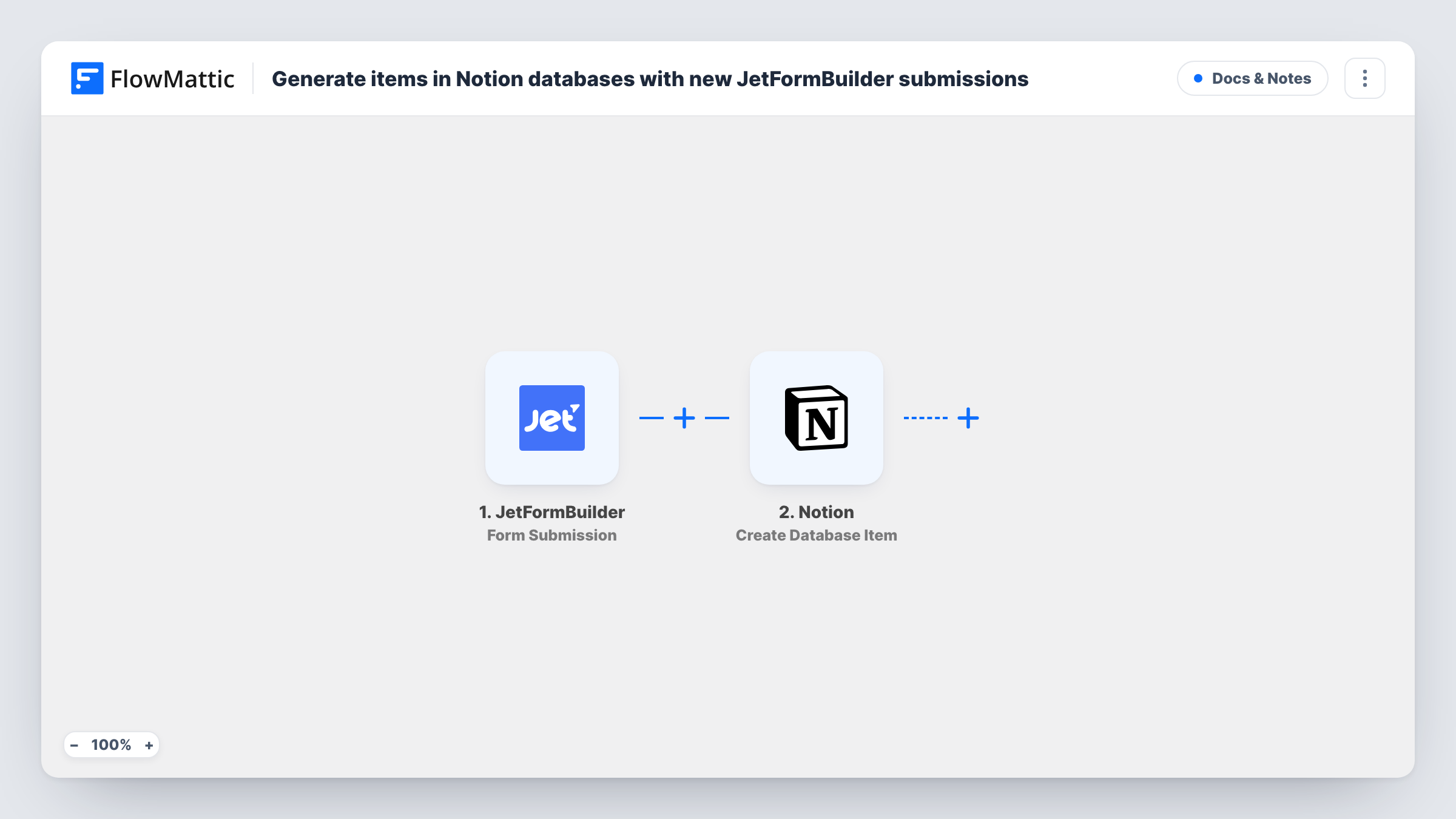
What this workflow does
If your team plans and tracks work in Notion, form responses that stay in WordPress are one more place to check. Requests, applications and feedback are easier to act on when they appear as items in a Notion database. This workflow puts them there.
The JetFormBuilder trigger fires when a form is submitted, and the answers become fields you can map. The Notion step then creates an item in the database you connect, with its properties filled from the answers you assign.
Each submission creates one new item. The workflow doesn't look for an existing item first, so repeat submissions become separate items. Task History shows each run, which helps if an item is missing a value you expected.
Content requests for a marketing team
Colleagues request blog posts or graphics through a JetFormBuilder form, and each request becomes an item in the team's Notion board.
Job applications in a hiring database
Applicants fill in a form on your careers page, and each one appears as an item in the Notion database you use to review candidates.
Bug reports from customers
A support form creates an item in the product team's Notion database for each report.
How this workflow runs
What happens at each step once the workflow is on, and what you need before you import it.
 JetFormBuilder Form Submission
Fires when a JetFormBuilder form is submitted on your WordPress site. Each answer is passed on for mapping into Notion.
- Notion Create Database Item
Creates an item in the Notion database you choose. Connect your Notion account, give it access to the database, and map form answers to the database properties.
What you need
- FlowMatticCore
- JetFormBuilder AccountAccount
- Notion AccountAccount
After importing, map your own data. To keep the template universal, not every step is pre-filled. Open each step in the builder and connect your accounts and fields (channels, lists, sheets, recipients) before you switch the workflow on.
Make it yours
Changes worth making after you import it.
- Set up the Notion database's properties before mapping, so each form answer has a property to go into.
- Submit a test response after import, so the JetFormBuilder fields appear for mapping in the Notion step.
- Add a Slack or email step after Notion to alert whoever picks up new items.
Questions about this workflow
Does a repeat JetFormBuilder submission update the Notion item?
No. Each submission creates a new item. The workflow does not search for or update existing items.
Why doesn't my Notion database show up in the Create Database Item step?
Notion only lets connected integrations reach pages and databases they have been given access to. Share the database with the connection, then reload the step.
Are JetFormBuilder entries from before import sent to Notion?
No. Only forms submitted after you turn the workflow on create Notion items.
Which accounts does the JetFormBuilder to Notion workflow need?
JetFormBuilder on the WordPress site where FlowMattic runs, and a Notion account with the database you want to fill.
More Docs & Notes workflows
Other ready-to-import templates from the same category.




Import this workflow into your WordPress site
Download the JSON, import it from the Workflows screen and connect your accounts. Every run stays on your server, with no per-task fees.
30-day money-back guarantee Unlimited workflows and runs Self-hosted