

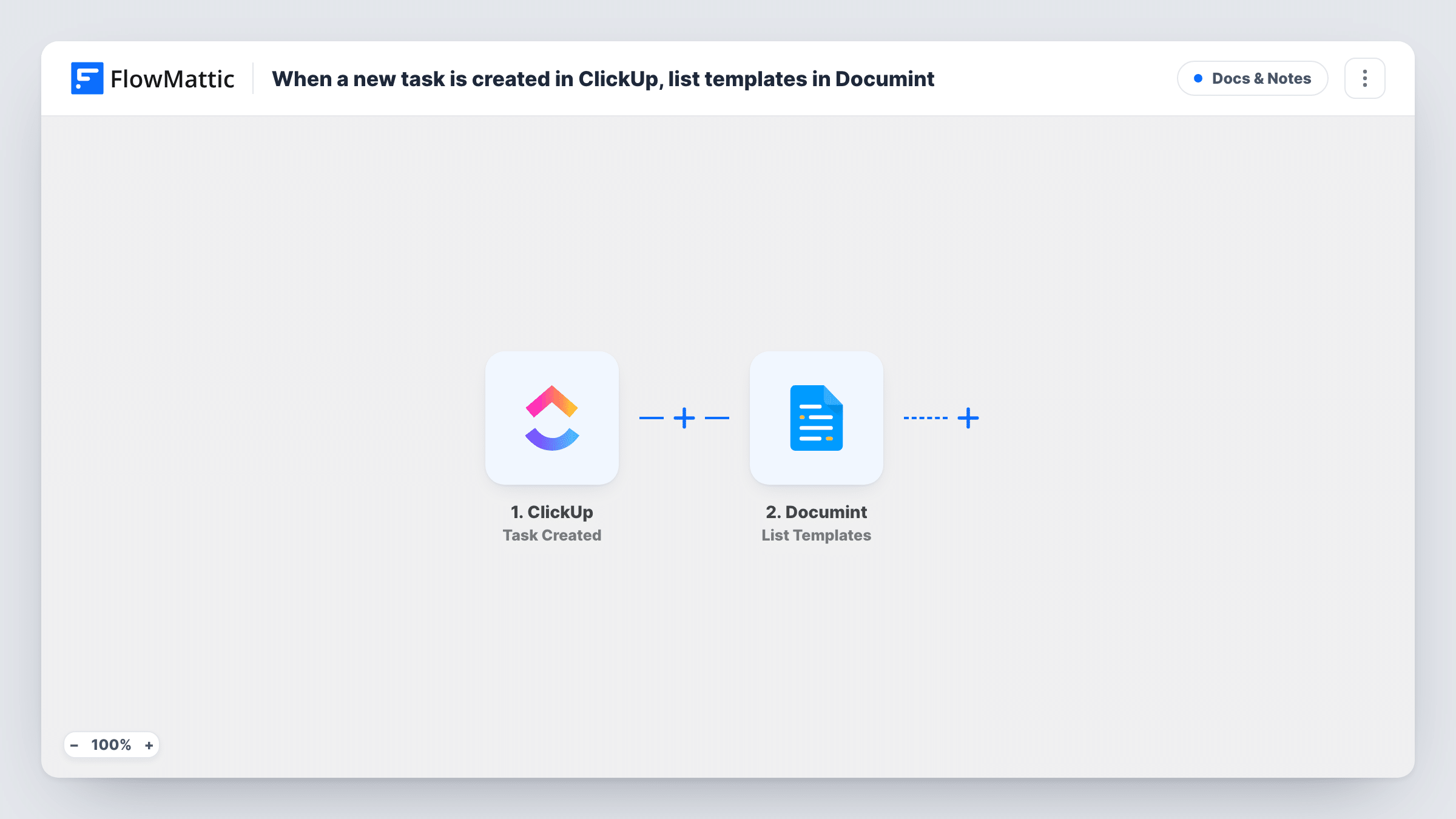
When a new task is created in ClickUp, list templates in Documint
Whenever a task is created in ClickUp, FlowMattic retrieves the list of templates in your Documint account and holds it in the run, giving you a base for a task-to-document workflow you extend.
 ClickUp
 Documint
2 steps Setup ~5 min Used on 1.6k sites Free to import
What this workflow does
Teams that run projects in ClickUp often need a document when work starts: a proposal, a brief or a statement of work built in Documint. Before you can create one from a task, the workflow needs to know which Documint templates you have. This template wires up that first part.
The ClickUp trigger fires when a new task is created and passes on the task's data. FlowMattic then runs List Templates in Documint, which retrieves all the templates in your Documint account and returns them as the step's output.
That is where the imported flow stops. No document is made and nothing is written to the ClickUp task. Open Task History after a test to read the template list, then add the steps you need, for example a Documint Create Document step that uses one of those templates and the task's details.
Finding template details while you build
Create a test task in ClickUp and read the Documint response in Task History to see each template your account holds before adding a document step.
Proposal flow for an agency
Extend the flow so each new task in a Sales list leads to a proposal built from one of your Documint templates and the task's details.
Project brief kickoff
Use this as the start of a flow where every new project task gets a brief from a Documint template, with a Filter for the right list.
How this workflow runs
What happens at each step once the workflow is on, and what you need before you import it.
 ClickUp Task Created
Fires when a new task is created in ClickUp. The task's data is passed on, so steps you add later can use it next to the template list.
- Documint List Templates
Retrieves the list of all templates in your Documint account. Connect Documint on import. The list is returned as this step's output for any step you place after it.
What you need
- FlowMatticCore
- ClickUp AccountAccount
- Documint AccountAccount
After importing, map your own data. To keep the template universal, not every step is pre-filled. Open each step in the builder and connect your accounts and fields (channels, lists, sheets, recipients) before you switch the workflow on.
Make it yours
Changes worth making after you import it.
- Add a Documint Create Document step after List Templates, pick a template and map the ClickUp task's details into it, so new tasks produce a document.
- Add a Filter after the trigger so only tasks from one ClickUp list or with a certain status move on to Documint.
- Use an Iterator on the template list if you want to handle each Documint template in its own run of the following steps.
Questions about this workflow
Does this create a Documint document for each ClickUp task?
No. As imported, it only lists your Documint templates. Add a Create Document step after it to produce documents.
Is the Documint template list added to the ClickUp task?
No. The list stays inside the workflow run. Add a ClickUp step after Documint if you want something written back to the task.
Do tasks created before I import the workflow trigger it?
No. Only ClickUp tasks created after the workflow is turned on start a run.
What accounts do I connect for the ClickUp and Documint steps?
A ClickUp account with access to the workspace where tasks are created, and the Documint account whose templates you want listed.
More Docs & Notes workflows
Other ready-to-import templates from the same category.






Import this workflow into your WordPress site
Download the JSON, import it from the Workflows screen and connect your accounts. Every run stays on your server, with no per-task fees.
30-day money-back guarantee Unlimited workflows and runs Self-hosted