

Post a Discord notification for every new BugBug schedule
When a scheduled BugBug run finishes, this workflow posts a message to the Discord channel you pick, so your team hears about each scheduled test run without checking BugBug.
 BugBug
 Discord
2 steps Setup ~5 min Used on 2.1k sites Free to import
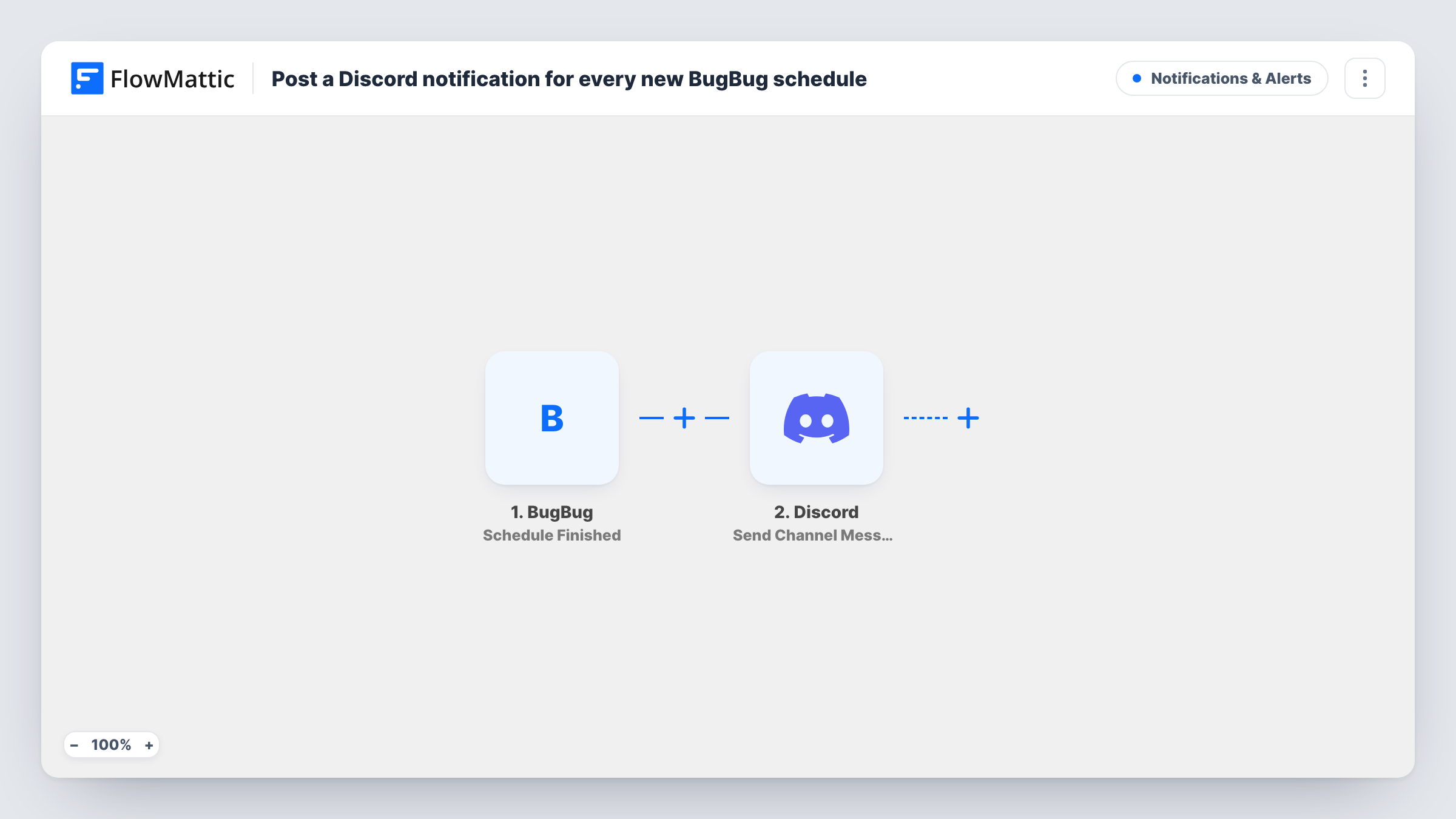
What this workflow does
Scheduled test runs happen while nobody is watching, often overnight. If the team only finds out by opening BugBug, a run can go unnoticed for hours. This workflow posts to Discord each time one of those runs ends.
The trigger is BugBug Schedule Finished. BugBug has no trigger for creating a schedule, so the title's "new schedule" means a new finished run of a schedule. Every finished scheduled run starts the workflow, and so does each repeat of the same schedule, so a schedule that runs every hour sends a message every hour.
The run details BugBug sends go to Discord, where Send Channel Message posts in the channel you choose. You write the message and place the BugBug values in it. Nothing is mapped in the template, so let one scheduled run finish after import and build the message from the captured data.
Task History logs every run, with what BugBug sent and Discord's reply.
Overnight regression runs
A BugBug schedule runs your regression tests at night. The morning team reads the Discord channel and sees a message for each run that finished.
A shared QA channel for developers
Developers who never open BugBug still see when scheduled runs finish, because the messages land in the channel they already read.
Checking a staging site after deploys
A BugBug schedule tests staging every few hours. The channel shows a message for each finished run, so whoever deployed last can confirm the tests ran since.
How this workflow runs
What happens at each step once the workflow is on, and what you need before you import it.
 BugBug Schedule Finished
Fires when a scheduled run finishes in BugBug. Every completed run of every schedule starts the workflow, and the run details are passed on for the Discord message.
- Discord Send Channel Message
Sends the BugBug run message to whichever Discord channel you set in this step. Write the text and insert the BugBug values you want shown, then connect your Discord account.
What you need
- FlowMatticCore
- BugBug AccountAccount
- Discord AccountAccount
After importing, map your own data. To keep the template universal, not every step is pre-filled. Open each step in the builder and connect your accounts and fields (channels, lists, sheets, recipients) before you switch the workflow on.
Make it yours
Changes worth making after you import it.
- Let one scheduled BugBug run finish after import so the trigger captures real data. Then build the Discord message from those values and check the post in Task History.
- A schedule that runs often can fill the channel. Add a Filter after the trigger, set on a value from the run data, so only the runs you care about are posted.
- Use a dedicated Discord channel for these messages so they don't bury team conversation.
Questions about this workflow
Does creating a new schedule in BugBug post to Discord?
No. BugBug's FlowMattic triggers cover runs starting and finishing. This template fires on Schedule Finished, so a message appears only after a scheduled run completes.
How many Discord messages will a BugBug schedule send?
One per finished run. A schedule that runs four times a day sends four messages, since every finished run starts the workflow.
Does it post for tests I run by hand in BugBug?
No. This trigger covers scheduled runs. BugBug also has Test Finished and Suite Finished triggers in FlowMattic if you want manual runs posted too.
Can the Discord message show whether the run passed?
Only if BugBug includes that in the data it sends. Let one scheduled run finish after import and check the captured values before you write the message.
More Notifications & Alerts workflows
Other ready-to-import templates from the same category.



Import this workflow into your WordPress site
Download the JSON, import it from the Workflows screen and connect your accounts. Every run stays on your server, with no per-task fees.
30-day money-back guarantee Unlimited workflows and runs Self-hosted