

Create new WooCommerce products with CSV file received in Email Parser
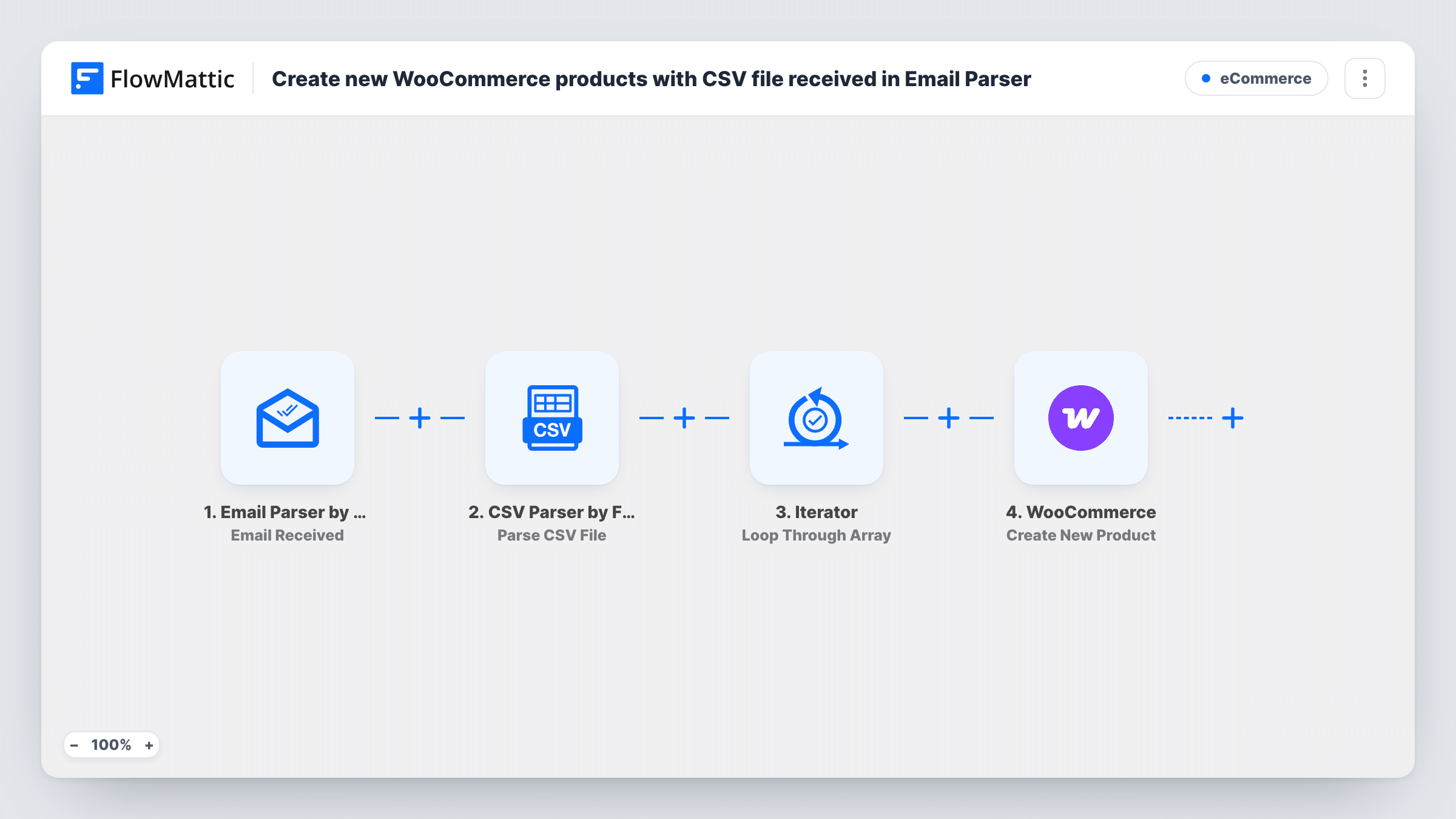
Send a product CSV to your FlowMattic Email Parser address and the workflow reads the file, then loops through its lines and creates one WooCommerce product for each record.
 Email Parser by FlowMattic
 CSV Parser by FlowMattic
 Iterator
 WooCommerce
4 steps Setup ~8 min Used on 2.9k sites Free to import
What this workflow does
Suppliers and team members often keep product lists in spreadsheets. Getting those lines into WooCommerce usually means an import screen in wp-admin, or typing each product in. With this workflow, emailing the CSV is enough to start the work.
The Email Parser by FlowMattic trigger fires when an email lands on your email parser address. The CSV Parser step then reads a CSV file from a URL you map out of that email and returns its lines as JSON records. An Iterator walks through those records one at a time.
For every record, the WooCommerce step runs Create New Product. You decide which CSV column feeds each product detail the step offers. The step creates; it does not look for a matching product first, so sending the same file twice gives you duplicates. Each run appears in Task History, where you can see which record's product step returned an error.
Supplier price lists
A supplier emails a CSV of new lines each month. Forward it to the parser address and each line becomes a WooCommerce product you can then check in your store.
Store staff without wp-admin access
A team member prepares new stock in a spreadsheet and emails the CSV, so products are added without giving them a WordPress login.
Seasonal ranges
Load a holiday range in one go by emailing a single CSV, instead of entering dozens of products through the product editor.
How this workflow runs
What happens at each step once the workflow is on, and what you need before you import it.
 Email Parser by FlowMattic Email Received
Fires when an email reaches your Email Parser by FlowMattic address. The message content becomes data the CSV Parser can use.
- CSV Parser by FlowMattic Parse CSV File
Turns the CSV file at a URL into JSON records. Map the file's URL from the email data, and confirm with a test email which value carries the link to the CSV.
- Iterator Loop Through Array
Takes the records from the CSV Parser and runs the WooCommerce step once for each, so every line in the file is processed on its own.
- WooCommerce Create New Product
Creates a new WooCommerce product from the current CSV record. Map the columns in your file to the product details this step offers, and check the result with a test product.
What you need
- FlowMatticCore
- WooCommerce PluginPlugin
After importing, map your own data. To keep the template universal, not every step is pre-filled. Open each step in the builder and connect your accounts and fields (channels, lists, sheets, recipients) before you switch the workflow on.
Make it yours
Changes worth making after you import it.
- Test with a CSV of two or three products first, then look over the new products in WooCommerce before you send a full list.
- Add a Filter between the Iterator and WooCommerce that continues only when the product name column is not empty, so blank lines at the end of the file don't create empty products.
- Add a Filter after the trigger that checks the sender's address, so only emails from you or your supplier can create products.
Questions about this workflow
What happens if a WooCommerce product in the CSV already exists?
Create New Product always makes a new product. It does not match against your catalogue, so the same line sent twice gives you two products. Remove lines you have already imported before emailing the file.
Which CSV columns does the WooCommerce step need?
The template doesn't fix any column names. Send a test CSV so FlowMattic captures your column names, then map each column to the product detail it belongs to in the Create New Product step.
Can the CSV be an email attachment?
The CSV Parser reads a file from a URL. Send a test email and check in the Email Parser data whether your file arrives as a URL you can map; if not, include a link to the hosted CSV in the email.
Does one email create every product in the file?
Yes. The Iterator repeats the WooCommerce step for each record the CSV Parser returns, so one email covers the whole file.
More E-Commerce workflows
Other ready-to-import templates from the same category.






Import this workflow into your WordPress site
Download the JSON, import it from the Workflows screen and connect your accounts. Every run stays on your server, with no per-task fees.
30-day money-back guarantee Unlimited workflows and runs Self-hosted