

Send a Twilio SMS to your sales rep when a new ANGI lead comes in
When ANGI assigns a new lead to your account, this workflow texts your sales rep through Twilio with the lead’s details, so the person who calls customers back hears about it on their phone.
 ANGI Leads
 Twilio
2 steps Setup ~5 min Used on 965 sites Free to import
What this workflow does
Home service leads from ANGI tend to go to whichever pro answers first. If your sales rep is on a job site or driving between quotes, an email or dashboard alert can sit unread. A text message reaches them on the phone they already carry. This workflow sends one for every lead ANGI assigns to you.
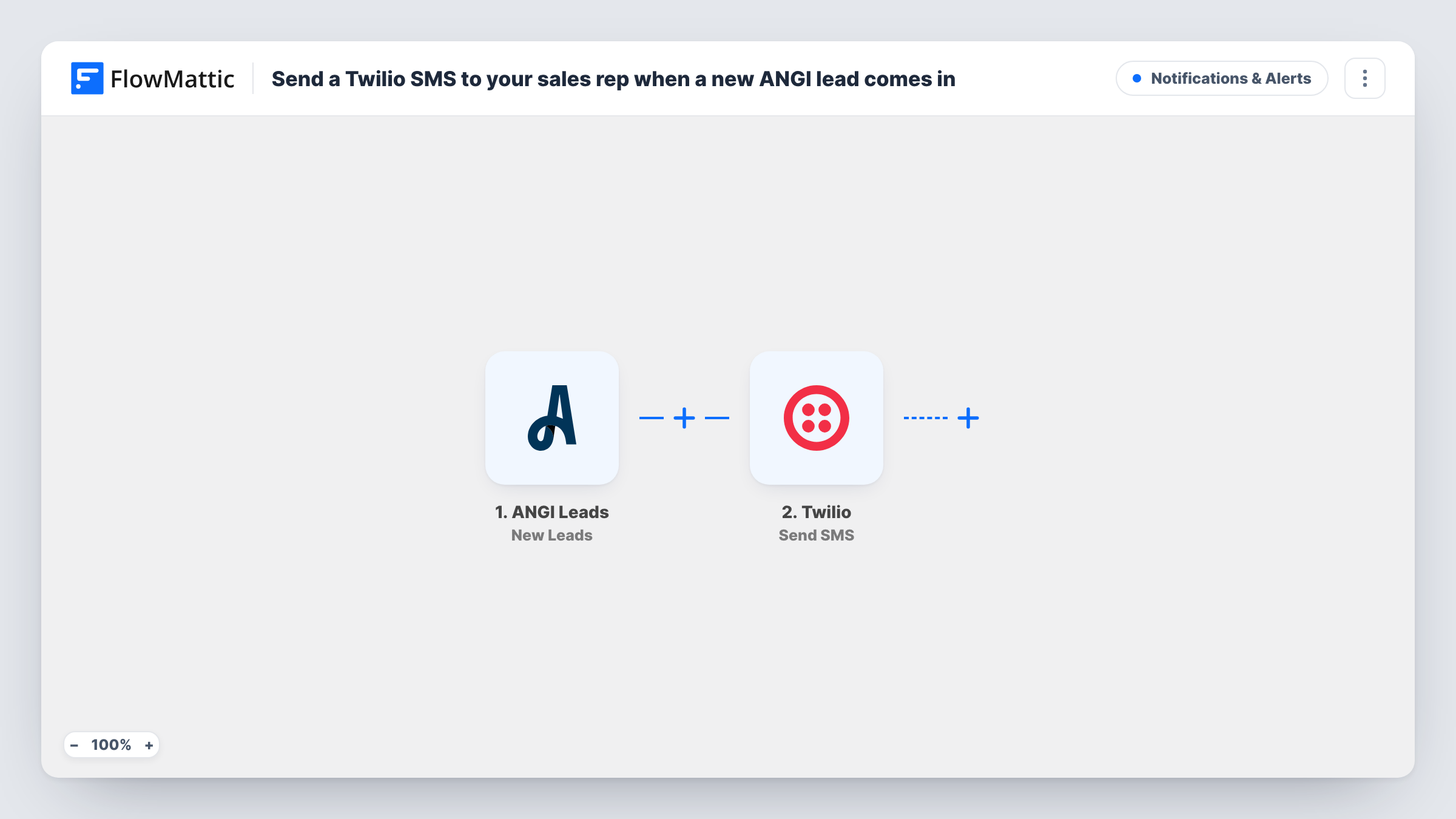
The ANGI Leads trigger is New Leads, which FlowMattic describes as firing when a lead is assigned to your account. The lead's details from ANGI become data you can map. The Twilio step then sends an SMS to a number you set, which here is your sales rep's mobile. You write the text and drop in what the rep needs to act, such as the customer's name, phone number and the job they asked about.
The SMS goes from your Twilio number, so you need a Twilio account with a number that can send texts to your rep. Every assigned lead sends a text, since the template has no Filter. Task History lists each run with the message sent.
Roofing company with a rep in the field
The estimator spends the day on roofs. Each ANGI lead texts their phone with the homeowner's name and number, so they can call during a break.
Plumber handling emergency call-outs
A one-person plumbing business gets a text for every ANGI lead, including after hours, and decides on the spot whether to take the job.
Cleaning service with a booking coordinator
A cleaning company routes all ANGI leads to its coordinator's mobile by SMS, keeping new enquiries off the shared inbox.
How this workflow runs
What happens at each step once the workflow is on, and what you need before you import it.
 ANGI Leads New Leads
Fires when ANGI assigns a lead to your account. The lead's details, such as the customer and the requested service, are passed on for the SMS.
- Twilio Send SMS
Texts your sales rep's number through your Twilio account. Enter the rep's mobile as the recipient, write the message and map ANGI lead details into it.
What you need
- FlowMatticCore
- ANGI Leads AccountAccount
- Twilio AccountAccount
After importing, map your own data. To keep the template universal, not every step is pre-filled. Open each step in the builder and connect your accounts and fields (channels, lists, sheets, recipients) before you switch the workflow on.
Make it yours
Changes worth making after you import it.
- Run a test lead or wait for the first real one after import, so FlowMattic captures ANGI's fields. Then map the customer's name and phone number into the text.
- If different reps cover different services, add a Router after the trigger with one route per service and a Twilio step on each, so every rep only hears about their own jobs.
- Add a Google Sheets step after Twilio that logs each lead, so you have a record of every ANGI lead and when the rep was told.
Questions about this workflow
Does the ANGI customer receive a text from this workflow?
No. The SMS goes to the number you set in the Twilio step, which is your rep's phone. To text the customer as well, add a second Twilio step that sends to the lead's number.
Can more than one sales rep get the ANGI lead text?
Add another Twilio Send SMS step for each extra rep, with their number as the recipient. Each step sends its own message.
Do I need a Twilio phone number for the sales rep alert?
Yes. The step sends from your Twilio account, so you need a Twilio number that can send SMS to your rep's country.
Are leads ANGI assigned before I turn this on included?
No. Only leads assigned after the workflow is active send a text.
More Notifications & Alerts workflows
Other ready-to-import templates from the same category.




Import this workflow into your WordPress site
Download the JSON, import it from the Workflows screen and connect your accounts. Every run stays on your server, with no per-task fees.
30-day money-back guarantee Unlimited workflows and runs Self-hosted