

Send a Slack alert when an FG Funnels appointment status changes
Whenever an FG Funnels appointment gets a new status, FlowMattic posts a message in a Slack channel with the details you map, so your team sees bookings, confirmations and cancellations as they change.
 FG Funnels
 Slack
2 steps Setup ~5 min Used on 3.0k sites Free to import
What this workflow does
When appointments come in through FG Funnels, the people who take them are often working in Slack, not watching the funnel dashboard. A booking that gets confirmed or cancelled can go unnoticed until someone checks. This workflow posts each status change to a Slack channel, so the team hears about it where they already talk.
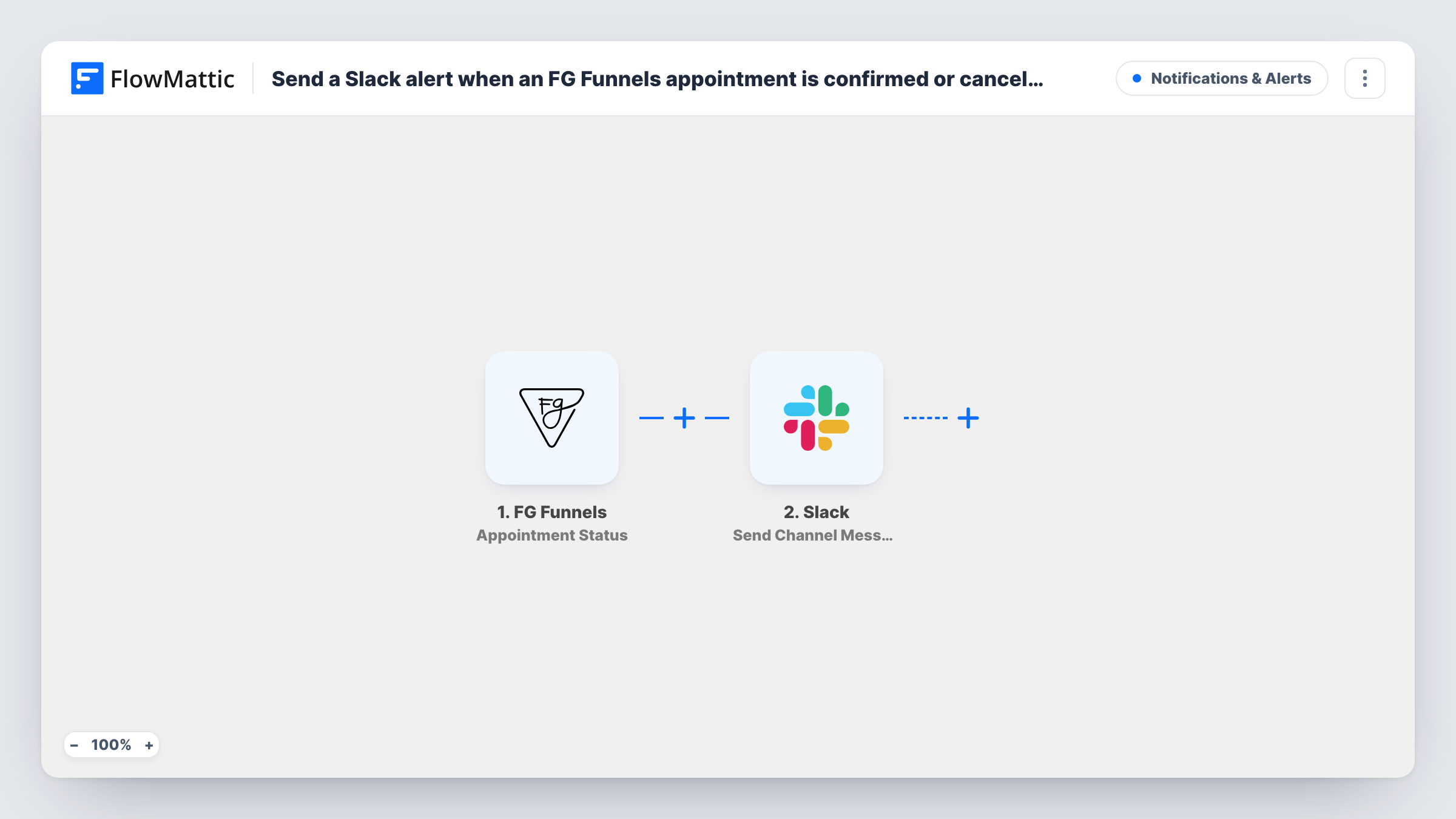
The FG Funnels trigger, Appointment Status, fires for each new appointment status. It passes the appointment's details to FlowMattic, such as the status, the time and the contact. Book a test appointment after import and change its status to see exactly which values arrive.
The Slack step sends a channel message. It ships unmapped: connect your workspace, pick the channel, and write the alert with the values you want, for example the contact's name, the new status and the appointment time. Putting the status at the start of the message makes it easy to scan the channel.
No status is filtered out, so every change posts once: new bookings, confirmations, cancellations and any other status FG Funnels reports. If one appointment changes status three times, the channel gets three messages. Task History lists every run and Slack's reply.
Front desk sees every booking change
A salon posts FG Funnels appointment updates in a #bookings channel, so the receptionist knows when a client confirms or cancels and can rearrange the day.
Sales team hears about cancelled calls
A sales manager watches a Slack channel for cancelled discovery calls from FG Funnels, so a rep can reach out and offer a new time.
A record of how bookings progress
A small agency scrolls the Slack channel to see how an appointment moved from booked to confirmed, with one message per change.
How this workflow runs
What happens at each step once the workflow is on, and what you need before you import it.
 FG Funnels Appointment Status
Runs whenever FG Funnels reports a new status for an appointment. The appointment's details, including the status and contact, are passed to Slack. A test status change shows the exact values.
- Slack Send Channel Message
Posts the alert to a Slack channel. The step ships unmapped: connect Slack, choose the channel and write the message, mapping the status, contact name and time from FG Funnels.
What you need
- FlowMatticCore
- FG Funnels AccountAccount
- Slack AccountAccount
After importing, map your own data. To keep the template universal, not every step is pre-filled. Open each step in the builder and connect your accounts and fields (channels, lists, sheets, recipients) before you switch the workflow on.
Make it yours
Changes worth making after you import it.
- To post only some statuses, put a Filter between the FG Funnels trigger and the Slack step that continues when the status exactly matches the one you care about, such as cancelled. Check a test run for the exact word FG Funnels sends.
- Include the contact's phone number from FG Funnels in the message, if your test run shows one, so whoever reads a cancellation can call the client straight away.
- For a private channel, use FlowMattic's Send Private Channel Message action for Slack instead of the shipped Send Channel Message step.
Questions about this workflow
Which FG Funnels status changes are posted to Slack?
All of them. The template has no condition, so each new appointment status sends one message. Add a Filter between the trigger and the Slack step to narrow it.
Can I send cancellations to a different Slack channel?
Yes. Put a Router between the FG Funnels trigger and the Slack step, with one route for the cancelled status and one for the rest, using conditions that can't both match. Move the Slack step into one route and add a second Slack step with the other channel.
Is the Slack message sent to the client too?
No. The message goes to the Slack channel you choose. Clients don't see it unless they are members of that channel.
Will past FG Funnels appointments be posted when I turn this on?
No. Only status changes that happen after the workflow is active start a run.
More Notifications & Alerts workflows
Other ready-to-import templates from the same category.




Import this workflow into your WordPress site
Download the JSON, import it from the Workflows screen and connect your accounts. Every run stays on your server, with no per-task fees.
30-day money-back guarantee Unlimited workflows and runs Self-hosted