

When a form is submitted on Zoho Forms, create a new customer in Pabbly Subscriptions, and add new member in Mailchimp list
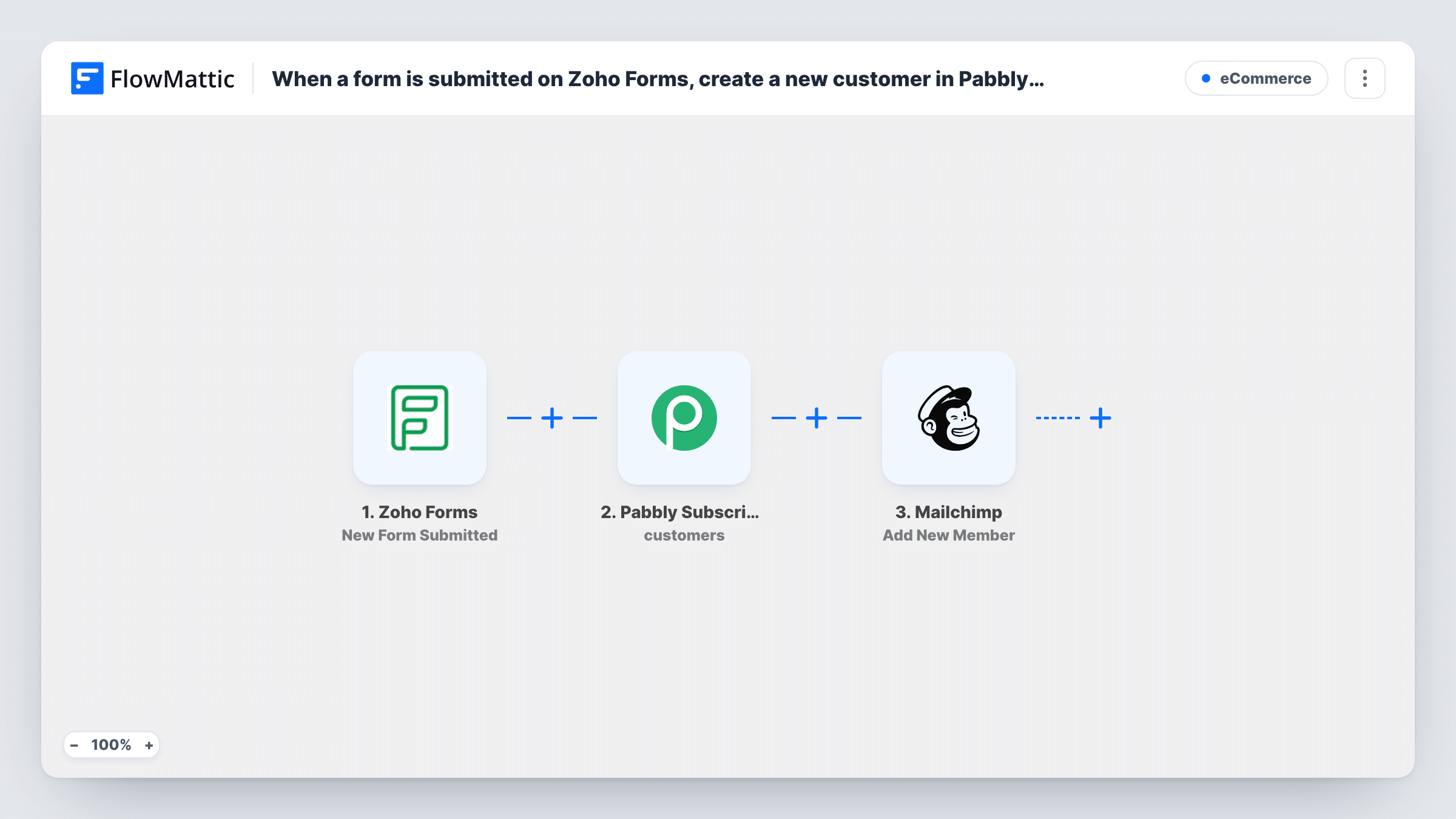
Each Zoho Forms submission creates a customer in Pabbly Subscriptions and then adds the person to your Mailchimp audience, or updates them there if they are already a member.
 Zoho Forms
 Pabbly Subscriptions
 Mailchimp
3 steps Setup ~5 min Used on 521 sites Free to import
What this workflow does
When a sign-up or order form lives in Zoho Forms, the same person usually needs to exist in two more places: your billing system and your email list. Copying them by hand is slow and easy to forget. This workflow does both from a single form entry.
The Zoho Forms trigger fires when a new entry is submitted, and the answers in that entry become data for the next steps. The Pabbly Subscriptions step then creates a new customer record. It ships unmapped, so after import you connect your Pabbly account and map the form's name, email and any other answers into the customer.
Last, the Mailchimp step runs Add New Member. FlowMattic describes this action as adding a new member to the list, or updating them if they already exist, so a returning person is refreshed rather than duplicated. You choose the audience and map the email address and name after import.
Creating the customer doesn't start a subscription or send an invoice by itself. If the form is also meant to sign people up to a plan, add that step yourself. Task History shows what Pabbly and Mailchimp returned for each entry.
Sign-up form for a paid newsletter
A publisher collects new readers through a Zoho form, keeps each one as a Pabbly Subscriptions customer for billing, and adds them to the Mailchimp audience that receives issues.
Course registration ahead of payment
A training company registers attendees with Zoho Forms, has their customer record ready in Pabbly when the invoice goes out, and emails course updates through Mailchimp.
Service inquiries that become accounts
A consultancy turns every inquiry form into a Pabbly customer it can bill later and a Mailchimp contact for its monthly update.
How this workflow runs
What happens at each step once the workflow is on, and what you need before you import it.
 Zoho Forms New Form Submitted
Starts a run whenever a new entry is submitted in the Zoho form you connect. Every answer in that entry is passed on for mapping.
- Pabbly Subscriptions Create Customer
Adds the form's sender to Pabbly Subscriptions as a new customer. This step ships unmapped: connect your account and map the person's name, email and other form answers into the customer record.
- Mailchimp Add New Member
Adds the person to a Mailchimp audience, or updates them if the address is already a member. Pick the audience and map the email and name from the form after import.
What you need
- FlowMatticCore
- Zoho Forms AccountAccount
- Pabbly Subscriptions AccountAccount
- Mailchimp AccountAccount
After importing, map your own data. To keep the template universal, not every step is pre-filled. Open each step in the builder and connect your accounts and fields (channels, lists, sheets, recipients) before you switch the workflow on.
Make it yours
Changes worth making after you import it.
- Add Pabbly Subscriptions' Create Subscription step after the Create Customer step if the form should also put people on a plan straight away.
- Put a Filter between the Pabbly step and the Mailchimp step that checks a marketing consent answer on your form, so only people who agreed reach your audience. The field to check is yours to set.
- Map the form's phone or company answers into the Pabbly customer as well, so billing staff don't need to look up the original entry.
Questions about this workflow
What if the person already exists in Mailchimp?
Add New Member updates an address that is already on the list instead of adding it twice, so a repeat form entry refreshes their details.
What if the email is already a customer in Pabbly Subscriptions?
The step always tries to create a new customer. Pabbly may return an error for an email it already holds, so test with an existing customer and check the response in Task History.
Does this create a subscription in Pabbly?
No. The step stops at the customer record and sets up no plan. Pabbly Subscriptions has a separate Create Subscription action in FlowMattic that you can add after it.
Which Zoho Forms answers are sent to Pabbly and Mailchimp?
Only the ones you map. Both action steps ship unmapped, so you decide which answers fill the customer record and the Mailchimp member.
More E-Commerce workflows
Other ready-to-import templates from the same category.





Import this workflow into your WordPress site
Download the JSON, import it from the Workflows screen and connect your accounts. Every run stays on your server, with no per-task fees.
30-day money-back guarantee Unlimited workflows and runs Self-hosted