

When a form submission is received in Contact Form 7, create a coupon and add email to it in WooCommerce and share the coupon to the users WhatsApp
Each Contact Form 7 submission creates a WooCommerce coupon and sends its code to the person’s phone as a WhatsApp text, which arrives only if they messaged your business number in the last 24 hours.
 Contact Form 7
 WooCommerce
 WhatsApp Cloud API
3 steps Setup ~5 min Used on 3.3k sites Free to import
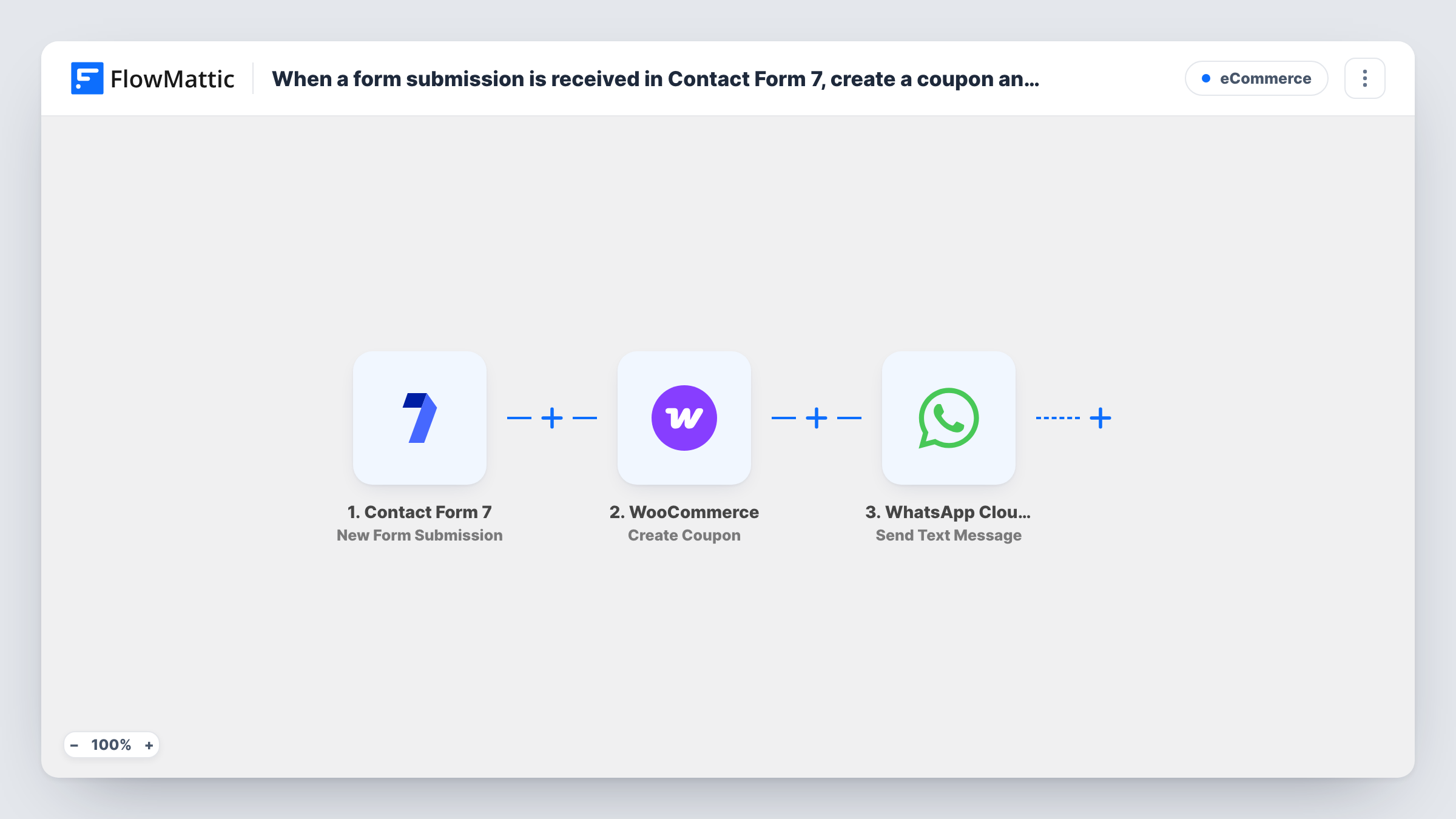
What this workflow does
A discount code is a common reward for an enquiry or sign-up form. Making each coupon by hand and sending it yourself takes time for every entry. This workflow creates the coupon and passes the code on through WhatsApp.
When someone submits a Contact Form 7 form, FlowMattic runs WooCommerce Create Coupon with the details you map. WooCommerce coupon codes must be unique, so build each code from something that changes per entry. The title also mentions tying the coupon to the person's email; after import, check in a test run whether the step lets you map an email restriction, and look at the coupon in WooCommerce to confirm.
The WhatsApp Cloud API step then sends a text with the code to the number from the form, so your form needs a phone field. Free-form WhatsApp texts are delivered only inside the 24-hour window after someone last wrote to your business number. Most form visitors have never done that, so the coupon text usually won't reach them. To reach them, use Send Template Message and a template WhatsApp has approved.
Thank-you discount for a contact form
A shop that already chats with customers on WhatsApp sends a code to people who write in through the site's form and message the shop the same day.
In-store sign-up sheet on a tablet
Shoppers at a market stall fill in a Contact Form 7 form after messaging the stall's WhatsApp number, then receive a coupon for the online shop.
Giveaway entries
Each giveaway entry creates its own coupon code, so you can see in WooCommerce which entrants went on to use their discount.
How this workflow runs
What happens at each step once the workflow is on, and what you need before you import it.
 Contact Form 7 New Form Submission
Runs when a visitor sends a Contact Form 7 form on your site. The submitted fields, including email and phone, become available to WooCommerce and WhatsApp.
- WooCommerce Create Coupon
Creates a new WooCommerce coupon from the values you map, with a code unique to this entry. Check a test run to see what else the step accepts, such as an email restriction.
- WhatsApp Cloud API Send Text Message
Texts the new coupon code over WhatsApp to the number taken from the form. It only arrives if that person messaged your business number in the past 24 hours.
What you need
- FlowMatticCore
- Contact Form 7 PluginPlugin
- WooCommerce PluginPlugin
- WhatsApp Cloud API AccountAccount
After importing, map your own data. To keep the template universal, not every step is pre-filled. Open each step in the builder and connect your accounts and fields (channels, lists, sheets, recipients) before you switch the workflow on.
Make it yours
Changes worth making after you import it.
- Change step 3 to WhatsApp Cloud API's Send Template Message with an approved template, so people who never messaged you still receive the code.
- Make the phone field required in Contact Form 7 (tel* in the form tag) so every submission has a number to send to.
- Add an Email step after WhatsApp that sends the same code to the form's email address, as a backup for texts that don't arrive.
Questions about this workflow
Why didn't the person receive the WooCommerce coupon on WhatsApp?
A free-form text reaches only someone who wrote to your WhatsApp business number within the past day. Use Send Template Message with an approved template to reach others.
Is the WooCommerce coupon limited to the person's email?
Only if the Create Coupon step lets you set that and you map the form's email into it. Run a test after import and check the coupon's usage restrictions in WooCommerce.
Does every Contact Form 7 entry create a coupon?
Yes. Each submission runs both actions, so repeat entries from one person create more coupons. Add a Filter if you need to limit that.
What if the WhatsApp step fails?
The coupon still exists in WooCommerce, because it was created first. Task History shows the WhatsApp error so you can send the code another way.
More E-Commerce workflows
Other ready-to-import templates from the same category.






Import this workflow into your WordPress site
Download the JSON, import it from the Workflows screen and connect your accounts. Every run stays on your server, with no per-task fees.
30-day money-back guarantee Unlimited workflows and runs Self-hosted