

Get tracking codes for your WooCommerce orders every day in a CSV file with order IDs and add them to order notes
Once a day, this workflow reads a CSV file of WooCommerce order IDs and tracking codes, then adds each tracking code as a note on its order, so your shipping data from a carrier or warehouse ends up on the orders themselves.
 Schedule
 CSV Parser by FlowMattic
 Iterator
 WooCommerce
4 steps Setup ~8 min Used on 2.2k sites Free to import
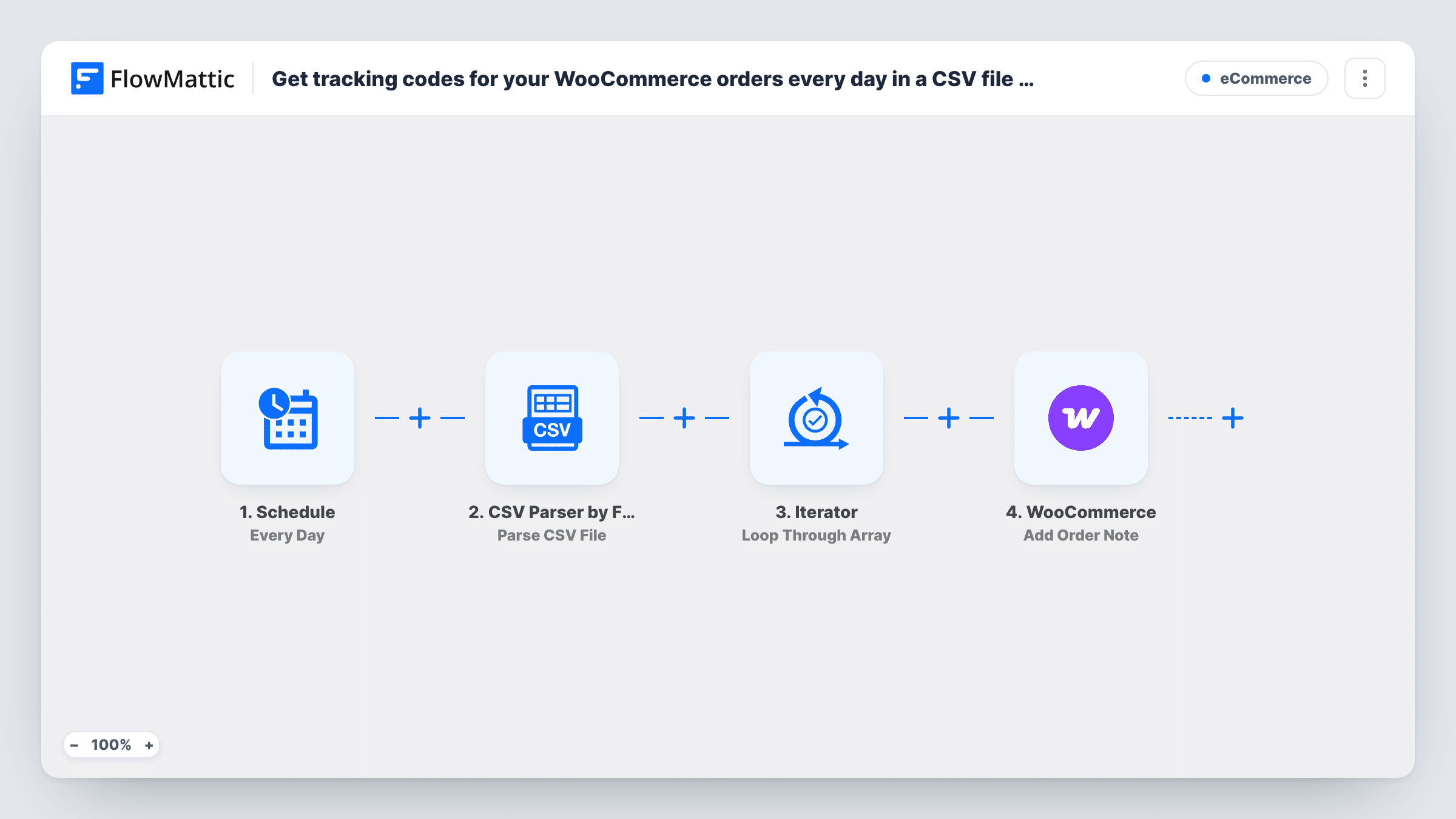
What this workflow does
Many warehouses and shipping tools hand back tracking codes as a CSV file rather than writing them into your store. Pasting each code into its WooCommerce order by hand takes time and invites mistakes. This workflow reads that file every day and puts each code on the right order as a note.
Each day, the Schedule trigger kicks off the tracking import. The CSV Parser by FlowMattic reads the CSV from the URL you set, on your WordPress site or elsewhere, and returns its records as JSON. An Iterator loops through those records. For each one, the WooCommerce Add Order Note step adds a note to the order whose ID you map from the record, carrying the tracking code.
The workflow reads the whole file on every run and keeps no memory of earlier runs. If yesterday's rows are still in the file, their orders get the same note again. Replace the file each day so it holds only new codes. Task History shows each run and every pass of the loop.
Third-party fulfilment centre
Your fulfilment partner uploads a daily CSV of shipped orders, and each order gets its tracking code as a note for your support team to quote.
Carrier export from a shipping tool
You print labels in a shipping app that exports order IDs and tracking numbers, and the daily run records them on the WooCommerce orders.
Small shop shipping in batches
After each day's post-office run you upload a short CSV, and the next scheduled run writes the codes onto the orders.
How this workflow runs
What happens at each step once the workflow is on, and what you need before you import it.
 Schedule Every Day
Starts the workflow once every day on the schedule you set. No outside event is needed; the run reads whatever the CSV file holds at that time.
- CSV Parser by FlowMattic Parse CSV File
Reads the CSV file at the URL you enter and returns each line as a record with its order ID and tracking code, ready for the loop.
- Iterator Loop Through Array
Loops through the records from the CSV, so the WooCommerce step runs once for each order ID and tracking code pair.
- WooCommerce Add Order Note
Adds a note to the WooCommerce order whose ID comes from the current CSV record. Map the order ID and put the tracking code in the note text.
What you need
- FlowMatticCore
- WooCommerce PluginPlugin
After importing, map your own data. To keep the template universal, not every step is pre-filled. Open each step in the builder and connect your accounts and fields (channels, lists, sheets, recipients) before you switch the workflow on.
Make it yours
Changes worth making after you import it.
- Overwrite the CSV at the same URL each day with only that day's shipments, so earlier orders do not get the same tracking note on the next run.
- Check in a test run whether the Add Order Note step can mark the note as visible to the customer. If you want customers told, set it there rather than assuming it.
- Write the carrier name next to the code in the note text, such as Royal Mail or UPS, so staff reading the order know where to track it.
Questions about this workflow
What columns does the CSV need for WooCommerce order notes?
At least the WooCommerce order ID and the tracking code. After a test run, map the order ID column to the order and the tracking code into the note text.
What happens if the same CSV is still there the next day?
Every record is processed again, so each order gets a second identical note. Replace or empty the file once its codes have been added.
Will customers see the tracking note on their WooCommerce order?
That depends on how the note is added. Check the options the Add Order Note step shows and test on one order before relying on it.
Where can the tracking CSV file be stored?
Anywhere the CSV Parser can read it by URL: your WordPress site or a remote address. Keep the same URL so the daily run always finds the latest file.
More E-Commerce workflows
Other ready-to-import templates from the same category.





Import this workflow into your WordPress site
Download the JSON, import it from the Workflows screen and connect your accounts. Every run stays on your server, with no per-task fees.
30-day money-back guarantee Unlimited workflows and runs Self-hosted