

When a monday sales CRM item is moved, add an Airtable record and DM the owner in Slack
Each time an item moves to another group on your monday sales CRM board, FlowMattic adds a record to Airtable and sends a Slack direct message to the person you choose, such as the board owner.
 monday sales CRM
 Airtable
 Slack
Slack3 steps Setup ~5 min Used on 1.2k sites Free to import
What this workflow does
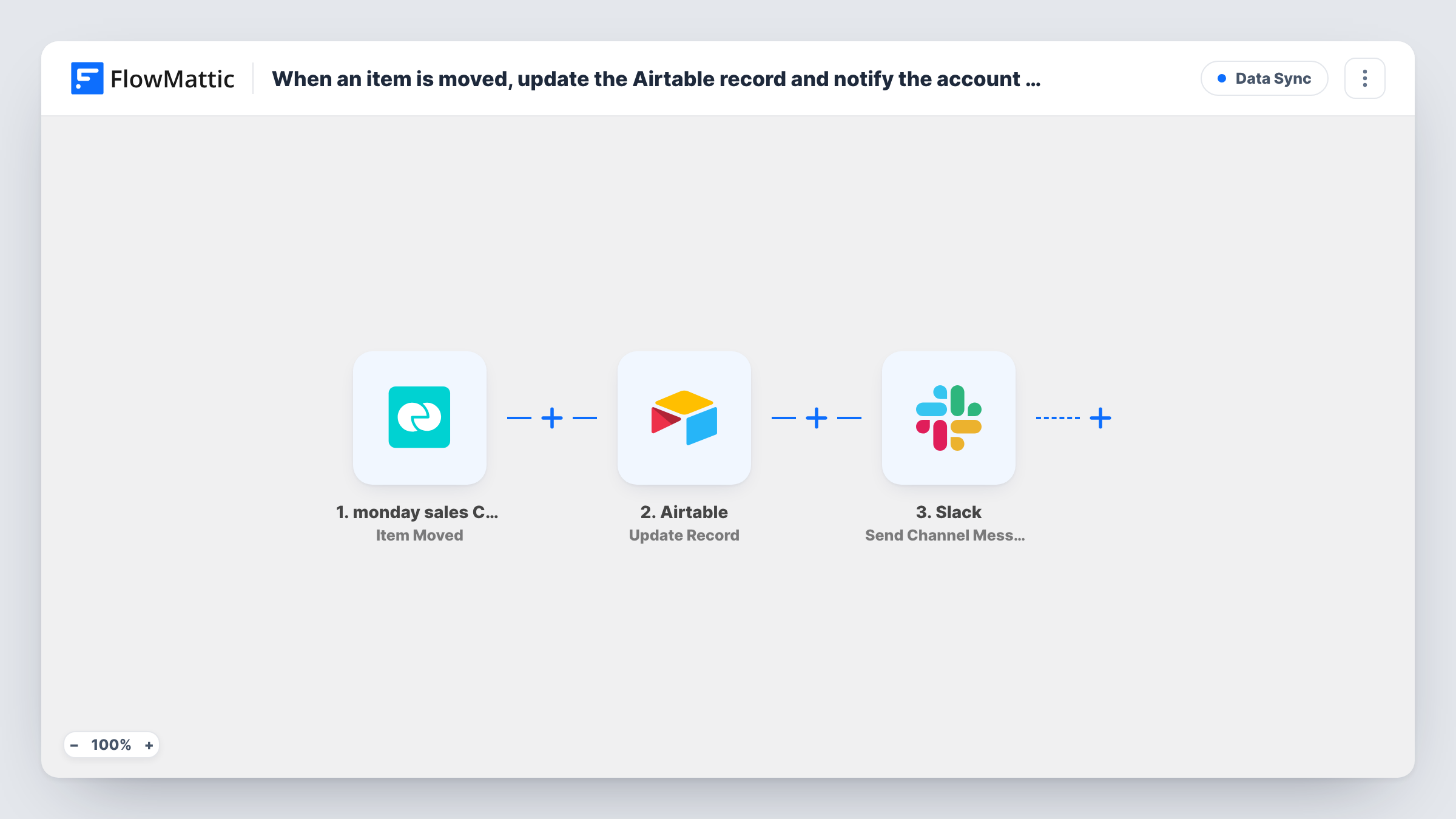
When a deal changes group on a monday sales CRM board, from "Qualified" to "Proposal" or "Won", someone usually wants to know and someone else wants a record of it. This workflow gives you both: a row in Airtable for every move, and a private Slack message so the owner hears about it without watching the board.
The monday sales CRM trigger fires when an item is moved to any group on the board you connect. The Airtable step then creates a new record from the item's data, so each move becomes its own entry; over time the table shows the path a deal took through your pipeline.
The final step sends a direct message from the Slackbot through Slack. Both actions come without mapping, so pick the Airtable base and table and map the item fields, then choose the Slack user to message and write the text, for example the item name and the group it moved to.
The Slack recipient you pick is fixed, so the same person gets every message. Moving an item back and forth creates a record and a message each time. Use Task History to check what monday sent for a test move.
Pipeline history for sales reviews
A sales lead keeps an Airtable table of every group change on the deals board and filters it before the weekly meeting to see which deals advanced.
Owner alert when a deal is won
A founder gets a Slack DM whenever a rep drags a deal into the Won group, with the deal name in the message.
Reporting outside monday
An operations team builds Airtable views and charts from the move records without giving everyone a monday seat.
How this workflow runs
What happens at each step once the workflow is on, and what you need before you import it.
 monday sales CRM Item Moved
Starts when an item on your monday sales CRM board is moved to any group. The item's details are passed on; a test move shows which values monday includes.
- Airtable Create Record
Creates a new record in Airtable for the move. The step ships unmapped, so choose your base and table and map the monday item's name, group and other values to its fields.
- Slack Send Direct Message
Sends a Slack direct message from the Slackbot to one user. After import, choose who receives it and write the message, mapping the item name and new group from the trigger.
What you need
- FlowMatticCore
- monday sales CRM AccountAccount
- Airtable AccountAccount
- Slack AccountAccount
After importing, map your own data. To keep the template universal, not every step is pre-filled. Open each step in the builder and connect your accounts and fields (channels, lists, sheets, recipients) before you switch the workflow on.
Make it yours
Changes worth making after you import it.
- To alert only on moves into one group, such as Won, put a Filter between the Airtable step and the Slack step on the group name. Every move is still logged, and only matching ones send a DM.
- If the monday item data includes the owner's email, add Slack's Find User by Email action between the Airtable step and the Slack step, and send the DM to the user it finds instead of a fixed person.
- Add a created-time field in Airtable so you can sort the records and see how long a deal stayed in each group.
Questions about this workflow
Who receives the Slack message when a monday item moves?
The Slack user you select in the Send Direct Message step. As imported it is one fixed person for every move. To message each item's owner, look them up in Slack by email first.
Does moving a monday item between groups update the existing Airtable record?
No. The step creates a new record every time, so one deal can have several records, one per move. That gives you a history rather than a single current status.
Can I post to a Slack channel instead of a DM?
Yes. Swap the step for Slack's Send Channel Message action for a public channel, or Send Private Channel Message for a private one.
Which monday board does the trigger watch?
The board you choose when you connect the Item Moved trigger. Each workflow watches one board, so import a copy for every other board you want covered.
More Data Sync workflows
Other ready-to-import templates from the same category.




Import this workflow into your WordPress site
Download the JSON, import it from the Workflows screen and connect your accounts. Every run stays on your server, with no per-task fees.
30-day money-back guarantee Unlimited workflows and runs Self-hosted