

When a new Paytm Insider sale comes in, log it in Google Sheets, alert the team in Slack, then mark the row processed
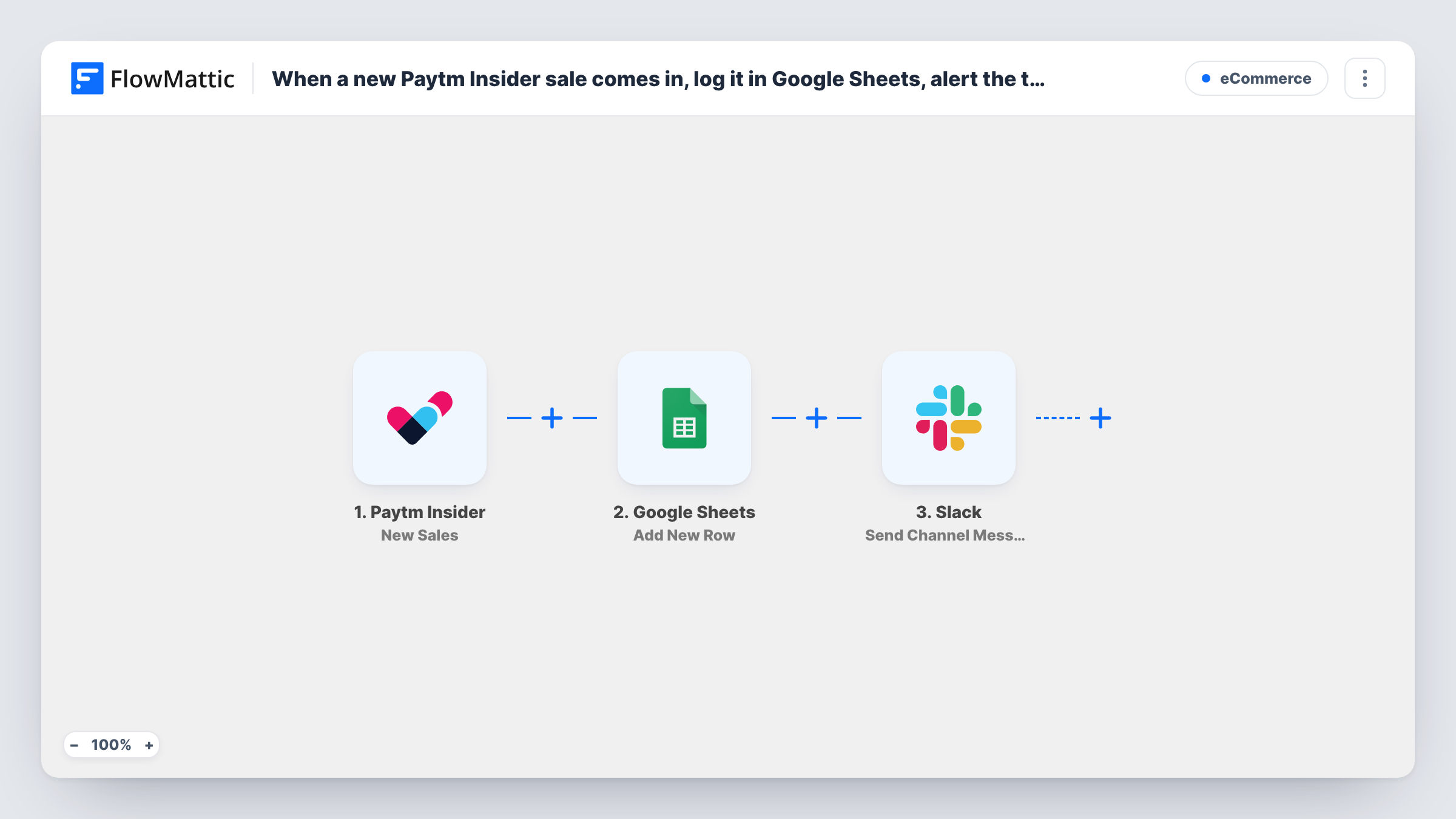
Each new Paytm Insider ticket sale is added to Google Sheets and posted to a Slack channel, then FlowMattic finds that row again and updates it to mark the sale as processed.
 Paytm Insider
 Google Sheets
 Slack
Slack5 steps Setup ~8 min Used on 2.3k sites Free to import
What this workflow does
Event organisers selling through Paytm Insider want a running sales log the whole team can open, a heads-up in Slack as tickets go, and a clear sign of which sales have been dealt with. This workflow handles all three for every sale, without exporting reports from the Paytm Insider dashboard.
The Paytm Insider New Sales trigger fires when a sale is received. A Google Sheets step adds a row with the sale details you map, and a Slack step posts a message about it to a channel you choose.
The last two steps close the loop. Lookup Row Data searches the sheet for the row you just added, and Update Row changes that row, for example by writing "Processed" and the time into a status column. For the lookup to find the right row, log a value that is unique to each sale, such as the order or booking ID, and search on that column.
None of the four action steps are mapped in the template. Set up the sheet columns first, map the sale fields, write the Slack text, then point the lookup at your unique column and map its row into Update Row. A test sale and Task History show what each step returned.
Box office log for a concert
A music promoter keeps every Paytm Insider sale in a shared sheet and the door team can filter it by ticket type on the night.
Sales pings for a comedy tour
A tour manager's Slack channel gets a message for each ticket sold, so the team can watch demand city by city.
Processed flag for reconciliation
A workshop organiser uses the processed column to confirm every sale reached the sheet and the Slack post before matching payouts.
How this workflow runs
What happens at each step once the workflow is on, and what you need before you import it.
 Paytm Insider New Sales
Starts a run each time Paytm Insider receives a new sale for your events. The sale details are passed on to the sheet and Slack steps; a test sale shows the field names.
- Google Sheets Add New Row
Adds a row for the sale to the spreadsheet you choose. The step ships unmapped: pick the sheet and map the sale fields, including a unique sale or order ID for the later lookup.
- Slack Send Channel Message
Posts a message about the sale to a Slack channel. Choose the channel and write the text after import, mapping details such as the event name and ticket count.
- Google Sheets Lookup Row Data
Searches the same sheet for the row that holds this sale. Point it at the column with the unique sale ID and map that ID from the trigger, so it finds the row step 2 added.
- Google Sheets Update Row
Updates the row the lookup found, for example by setting a status column to Processed. Map the row from step 4 and the columns to change; nothing is preset in the template.
What you need
- FlowMatticCore
- Paytm Insider AccountAccount
- Google Sheets AccountAccount
- Slack AccountAccount
After importing, map your own data. To keep the template universal, not every step is pre-filled. Open each step in the builder and connect your accounts and fields (channels, lists, sheets, recipients) before you switch the workflow on.
Make it yours
Changes worth making after you import it.
- Add a Status column and a Processed At column to the sheet before you import, so the Update Row step has clear places to write.
- To post only bigger orders to Slack, put a Filter between the Add New Row step and the Slack step on the ticket quantity. Keep in mind that a Filter stops every later step too, so smaller sales would also skip the lookup and the processed mark.
- If the sales alerts belong in a private Slack channel, use Slack's Send Private Channel Message action in place of the channel step.
Questions about this workflow
Why does the Paytm Insider workflow look the row up again instead of updating it directly?
The Update Row step needs to know which row to change, and the Lookup Row Data step supplies it by searching the sheet. That is why logging a unique sale ID matters.
What if two Paytm Insider sales have the same ID in the sheet?
The lookup could match the wrong row. Use a value that is unique per sale, such as the order or booking ID, and check a test run in Task History to confirm the right row was updated.
Does it also alert me when tickets sell out?
No. This template uses the New Sales trigger. FlowMattic's Paytm Insider integration also has a Tickets Sold Out trigger you can use in a second workflow.
Can I post the Paytm Insider sale to a Slack DM instead of a channel?
Yes. Replace the channel step with Slack's Send Direct Message action and choose the person who should get each sale.
More E-Commerce workflows
Other ready-to-import templates from the same category.







Import this workflow into your WordPress site
Download the JSON, import it from the Workflows screen and connect your accounts. Every run stays on your server, with no per-task fees.
30-day money-back guarantee Unlimited workflows and runs Self-hosted