

When user submits a form in Fluent Forms, create user in WordPress and enroll the user in a course in Tutor LMS
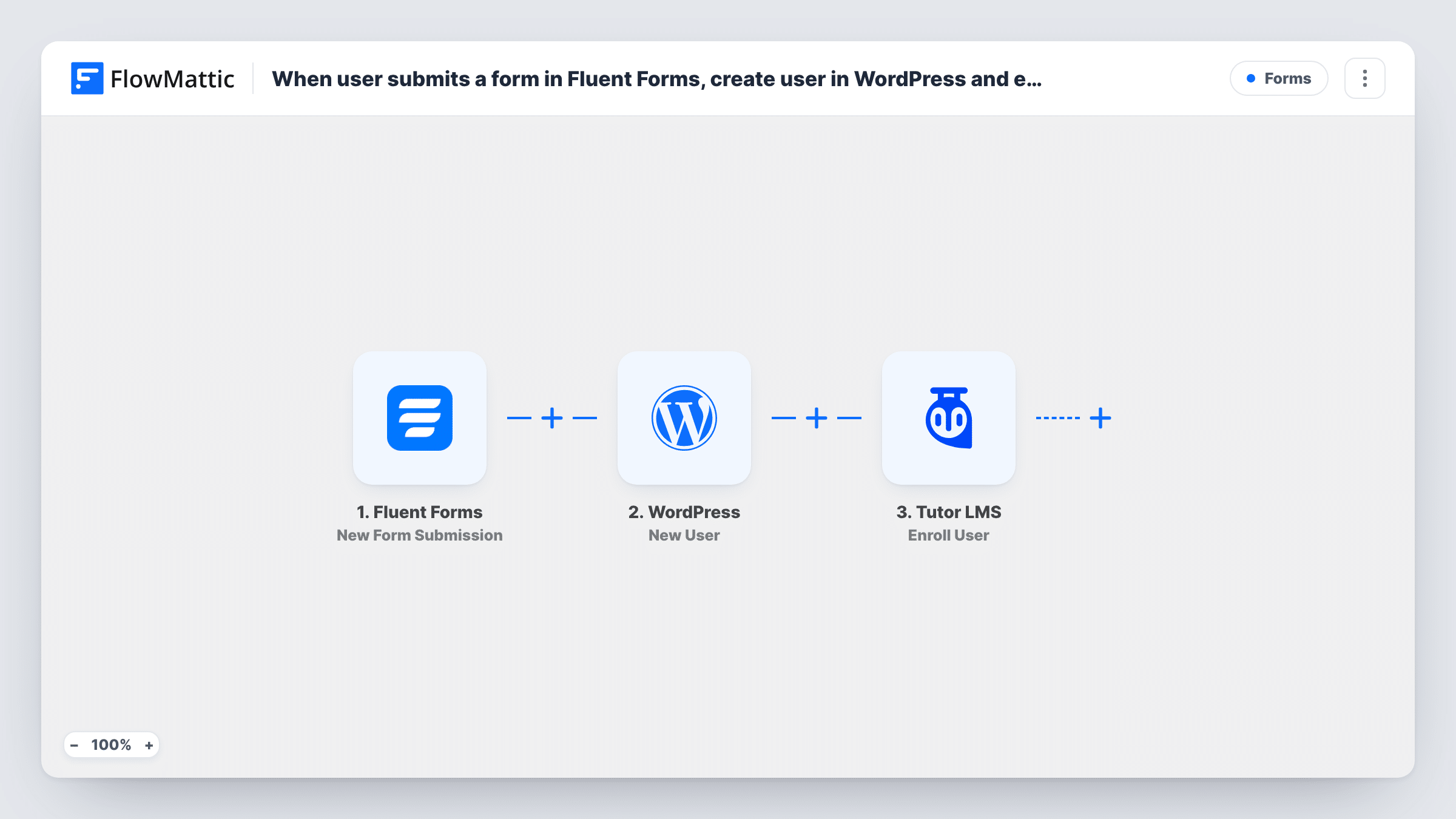
A Fluent Forms submission creates a new WordPress user from the details entered, and that new user is then enrolled in a Tutor LMS course, so a sign-up form becomes a way into your course.
 Fluent Forms
 WordPress
 Tutor LMS
3 steps Setup ~5 min Used on 3.2k sites Free to import
What this workflow does
Tutor LMS courses need a WordPress account behind every student. If you collect sign-ups with your own form, someone has to create each account and enroll it by hand. This workflow does both from the form.
The Fluent Forms trigger runs when a form submission arrives. The next step uses WordPress's New User action to create an account from the answers you map, such as email and name. The third step, Tutor LMS Enroll User, adds that new account to the course you set, using the user ID the previous step returns.
Someone who already has an account doesn't get a second one. WordPress won't create another user for a registered email, so the New User step returns that person's existing user ID, and Enroll User receives that ID for the course you set. Task History shows which ID each run used and how Tutor LMS answered.
Free starter course sign-up
A free mini-course has a short Fluent Forms sign-up. Each person who submits gets an account and is enrolled in the course straight away.
Onboarding new staff
HR fills in a Fluent Forms new-starter form. The employee gets a WordPress account and is enrolled in the induction course on the company's Tutor LMS site.
Workshop attendees getting course access
After a live workshop, attendees fill in a form to claim the follow-up course, and their account and enrollment are created from it.
How this workflow runs
What happens at each step once the workflow is on, and what you need before you import it.
 Fluent Forms New Form Submission
Starts with each Fluent Forms entry on the form you pick. The answers, such as name and email, are passed on to create the WordPress account.
- WordPress New User
Creates a WordPress user from the form answers you map. The new user's ID is returned for the next step. If the email already belongs to an account, no duplicate is made and the step returns that account's ID instead.
- Tutor LMS Enroll User
Enrolls the user returned by the previous step in the Tutor LMS course you set. Map the user ID from the New User step so the enrollment goes to the right account.
What you need
- FlowMatticCore
- Fluent Forms PluginPlugin
- Tutor LMS PluginPlugin
After importing, map your own data. To keep the template universal, not every step is pre-filled. Open each step in the builder and connect your accounts and fields (channels, lists, sheets, recipients) before you switch the workflow on.
Make it yours
Changes worth making after you import it.
- Submit the form once with a fresh email after import, then map the user ID returned by the New User step into the Tutor LMS step.
- Map the form's email answer into the New User step's email field. That address is how the step recognises a student who already has an account and returns their ID for the enrollment.
- Make the email field required in Fluent Forms, since the account can't be created without one.
Questions about this workflow
What happens if the email already has a WordPress account?
The student keeps the account they have. The New User step returns the ID of the account that already uses that email, and the Tutor LMS step receives that ID for the enrollment. Task History shows Tutor LMS's reply for that run. A role you set in the New User step is added to the existing account as well.
Can I enroll the Fluent Forms submitter in more than one Tutor LMS course?
Yes. Add another Enroll User step after the first, set to the second course, and map the same user ID into it.
How does the new user get their password?
That depends on how you set up the New User step and your site's settings. Check a test run to see what the new user receives before you rely on it.
Do Fluent Forms and Tutor LMS have to be on the same site?
Yes. Both plugins, and the WordPress users they work with, must be on the site where FlowMattic runs.
More Forms workflows
Other ready-to-import templates from the same category.






Import this workflow into your WordPress site
Download the JSON, import it from the Workflows screen and connect your accounts. Every run stays on your server, with no per-task fees.
30-day money-back guarantee Unlimited workflows and runs Self-hosted