

Log each new LeanIX fact sheet in an Airtable base
Each fact sheet created in LeanIX is copied into your Airtable base as a new record, so your team has a list of new applications, components and other fact sheets it can sort and share.
 LeanIX
 Airtable
2 steps Setup ~5 min Used on 2.5k sites Free to import
What this workflow does
LeanIX is where your enterprise architecture lives, but not everyone who needs the inventory has a LeanIX login. An Airtable base is easy to share, filter and link to other project data. This workflow adds a record to Airtable for each new fact sheet.
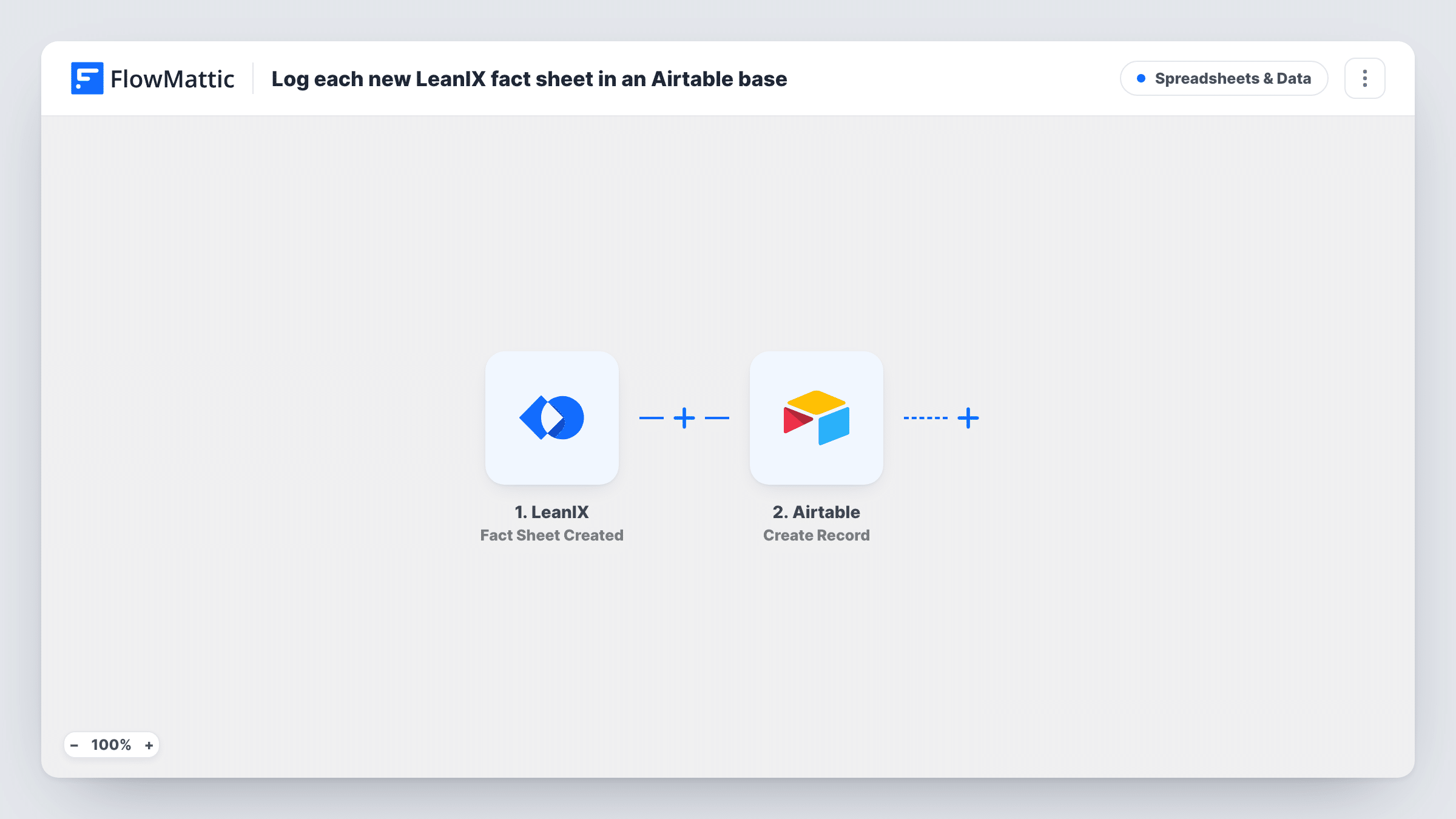
The LeanIX trigger is Fact Sheet Created. Per FlowMattic's description, it fires when a fact sheet is created or recovered from the archive, so restoring an archived fact sheet also adds a record. The fact sheet data LeanIX sends becomes available to map.
The Airtable step uses Create Record. You choose the base and table and map fact sheet fields, such as its name and type if LeanIX sends them, into your columns. The record is a copy made at creation time; later changes in LeanIX don't reach it. Task History shows each run and Airtable's response.
Sharing new applications with a project office
The project office tracks work in Airtable. Each new application fact sheet appears there, ready to link to the projects that use it.
Reviewing additions each week
Architects meet weekly to review what was added to LeanIX. The Airtable table lists every new fact sheet, sorted by when it arrived.
Onboarding a new architecture tool owner
A new owner can browse the Airtable copy of recent fact sheets without needing a LeanIX seat first.
How this workflow runs
What happens at each step once the workflow is on, and what you need before you import it.
 LeanIX Fact Sheet Created
Fires when a fact sheet is created in LeanIX, or restored from the archive. The fact sheet data is passed on for mapping. Create a test fact sheet after import so the fields appear.
- Airtable Create Record
Adds one Airtable record per new fact sheet, in the base and table you pick. Map the LeanIX fact sheet fields you want, such as name and type, to the table's columns.
What you need
- FlowMatticCore
- LeanIX AccountAccount
- Airtable AccountAccount
After importing, map your own data. To keep the template universal, not every step is pre-filled. Open each step in the builder and connect your accounts and fields (channels, lists, sheets, recipients) before you switch the workflow on.
Make it yours
Changes worth making after you import it.
- Add a column for the LeanIX fact sheet ID, if the event carries it, so each Airtable record can be matched back to its fact sheet later.
- To log only one kind of fact sheet, add a Filter after the trigger on the fact sheet type field, if LeanIX sends one in your test run.
- If you also want changes tracked, build a second workflow from LeanIX's Fact Sheet Updated trigger that writes to a separate change log table.
Questions about this workflow
Does restoring an archived LeanIX fact sheet add a record?
Yes. The trigger fires when a fact sheet is created or recovered from the archive, so a restored fact sheet gets a new Airtable record, even if it was logged before.
Will the Airtable record change when the fact sheet is edited in LeanIX?
No. This workflow only creates records. Edits in LeanIX don't reach the Airtable copy unless you build another workflow for updates.
Are existing LeanIX fact sheets copied to Airtable?
No. Only fact sheets created or restored after the workflow is on start a run.
More Spreadsheets & Data workflows
Other ready-to-import templates from the same category.




Import this workflow into your WordPress site
Download the JSON, import it from the Workflows screen and connect your accounts. Every run stays on your server, with no per-task fees.
30-day money-back guarantee Unlimited workflows and runs Self-hosted