

Update Zoho Recruit records from new employee onboarding entries in Notion
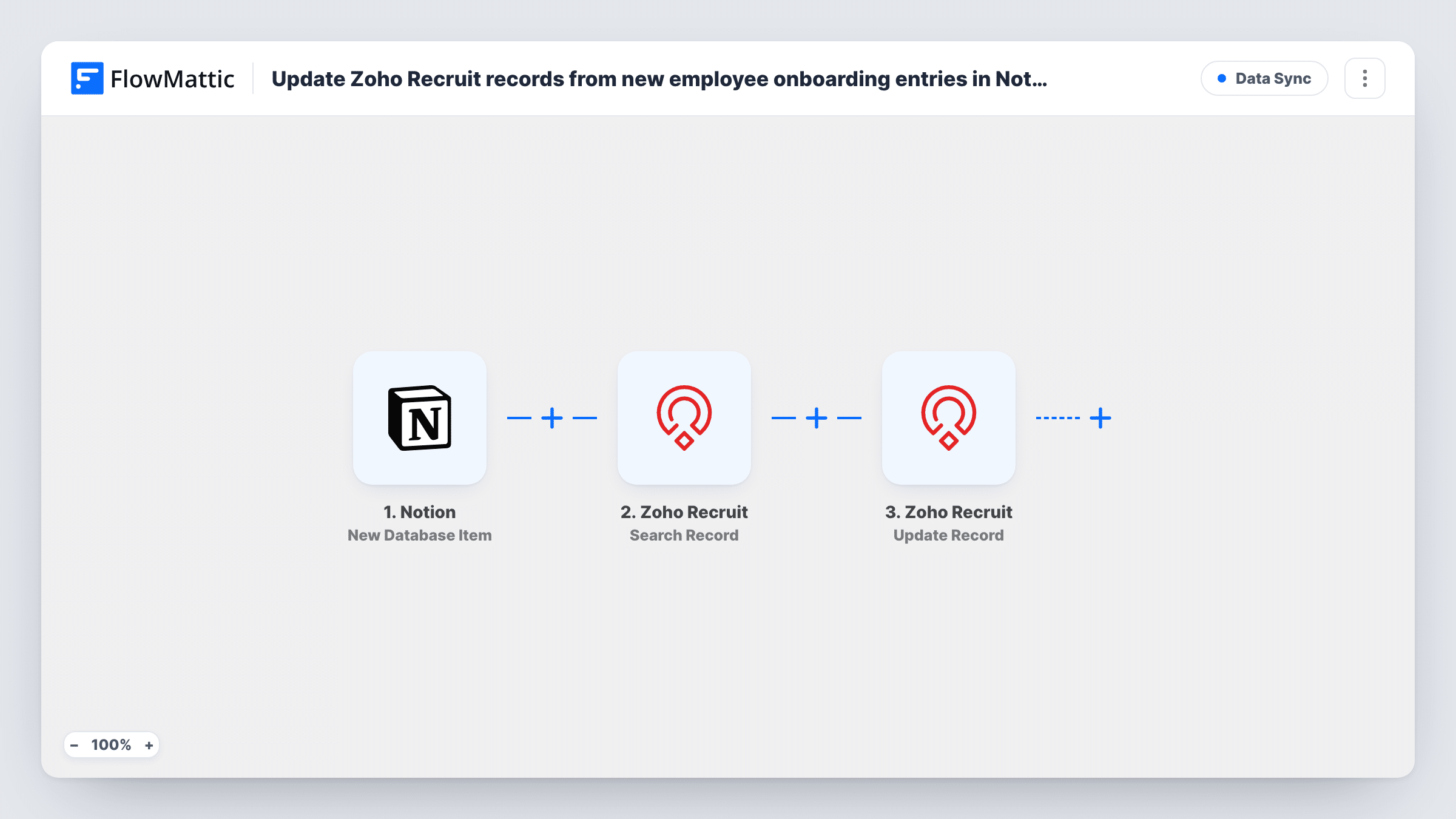
When a new onboarding entry is added to your Notion database, FlowMattic searches Zoho Recruit for that person’s record and updates it with the details you map, so Recruit reflects who has started.
 Notion
 Zoho Recruit
3 steps Setup ~5 min Used on 2.8k sites Free to import
What this workflow does
Once an offer is accepted, onboarding often moves into Notion while the candidate's record stays behind in Zoho Recruit. This workflow carries the news back: each new onboarding entry finds the person in Recruit and updates their record, so recruiters can see who has joined without asking HR.
The Notion trigger fires when a new item is created in the database you pick, and passes the item's properties on. The first Zoho Recruit step then retrieves the records that match search criteria. You set those criteria after import, usually the new hire's email address from the Notion entry.
The Update Record step then changes the record it is given. It ships unmapped: choose the module, map the record ID from the search result, and choose which fields to change, such as a status or a start date. The ID has to come from the search, because the Notion entry has no Recruit ID of its own.
There is no check between the two Zoho Recruit steps, so an entry with no match in Recruit still reaches the update, and Zoho Recruit may return an error. Task History shows what the search found and what the update returned.
Marking candidates as hired
HR adds each new starter to a Notion onboarding database. The matching candidate in Zoho Recruit is updated to a hired status, so the recruiter's pipeline stays accurate.
Start dates visible to recruiters
The start date entered in Notion is written to a field on the Recruit record, so recruiters know when to check in with the new hire.
Closing the loop for agency hires
A recruitment agency's client tracks onboarding in Notion. Updating Recruit from those entries shows the agency which placements actually started.
How this workflow runs
What happens at each step once the workflow is on, and what you need before you import it.
 Notion New Database Item
Starts a run whenever HR adds an entry to your Notion onboarding database. Its properties, such as name, email and start date, are passed to Zoho Recruit.
- Zoho Recruit Search Record
Retrieves Zoho Recruit records that match search criteria. The step ships unmapped: pick the module, such as Candidates, and search on a value from the Notion entry, ideally the email.
- Zoho Recruit Update Record
Updates an existing Zoho Recruit record. After import, map the record ID from the search result and choose the fields to change, such as status or start date.
What you need
- FlowMatticCore
- Notion AccountAccount
- Zoho Recruit AccountAccount
After importing, map your own data. To keep the template universal, not every step is pre-filled. Open each step in the builder and connect your accounts and fields (channels, lists, sheets, recipients) before you switch the workflow on.
Make it yours
Changes worth making after you import it.
- Search on the new hire's email rather than their name, since names can repeat and the update should only change one person's record.
- Put a Filter between the Search Record step and the Update Record step that continues only when the search returned a record. Entries with no match then stop before the update.
- Add an email property to your Notion onboarding database and fill it in for every new hire, so each new entry has a value to search with.
Questions about this workflow
How does the workflow know which Zoho Recruit record to update?
From the search. The Search Record step looks the person up with the criteria you set, and you map the record ID it returns into the Update Record step.
What happens if the person isn't in Zoho Recruit?
The search finds nothing, and as imported the update still runs with no record to change, so Zoho Recruit may return an error. Put a Filter between the Search Record and Update Record steps to stop those runs, and check Task History.
Do edits to an existing Notion entry update Zoho Recruit?
No. The trigger is New Database Item, which fires when an item is created. FlowMattic's Notion integration also has an Updated Database Item trigger if you want edits to sync too.
More Data Sync workflows
Other ready-to-import templates from the same category.






Import this workflow into your WordPress site
Download the JSON, import it from the Workflows screen and connect your accounts. Every run stays on your server, with no per-task fees.
30-day money-back guarantee Unlimited workflows and runs Self-hosted