

When a new form result is submitted in Formsite, send a notification to Slack
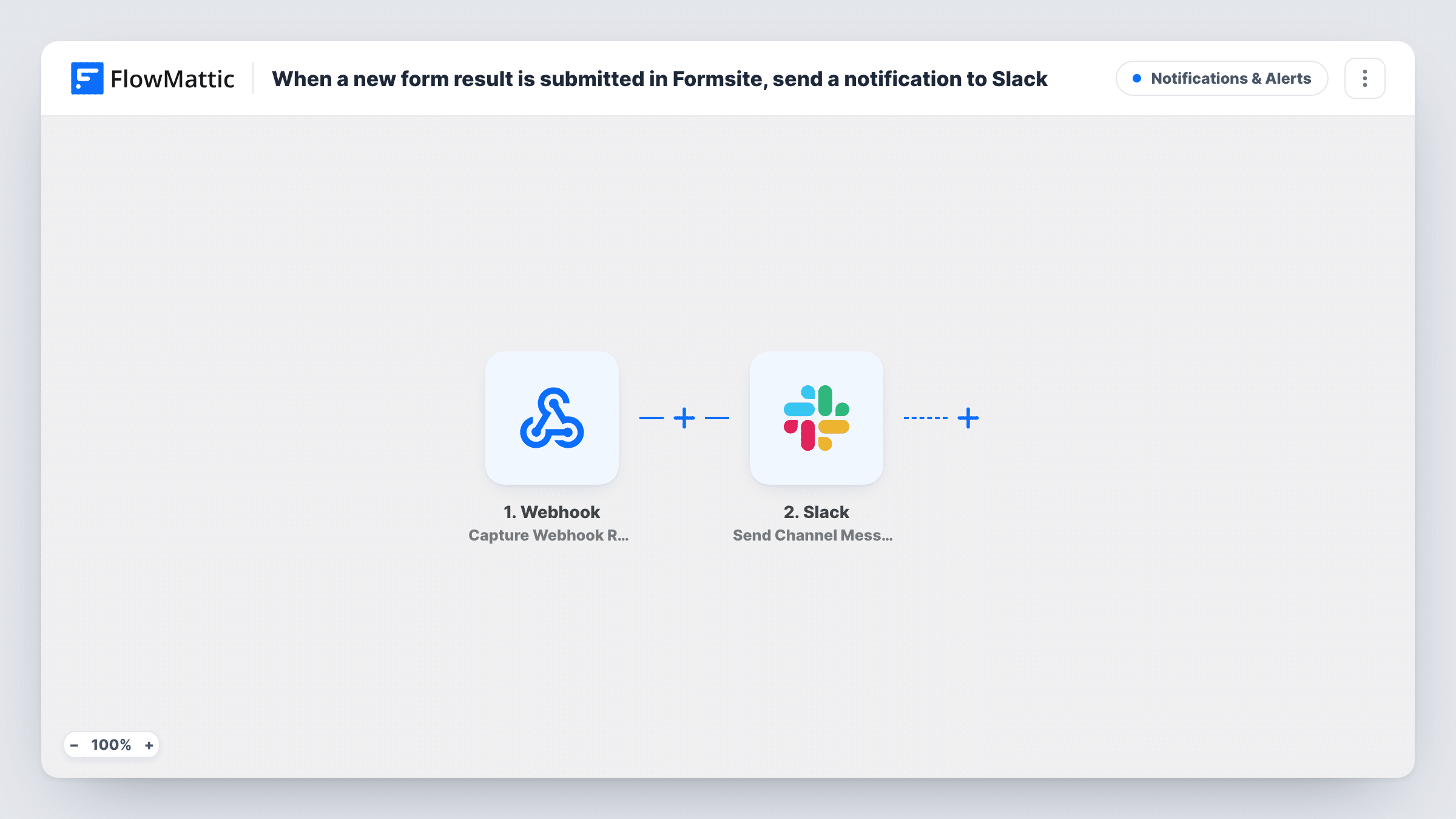
Each time someone submits a result to your Formsite form, FlowMattic posts a message in the Slack channel you choose, so your team sees new enquiries, sign-ups or requests without opening Formsite.
 Formsite
 Slack
2 steps Setup ~5 min Used on 1.4k sites Free to import
What this workflow does
A form only helps if someone acts on what comes in. When results sit in Formsite until a person remembers to log in, enquiries wait and requests go stale. This workflow puts each new result in front of your team in Slack.
The Formsite trigger fires when a user submits a new form result, and FlowMattic receives the answers. The Slack step then shares the result in a channel of your choice. In the template this step is empty, so after import you connect your workspace, choose the channel and write the message, mapping in the answers people need to see, such as the name, email and the main question.
Every submission posts its own message. Keep the text short and put the details that decide who follows up near the top, so the channel stays readable on a busy day.
Send a test result through the form, then check Task History to see the answers Formsite passed and what Slack returned.
Sales enquiries for the team on duty
A company's contact form on Formsite drops each enquiry into a #leads channel, where whoever is free replies first and marks it in a thread.
Job applications for the hiring team
An HR team collects applications in Formsite and gets a Slack post with the candidate's name and the role they applied for.
Facilities or IT requests
Staff report a broken printer or a room booking problem through a Formsite form, and the office team sees it in their Slack channel.
How this workflow runs
What happens at each step once the workflow is on, and what you need before you import it.
 Formsite New Form Result
Fires when a user submits a new result to your Formsite form. The answers from that submission become available to map into the Slack message.
- Slack Send Channel Message
Posts a Slack message about the new Formsite result in a channel. You set the channel and the message text after import, mapping in the form answers your team needs.
What you need
- FlowMatticCore
- Formsite AccountAccount
- Slack AccountAccount
After importing, map your own data. To keep the template universal, not every step is pre-filled. Open each step in the builder and connect your accounts and fields (channels, lists, sheets, recipients) before you switch the workflow on.
Make it yours
Changes worth making after you import it.
- To alert only on some results, put a Filter between the Formsite trigger and the Slack step that checks an answer, such as the department chosen; that answer is only an example, so set the question and value from your own form.
- Use Slack's Send Private Channel Message action instead if results contain personal details that belong in a private channel.
- Add a Google Sheets Add New Row step after the Slack step to keep a log of every result alongside the alerts.
Questions about this workflow
Which Formsite answers appear in the Slack message?
Only those you map. The Send Channel Message step ships without text, so write the message after import and insert the answers from the Formsite trigger.
Can each Formsite result go to a different Slack channel?
Yes, with a Router between the Formsite trigger and the Slack step. Give each route its own Slack step and a condition on an answer, and use values that can't both match, because every matching route runs.
Will I get a Slack message for results submitted before I turned this on?
No. Only results submitted while the workflow is active start a run.
Can I mention a person in the Formsite alert?
You can write a Slack mention into the message text. Test it with a sample result to check that Slack shows it as a mention.
More Notifications & Alerts workflows
Other ready-to-import templates from the same category.




Import this workflow into your WordPress site
Download the JSON, import it from the Workflows screen and connect your accounts. Every run stays on your server, with no per-task fees.
30-day money-back guarantee Unlimited workflows and runs Self-hosted