

When a new template is added in Signable, notify your team via Discord
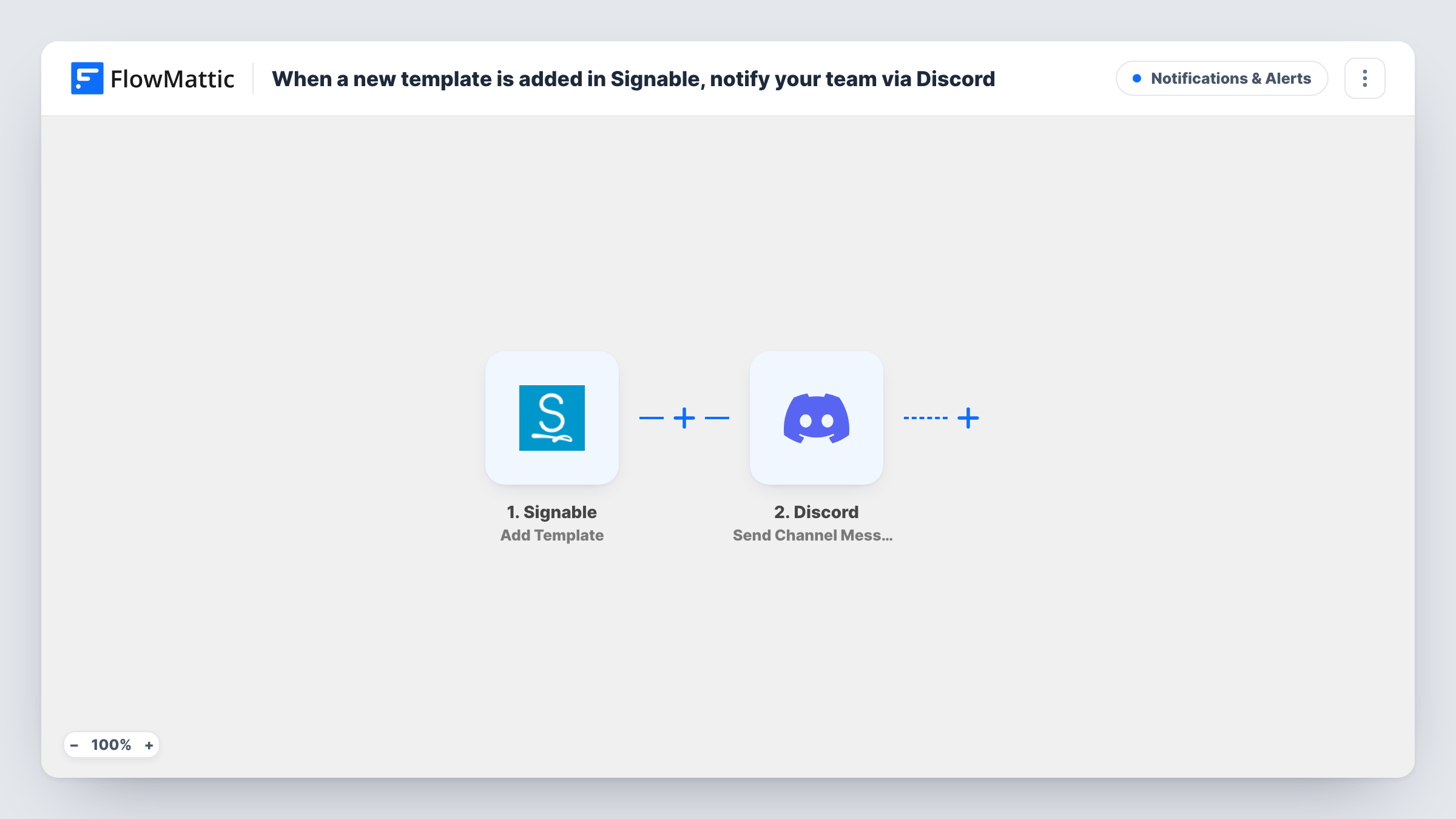
When a new template is added to your Signable account, this workflow posts a message in the Discord channel you choose, so the people who send documents for signature know a new template is there to use.
 Signable
 Discord
2 steps Setup ~5 min Used on 390 sites Free to import
What this workflow does
Templates in Signable save your team from rebuilding the same contract, consent form or agreement each time. A new one only helps once people know it exists, and an announcement that depends on someone remembering to post it often never happens. This workflow posts it for you.
The Signable trigger, Add Template, fires when a new template is added to your account. The details Signable sends about the template, such as its name if a test run shows it, are available for mapping. The Discord step then uses Send Channel Message to post in the server channel you pick, with text you write around those details.
Only new templates start a run. Editing a template that already exists, sending envelopes or adding contacts are separate Signable events and do not post anything here. The workflow only reads the event; your templates in Signable stay as they are. Task History records each post and Discord's response.
Agency rolling out a new client contract
When operations adds an updated service agreement template, the account managers' Discord channel gets a message naming it, so nobody sends the old version.
HR team adding onboarding forms
A new starter paperwork template in Signable is announced in the HR channel, letting recruiters know they can use it for the next hire.
Property managers with standard leases
Each new lease or renewal template added to Signable is posted for the letting team, who send those documents to tenants.
How this workflow runs
What happens at each step once the workflow is on, and what you need before you import it.
 Signable Add Template
Fires when a new template is added in Signable. The template details from the event are passed on so you can name the template in the Discord message.
- Discord Send Channel Message
Announces the template in a Discord channel of your choice. Write the announcement, map in the template details from Signable, and connect your Discord server after import.
What you need
- FlowMatticCore
- Signable AccountAccount
- Discord AccountAccount
After importing, map your own data. To keep the template universal, not every step is pre-filled. Open each step in the builder and connect your accounts and fields (channels, lists, sheets, recipients) before you switch the workflow on.
Make it yours
Changes worth making after you import it.
- Add a template in Signable after import as a test, so FlowMattic captures the event fields and you can see which details are worth putting in the post.
- Mention a Discord role in the message text if a particular group, such as the sales team, should be notified about new templates.
- Build a second workflow on Signable's Envelope Signed & Completed trigger if the same channel should also hear when signed documents come back.
Questions about this workflow
Does editing a Signable template post to Discord?
No. The Add Template trigger fires only when a new template is added. Changes to an existing template do not start this workflow.
Which Discord channel gets the Signable announcement?
You select it in the Discord step once the workflow is imported. The connection you use needs permission to post in that channel.
Can I announce new Signable contacts or users the same way?
Yes, by importing or building another workflow. Signable's Add Contact and Add User events are their own triggers in FlowMattic, each of which can feed a Discord step.
More Notifications & Alerts workflows
Other ready-to-import templates from the same category.




Import this workflow into your WordPress site
Download the JSON, import it from the Workflows screen and connect your accounts. Every run stays on your server, with no per-task fees.
30-day money-back guarantee Unlimited workflows and runs Self-hosted