

When a new submission received in Elementor Pro Forms, check if the email is valid with EmailListVerify, and create a new contact in Sendinblue
Check the email on every Elementor Pro form submission with EmailListVerify, then add the person to Brevo as a new contact, with the verification result on hand to filter or map.
 Elementor
 EmailListVerify
 Brevo ( Sendinblue )
3 steps Setup ~5 min Used on 970 sites Free to import
What this workflow does
Building a Brevo list from a website form brings in bad addresses along with good ones. Bounced sends hurt your sender reputation, and cleaning the list later takes time. This workflow puts an EmailListVerify check on each Elementor entry before the Brevo step.
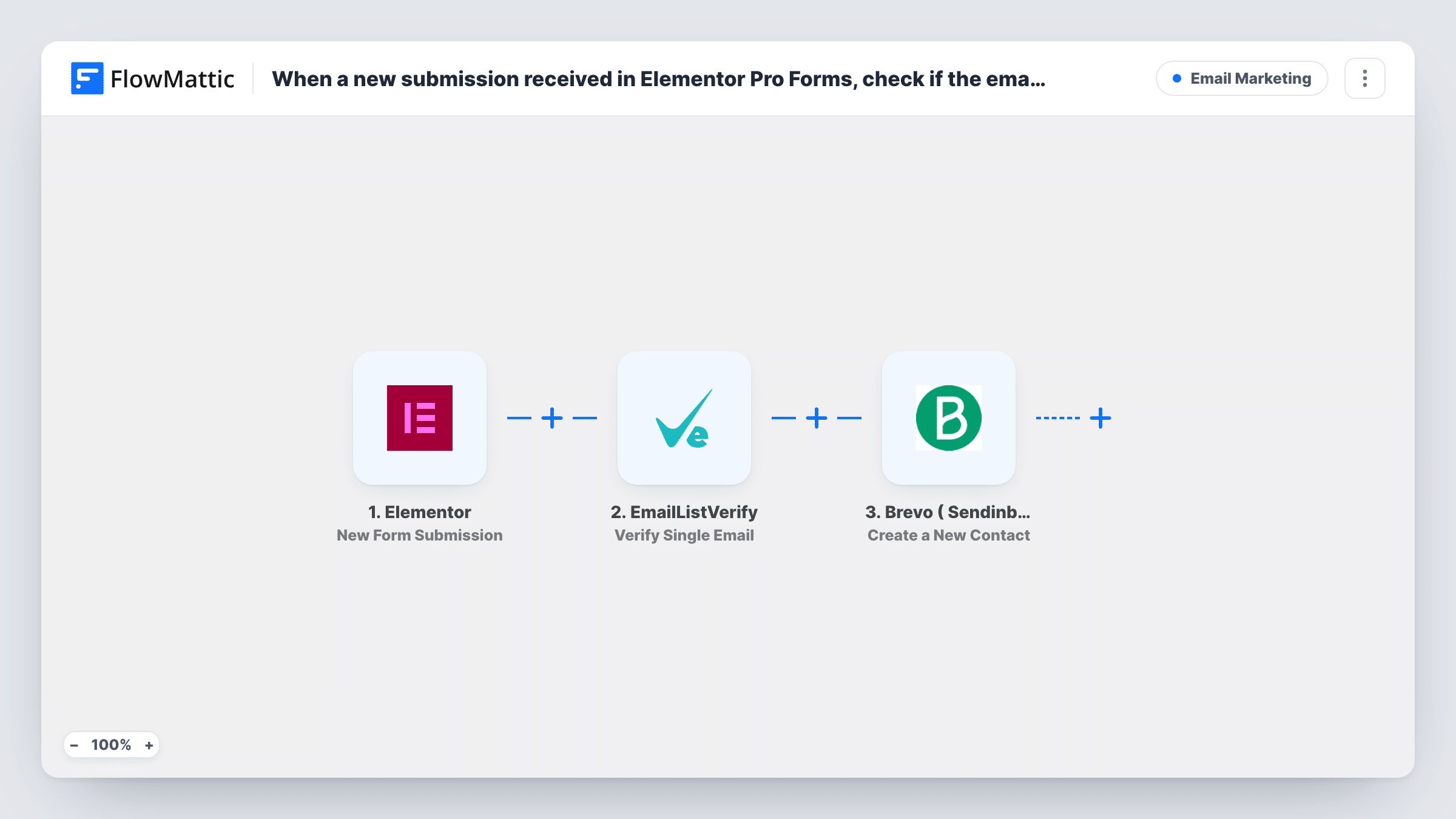
A submission to an Elementor Pro form starts the run. FlowMattic sends the email field to EmailListVerify with Verify Single Email and keeps the response for later steps. Brevo ( Sendinblue ) then gets a new contact built from the form fields you map.
The template has no Filter, so the check reports but doesn't block. Every submitter is sent to Brevo, including those whose address fails. To keep failed addresses out, place a Filter on the EmailListVerify result between the two actions. Task History records each run, so you can compare the check result with what Brevo did.
Webinar sign-ups built with Elementor
Registrants enter their email in an Elementor form. Add a Filter on the EmailListVerify result so only addresses that pass become Brevo contacts and get the reminder emails.
Product waitlist
Early-access requests come in through an Elementor popup form. Each address is checked before it joins your Brevo contacts, and the run history shows which ones failed.
Client sites with one shared Brevo account
An agency adds the workflow to a client's site so the client's Elementor sign-ups reach their Brevo account with each address verified on the way.
How this workflow runs
What happens at each step once the workflow is on, and what you need before you import it.
 Elementor New Form Submission
Fires on each submission made through an Elementor Pro form on the WordPress site where FlowMattic runs. The answers, email included, pass to the next two steps.
- EmailListVerify Verify Single Email
Checks the submitted address with EmailListVerify. Map the Elementor email field and connect your EmailListVerify account; the verification response is then usable in a Filter or in the Brevo step.
- Brevo ( Sendinblue ) Create a New Contact
Sends the submitter to Brevo as a new contact built from the mapped form fields. As imported it runs for every submission, including addresses that failed the check.
What you need
- FlowMatticCore
- Elementor PluginPlugin
- EmailListVerify AccountAccount
- Brevo ( Sendinblue ) AccountAccount
After importing, map your own data. To keep the template universal, not every step is pre-filled. Open each step in the builder and connect your accounts and fields (channels, lists, sheets, recipients) before you switch the workflow on.
Make it yours
Changes worth making after you import it.
- Insert a Filter after EmailListVerify that continues only when its result shows the address is valid. Send one test submission first so you know the exact value to compare against.
- Send a second test with a made-up address too, so you see both kinds of EmailListVerify response before you set the Filter.
- Make the email field required in the Elementor form, so every submission gives EmailListVerify an address to check.
Questions about this workflow
Will addresses that fail EmailListVerify still reach Brevo?
Yes, as imported. The check runs, but nothing acts on it. Add a Filter between EmailListVerify and Brevo to stop failed addresses.
What if the Elementor submitter is already a Brevo contact?
The step creates a new contact, so Brevo may decline an email it already holds. Look at Task History to see Brevo's response for that run.
Is Elementor Pro required for the EmailListVerify workflow?
Yes. The trigger listens to the Elementor Pro form widget, so Elementor Pro must be active on the site where FlowMattic is installed.
Does the EmailListVerify check run before Elementor saves the entry?
No. FlowMattic starts after the form is submitted, so Elementor handles the entry as usual. The check only affects what the workflow does next.
More Email Marketing workflows
Other ready-to-import templates from the same category.







Import this workflow into your WordPress site
Download the JSON, import it from the Workflows screen and connect your accounts. Every run stays on your server, with no per-task fees.
30-day money-back guarantee Unlimited workflows and runs Self-hosted