

When a subsequent payment is completed on Ko-fi, send an email thanking the member for their continued support using FlowMattic
When a Ko-fi member makes another payment for their membership tier, this workflow sends them a thank-you email through WordPress mail or your SMTP server, so each renewal gets a personal note.
 Ko-fi
Ko-fi
 Email
Email2 steps Setup ~5 min Used on 2.5k sites Free to import
What this workflow does
Members who keep paying for a Ko-fi tier month after month rarely hear from the creator between posts. A short thank-you on each renewal lets them know you noticed. This workflow sends one for you.
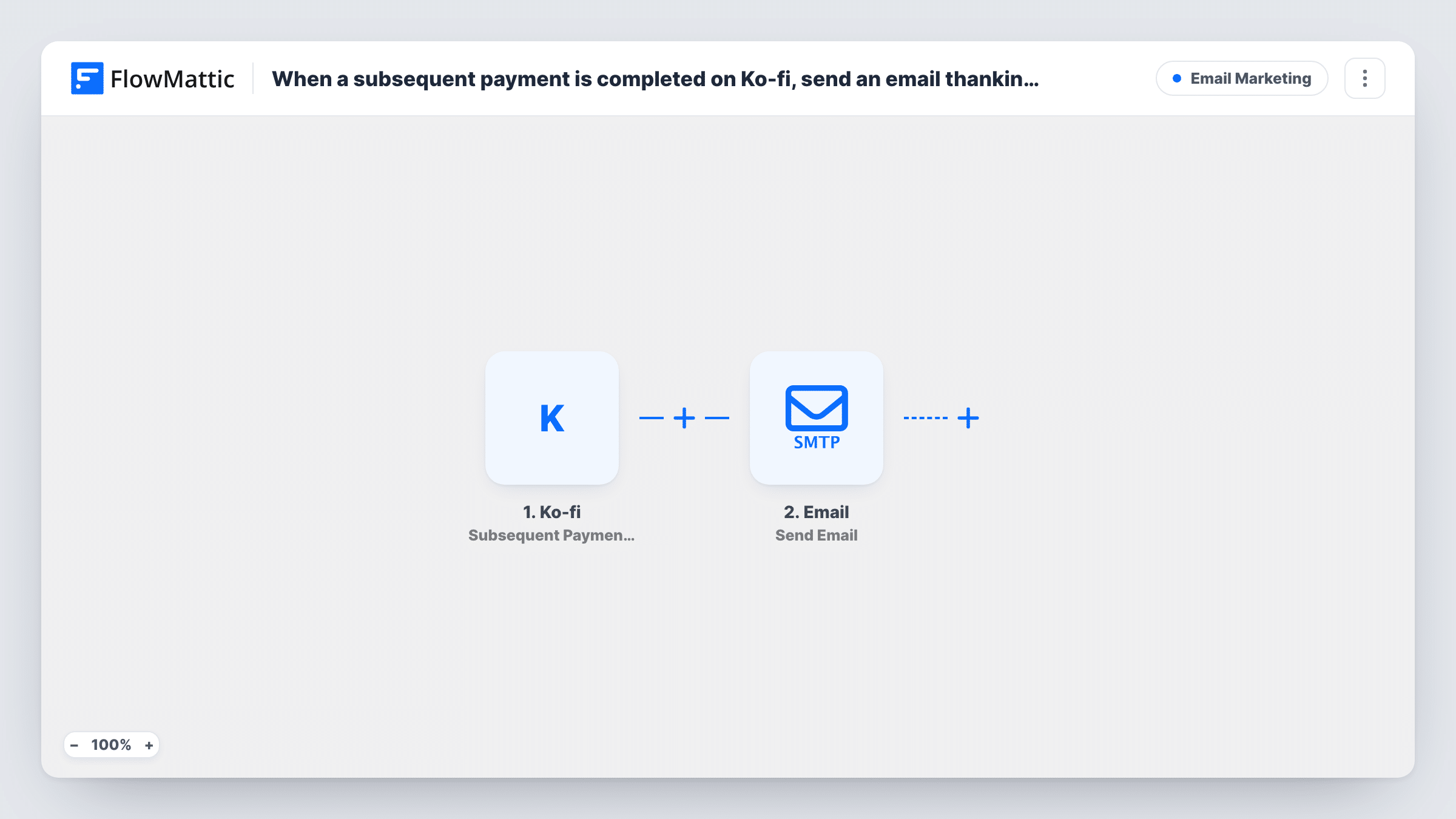
The Ko-fi trigger, Subsequent Payment for Membership Tier, fires when someone makes a later payment for a membership tier, not the first one. FlowMattic passes the payment data to the Email step, which sends a message using WordPress's built-in mail function or a custom SMTP server you set up. You map the supporter's email address and name from the Ko-fi data, then write the subject and body yourself.
Every renewal sends a fresh email, so a member on a monthly tier gets one each month. Keep the message short and varied enough that it still reads well the fifth time. Task History logs each send in case a member says one didn't arrive.
Podcast with monthly supporters
Each renewing member gets a thank-you that mentions the episode coming up, so the message feels current rather than automatic.
Artist sharing work-in-progress
A member renewing their tier receives a note with a link to the latest sketches in your Ko-fi posts.
Open-source maintainer
Sponsors on a recurring tier get a thank-you that points to the changelog, showing what their support paid for.
How this workflow runs
What happens at each step once the workflow is on, and what you need before you import it.
 Ko-fi Subsequent Payment for Membership Tier
Fires when someone makes a subsequent payment for a Ko-fi membership tier. First payments do not fire it. The payment data is passed on for the email.
 Email Send Email
Sends an email with WordPress's built-in mail function or a custom SMTP server. Map the supporter's email address from the Ko-fi data, then write the subject and message.
What you need
- FlowMatticCore
- Ko-fi AccountAccount
After importing, map your own data. To keep the template universal, not every step is pre-filled. Open each step in the builder and connect your accounts and fields (channels, lists, sheets, recipients) before you switch the workflow on.
Make it yours
Changes worth making after you import it.
- Use SMTP rather than WordPress's built-in mail if your host's mail tends to land in spam. Set it up in the Email step's connection.
- Build a second workflow on Ko-fi's First Payment of Monthly Subscription trigger with a welcome email, so new members get a different note than renewals.
- Map the tier name from the Ko-fi data into the email if a test run shows it, so members on different tiers get a matching line of thanks.
Questions about this workflow
Does the first Ko-fi membership payment send this email?
No. This trigger fires on subsequent payments for a membership tier. Use Ko-fi's First Payment of Monthly Subscription trigger in another workflow for first payments.
Do I need an SMTP service to send the Ko-fi thank-you?
No. The Email step can use the mail function built into WordPress. A custom SMTP server is an option if you want mail to go out through your own provider.
Will one-off Ko-fi donations get this email too?
No. Single donations and shop orders have their own triggers in FlowMattic. Only renewals of a membership tier start this workflow.
Can I see whether the email was sent?
Task History lists each run and the result of the Email step. It shows that the message was handed off for sending, not whether the member opened it.
More Email Marketing workflows
Other ready-to-import templates from the same category.






Import this workflow into your WordPress site
Download the JSON, import it from the Workflows screen and connect your accounts. Every run stays on your server, with no per-task fees.
30-day money-back guarantee Unlimited workflows and runs Self-hosted